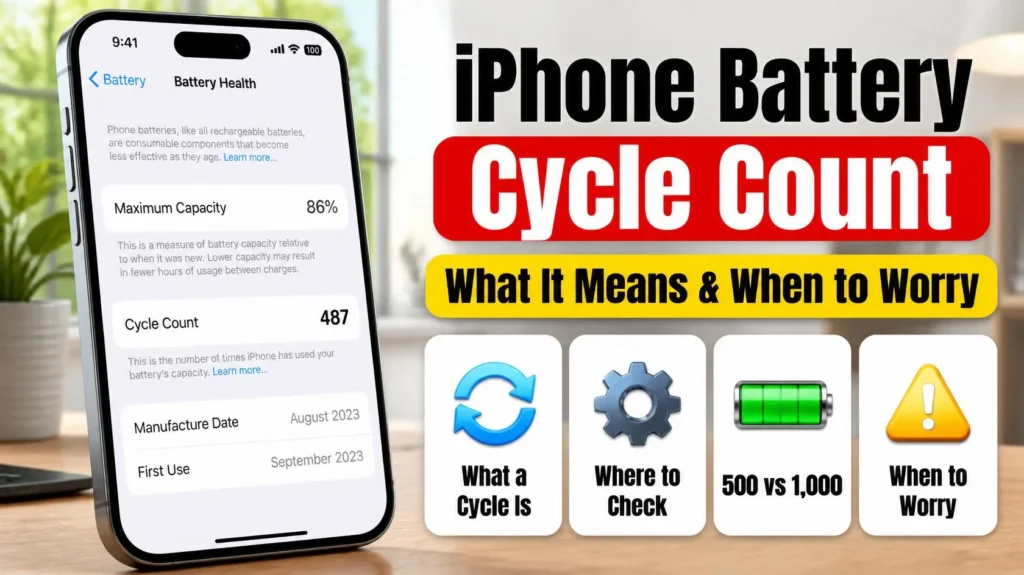
Your iPhone battery cycle count is the single most reliable mileage-style number your phone tracks about its own battery — more reliable than the Battery Health percentage alone, because a cycle count tells you exactly how much total charging work the battery has done, not just where its capacity happens to sit today. Here’s exactly what a cycle counts as, where to find yours, what’s normal for your specific model, and — more importantly — when a high cycle count is actually something to act on versus just a number to note and move on from.
Official Apple Store on Amazon
Genuine cases, cables, and accessories — sold and shipped by Apple.
📋 Quick Summary
- One charge cycle equals using 100% of your battery’s capacity — whether that happens in one sitting or spread across several partial charges.
- iPhone 14 and earlier are rated for 500 cycles at 80% original capacity; iPhone 15 and later are rated for 1,000 cycles, per Apple’s own specifications.
- Check yours in Settings → Battery → Battery Health & Charging — available on iPhone 11 and later.
- Cycle count and Battery Health % measure different things — a low cycle count with poor health (or vice versa) both happen, and each points to a different explanation.
- Cycle count alone rarely justifies a replacement — it’s Battery Health % dropping below 80% that actually should.
Table of Contents
What a Charge Cycle Actually Is
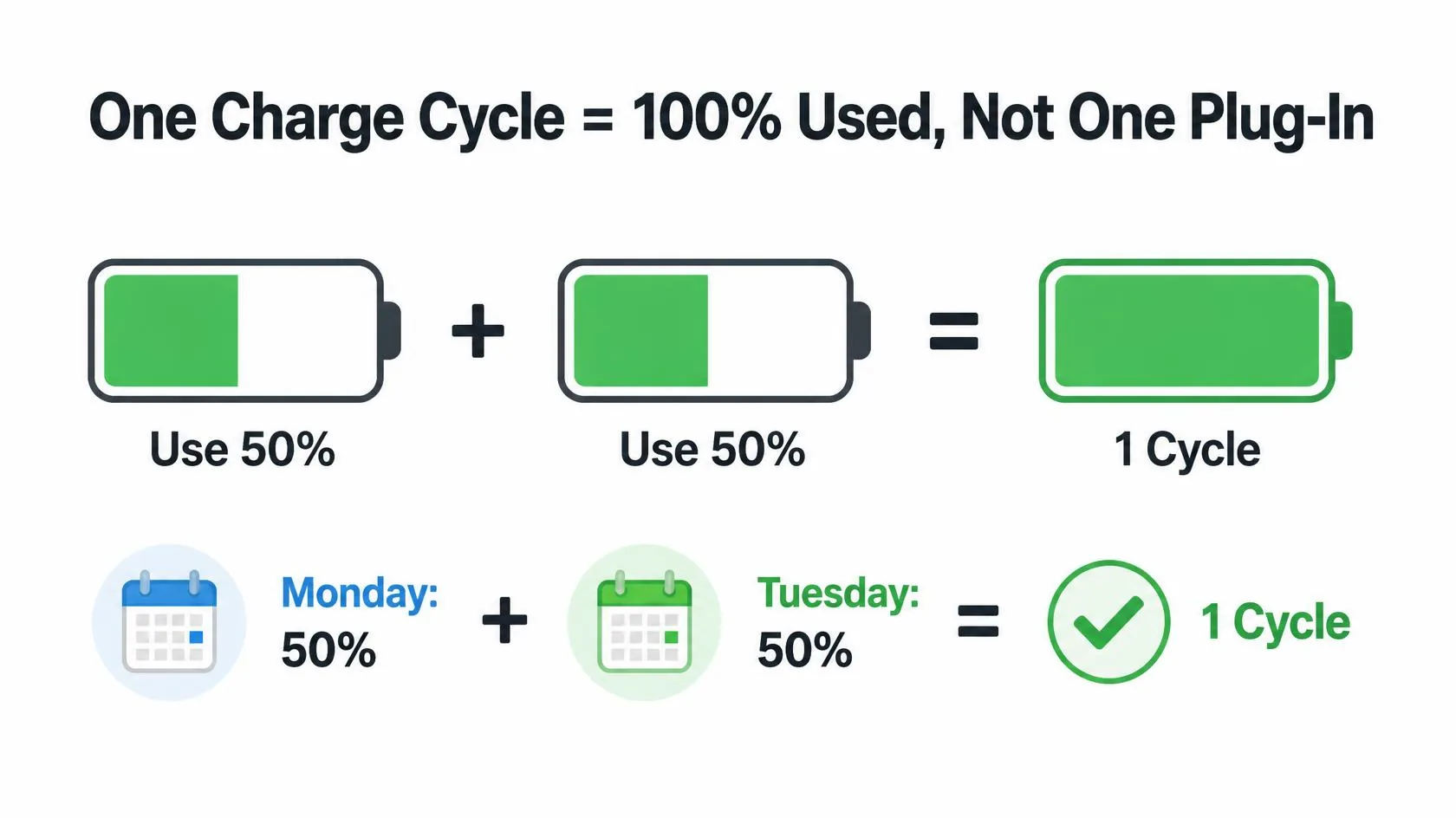
According to Apple’s own documentation on iPhone battery and performance, you complete one charge cycle when you’ve used an amount of power equal to 100% of your battery’s capacity — but not necessarily all at once. Draining to 50%, charging back to 100%, then draining to 50% again and recharging counts as one full cycle, not two. This is why a cycle count climbs more slowly than most people expect: topping up from 80% to 100% a few times a day still only adds up gradually, not once per plug-in.
That distinction matters directly for how you should read your own number. Someone who tops up frequently throughout the day and someone who runs their phone down to near-empty before charging can land on a similar cycle count after the same number of months — the pattern of when you charge doesn’t change the total cycles nearly as much as people assume, because it’s total energy delivered that’s being counted, not number of times you plugged in.
How to Check Your iPhone Battery Cycle Count
Go to Settings → Battery → Battery Health & Charging. On iPhone 11 and later, this screen shows whether a battery service is recommended, along with the cycle count itself. On iPhone 15 and later running iOS 17.4 or newer, Apple also shows the battery’s manufacture date and first-use date on the same screen, which is useful for confirming whether you’re looking at the original battery or a previously replaced one. If you don’t see a cycle count listed at all, your model predates iPhone 11 and this specific metric isn’t exposed in Settings — Battery Health % is the number to rely on instead.
- Open Settings
- Tap Battery
- Tap Battery Health & Charging
- Your cycle count is listed directly on this screen, alongside Maximum Capacity
Design Life by Model — What’s Actually Normal
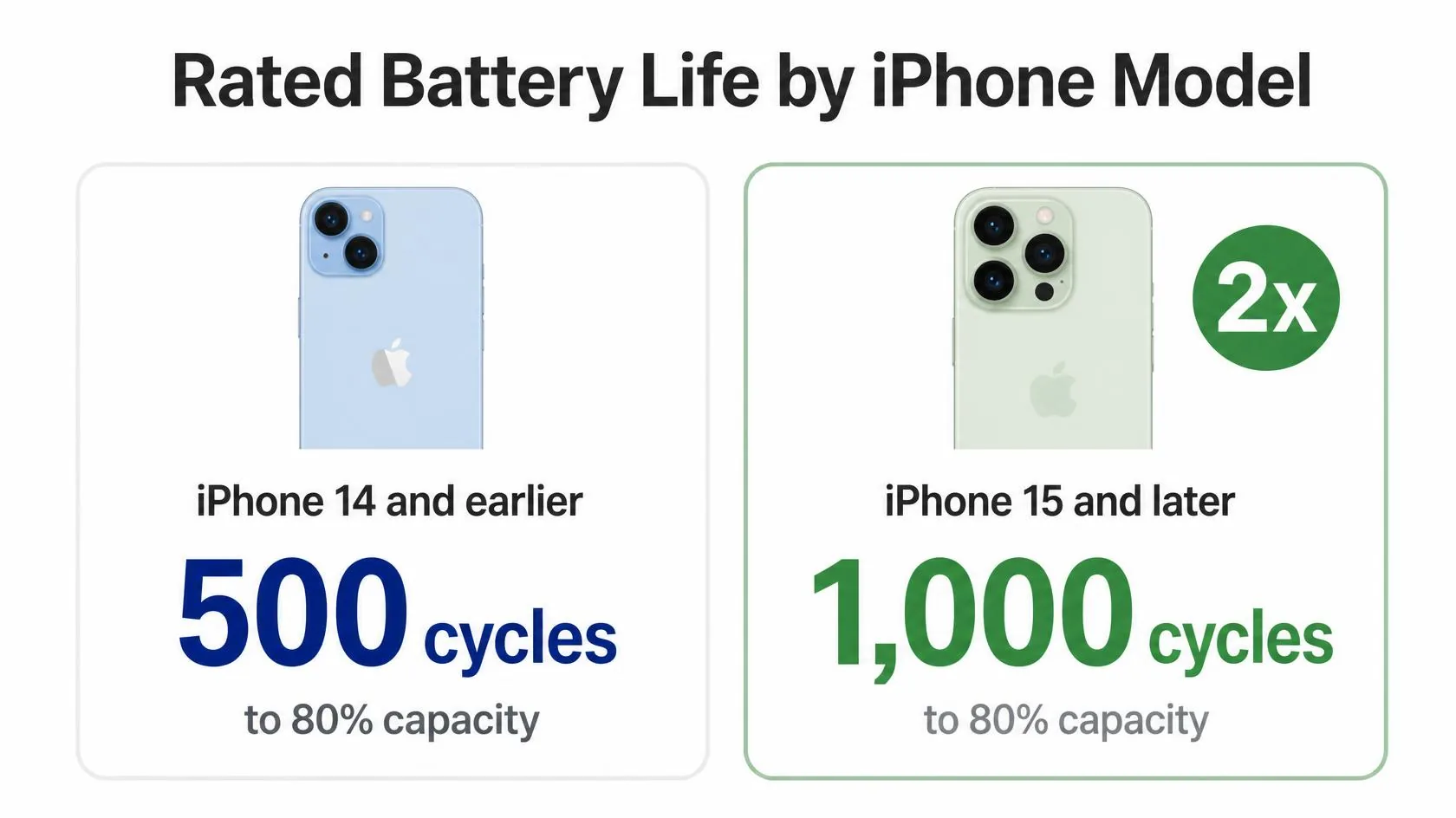
Per Apple’s official specifications, batteries in iPhone 14 and earlier are designed to retain 80% of their original capacity at 500 complete charge cycles under ideal conditions. iPhone 15 and later use a battery designed to retain 80% at 1,000 complete charge cycles — effectively doubling the rated lifespan before Apple’s own 80% threshold is expected to be reached, under typical use. That single change is a big part of why battery complaints have been slightly less common on iPhone 15/16/17 owners at the same age compared to iPhone 13/14 owners historically.
“Designed to retain 80% at 500 or 1,000 cycles” is a target under ideal, controlled conditions — not a guarantee and not a cliff edge. Plenty of batteries hold up better than that; some, especially ones that have spent a lot of time in heat or stayed at very high or very low charge for long stretches, fall short of it. Treat these numbers as the baseline Apple engineers the hardware around, not a hard prediction for your specific unit.
Cycle Count vs. Battery Health % — They Measure Different Things
Cycle count is a running total — it only ever goes up, and it tells you how much charging work the battery has done over its life. Battery Health % is a current snapshot — it tells you how much capacity is left right now compared to when the battery was new, and it’s affected by cycle count but also by heat exposure, age even when unused, and charging habits independent of cycles.
This is why two iPhones with an identical cycle count can show meaningfully different Battery Health %, and why the more useful question usually isn’t “how many cycles do I have” on its own, but “what does my Battery Health % actually say, given how many cycles I’m at.” If you haven’t already, run your current numbers through our free Battery Health Checker — it takes your Battery Health % and how long you’ve owned the phone and gives you an instant read on whether you’re tracking normally or wearing down faster than expected.
When Your Cycle Count Should Actually Worry You
A high cycle count on its own, with Battery Health still reading 85%+ and no symptoms, isn’t something to act on — it means the battery is doing exactly what it’s designed to do, and aging is expected, not a fault. Where cycle count becomes genuinely useful is as context for other signals:
- You’re well past your model’s rated cycle count (500 or 1,000) and Battery Health has dropped below 80%. This is the combination that actually lines up with Apple’s own service recommendation — the battery has done the work it was designed for and is now past its target retention point.
- Your cycle count is low, but Battery Health is already reading well below 80%. That mismatch — low mileage, poor health — usually points to heat exposure, extended time left at very low or very high charge, or in rare cases a defective cell, not just normal wear from use.
- You’re seeing shutdowns or Peak Performance Capability notices alongside a rising cycle count. That combination is a much stronger signal than either number alone — see our guide on iPhone Dies at 20 Percent for what that specific pattern means.
How to Slow Down Cycle Accumulation
You can’t avoid accumulating cycles entirely — that’s just using the phone — but a few habits measurably slow the rate without changing how you actually use your iPhone day to day:
- Leave Optimized Battery Charging enabled (Settings → Battery → Battery Health & Charging) — it learns your routine and delays the final charge toward 100% until closer to when you’ll actually unplug, reducing time spent fully charged.
- Avoid letting your iPhone sit for long periods at 0% or 100% — both extremes accelerate chemical aging independent of cycle count.
- Keep your iPhone out of hot cars and direct sun when charging — heat is consistently the single biggest factor in accelerated capacity loss, separate from cycles entirely.
- If your iPhone supports it, consider a lower charge limit for daily use and reserve full 100% charges for days you actually need the extra range.
Match Your Situation
| Your situation | What it likely means | What to do |
|---|---|---|
| High cycle count, Battery Health 85%+ | Normal aging, nothing to act on | No action needed — recheck periodically |
| Past rated cycle count, health below 80% | Battery has reached its designed service point | Battery replacement is the direct fix |
| Low cycle count, health already below 80% | Heat exposure or extended time at extreme charge, not cycle wear | Check charging habits and environment; consider replacement if it persists |
| Rising cycles plus unexpected shutdowns | Voltage sag under peak demand — see our shutdown guide | Check Peak Performance Capability first |
| No cycle count shown in Settings | Model is older than iPhone 11 | Rely on Battery Health % instead |
A note on scope: this guide covers cycle count as a diagnostic number, not physical battery safety. If you notice any swelling or a bulging back panel, that’s a separate, more urgent issue — see the safety guidance in our main iPhone Battery and Charging Problems guide and do not attempt to open the device yourself.
RECOMMENDED FIRST STEP
Check both numbers together, not just one
Cycle count without Battery Health % only tells half the story. Run your numbers through our free checker for an instant, model-aware read.
Try the Battery Health CheckerFeatured Apple Deals on Amazon
Current discounts on AirPods, chargers, cables, and other Apple gear.
Frequently Asked Questions
What is a good iPhone battery cycle count?
Under 500 cycles is considered light-to-moderate use for any iPhone model, and well within design life for every current iPhone. There’s no universal “bad” number on its own — what matters is cycle count paired with your actual Battery Health % reading.
How many cycles can an iPhone battery handle before it needs replacing?
Apple’s own specification is 500 cycles at 80% retained capacity for iPhone 14 and earlier, and 1,000 cycles for iPhone 15 and later. Many batteries perform acceptably somewhat beyond that; some fall short of it, especially with heavy heat exposure.
Does partial charging use up a full cycle?
No. A cycle only completes once you’ve drawn a cumulative 100% of capacity, whether that’s one full charge or several partial ones added together. Topping up from 70% to 100% several times uses roughly one cycle total, not one cycle per top-up.
Can I check my cycle count on an iPhone X or iPhone 8?
No — cycle count in Settings is only available on iPhone 11 and later. On older models, Battery Health % under Settings → Battery → Battery Health is the number to track instead.
Does a high cycle count mean my iPhone is unsafe to use?
No, not on its own. A high cycle count paired with good Battery Health simply means a well-used, normally aging battery. Safety concerns are signaled by physical swelling or a bulging case, not by the cycle count number itself.
Does fast charging increase my cycle count faster than slow charging?
No — cycle count is based on total energy delivered, not charging speed. A faster charger fills the same battery with the same total energy, just over less time, so it doesn’t add cycles any faster.
If my cycle count is low but Battery Health is already poor, is it defective?
It’s worth investigating rather than assuming normal wear. Check whether the phone has spent significant time in heat, at 0% for long periods, or at 100% under a hot charger. If none of that applies and health is still notably low for such a low cycle count, it’s reasonable to have it checked at an Apple Store or authorized provider.
📚 Related Guides
- iPhone Battery and Charging Problems: The Complete Guide
- iPhone Dies at 20 Percent (Even Though It Says It’s Charged)
- iPhone Battery Drains Overnight: Real Causes & Fixes
- iPhone Battery Replacement Cost: Apple vs Third-Party vs AppleCare+
- Free Tool: Battery Health Checker
- Free Tool: Repair Cost Estimator
Written by S M Momin Arif
Founder and lead writer at iPhoneFixDaily, covering iPhone battery and charging diagnostics based on direct hands-on testing. Read more about our approach →