
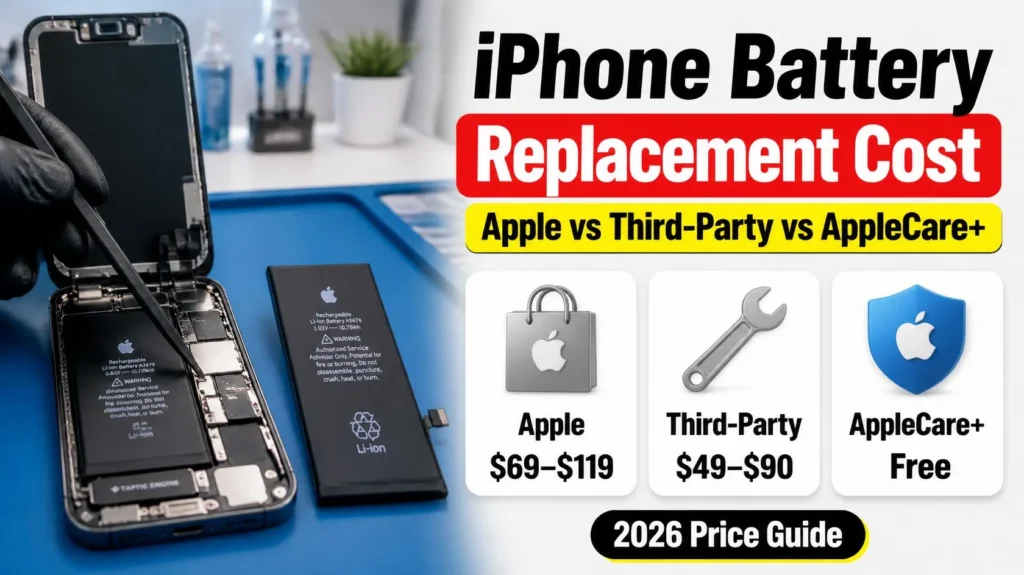
iPhone battery replacement cost varies more than most people expect — not just between Apple and a third-party shop, but between iPhone models at Apple’s own counter, where the same service can run anywhere from $69 to $119 depending on which iPhone you own. Here’s the exact current pricing tiers, what AppleCare+ actually covers, how third-party pricing really compares once you account for part quality, and how to tell which option is right for your specific situation.
Official Apple Store on Amazon
Genuine cases, cables, and accessories — sold and shipped by Apple.
📋 Quick Summary
- Apple’s out-of-warranty pricing runs $69 to $119 depending on model — it is not one flat fee across the lineup.
- Free under AppleCare+ if your Battery Health has dropped below 80%, regardless of which model you own.
- Independent repair shops typically charge $49–$90, often with same-day turnaround.
- Apple uses genuine parts and preserves full warranty/AppleCare+ eligibility going forward; third-party outcomes vary by shop and part quality.
- Not sure you actually need one yet? Check your numbers first — replacement only makes sense once Battery Health is genuinely degraded.
Table of Contents
iPhone Battery Replacement Cost at Apple: Official Pricing
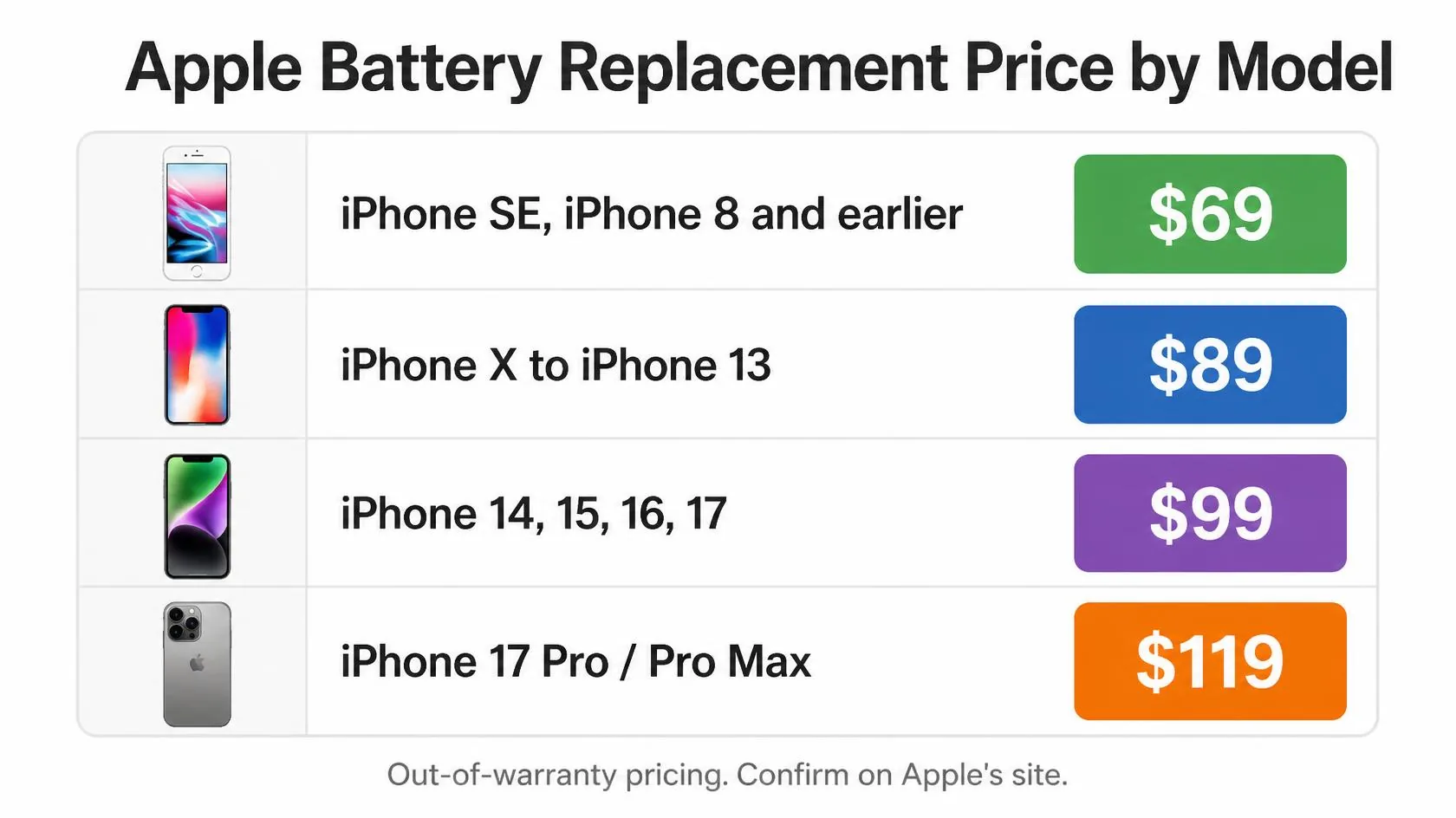
Apple’s official out-of-warranty battery service pricing is tiered by model rather than a single flat rate. As of current pricing being reported across multiple repair-cost trackers, the breakdown looks like this:
| Model range | Typical Apple price |
|---|---|
| iPhone SE (1st/2nd gen), iPhone 8 and earlier | $69 |
| iPhone X through iPhone 13 series | $89 |
| iPhone 14, iPhone 15 series, iPhone 16, iPhone 17 (standard) | $99 |
| iPhone 17 Pro and Pro Max | $119 |
Apple’s pricing has moved before — most notably a jump when the iPhone 14 launched — so treat this table as directionally accurate and always confirm your exact model’s current price on Apple’s official battery service page before booking, since pricing pages update independently of when guides like this one get refreshed. For a quick estimate broken down by repair type rather than just battery service, our free Repair Cost Estimator gives you a live range for your exact model.
When It’s Actually Free
If your iPhone is still under its original one-year limited warranty and your Battery Health has genuinely failed — capacity has dropped below 80% of original — Apple replaces it at no charge. With AppleCare+, that same below-80% threshold qualifies you for a free replacement for as long as your AppleCare+ coverage is active, which is usually the more relevant path since most people are outside the standard one-year warranty by the time battery wear becomes noticeable.
This is also why chasing a replacement the moment Battery Health dips into the low 80s is premature if you have AppleCare+ — waiting until you cross the 80% line, rather than replacing early out of pocket, is the only way to actually use the coverage you’re paying for. Check your current percentage in Settings → Battery → Battery Health & Charging, or run it through our Battery Health Checker for a plain-language read on where you actually stand.
Apple vs. Third-Party — What the Price Difference Actually Buys You
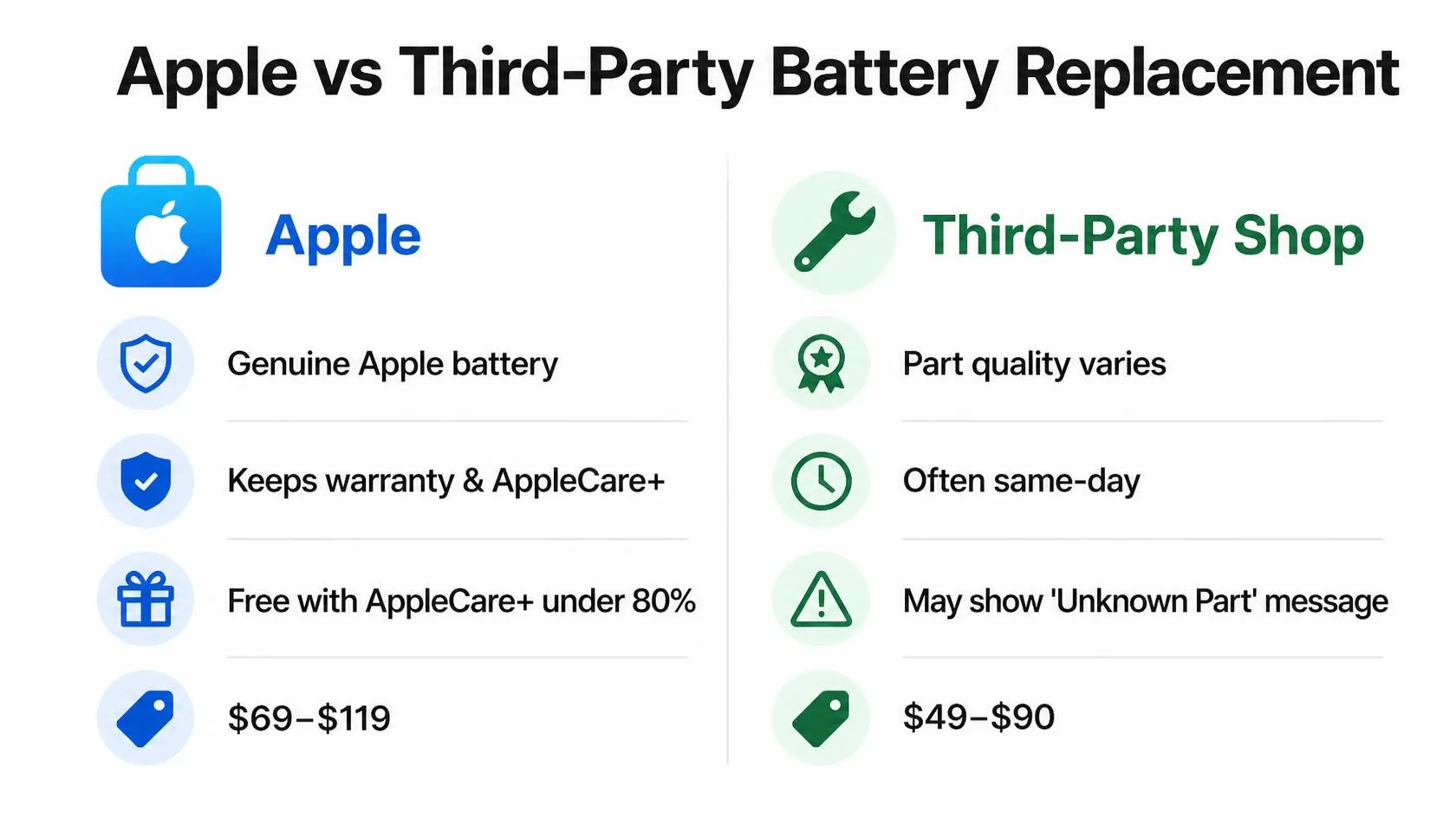
Independent repair shops commonly charge somewhere in the $49–$90 range, which on paper undercuts Apple for nearly every model tier. What that comparison misses is what’s actually different beyond price:
- Part source. Apple always uses genuine Apple batteries. Third-party shops range from OEM-pull batteries (used but genuine) to aftermarket cells of varying quality — ask specifically what they’re installing before booking, not just the price.
- Battery health reporting. A non-genuine battery can trigger an “Unable to verify this iPhone has a genuine Apple battery” message in Settings, which affects your ability to see accurate Battery Health readings going forward — worth asking about directly if that matters to you.
- Warranty impact. A third-party battery replacement can affect eligibility for other Apple warranty service if it’s determined the repair caused unrelated damage, though routine battery swaps rarely cause issues on their own.
- Turnaround. Independent shops frequently offer same-day, while Apple’s timeline depends on Genius Bar appointment availability and whether the part is in stock at that location.
For a device you plan to keep for years and want to sell or trade in eventually with full documentation, Apple or an Apple Authorized Service Provider is the safer default. For an older device you’re keeping until it dies anyway, a reputable local shop is a reasonable way to save real money — the DIY route (roughly $20–$40 in parts) is the cheapest option but carries real risk of damaging the display cable or waterproofing seal if you haven’t done one before.
How to Know You Actually Need One
Before booking anything, confirm the battery is genuinely the problem rather than assuming it based on age alone:
- Check Settings → Battery → Battery Health & Charging. Below 80% Maximum Capacity is the point Apple itself treats as significantly degraded.
- Look for a “Peak Performance Capability” note on the same screen — its presence means iOS has already detected and responded to at least one unexpected shutdown event.
- Rule out software causes first. A recent, sudden drop in battery life is more often an update settling in than actual hardware wear — see our guide on iPhone Battery Drains Overnight before booking a repair.
- If you’re seeing unexpected shutdowns specifically, read iPhone Dies at 20 Percent first — it walks through the exact mechanism and whether replacement is really the fix for your specific pattern.
Match Your Situation
| Your situation | Best option | Expected cost |
|---|---|---|
| Under warranty or have AppleCare+, health below 80% | Apple, free of charge | $0 |
| Out of warranty, want genuine parts and full documentation | Apple or Apple Authorized Service Provider | $69–$119 |
| Older device, keeping it until it dies, budget-conscious | Reputable local repair shop | $49–$90 |
| Comfortable with electronics repair, want cheapest option | DIY replacement kit | $20–$40 |
| Not sure the battery is even the problem yet | Check Battery Health % and rule out software first | $0 to check |
A note on scope: this guide covers routine battery replacement pricing and options. If you notice any swelling or a bulging back panel, don’t attempt any repair yourself — that’s a safety issue requiring immediate professional attention, covered in our main iPhone Battery and Charging Problems guide.
RECOMMENDED FIRST STEP
Confirm you actually need a replacement first
Check your Battery Health % and cycle count before booking anything — a fair share of “dying battery” complaints turn out to be software, not hardware.
Try the Battery Health CheckerFeatured Apple Deals on Amazon
Current discounts on AirPods, chargers, cables, and other Apple gear.
Frequently Asked Questions
How much does Apple charge to replace an iPhone battery?
Apple’s out-of-warranty pricing runs from $69 for older models like the iPhone SE and iPhone 8, up to $119 for the iPhone 17 Pro and Pro Max, with most current-generation models falling around $99.
Is iPhone battery replacement free with AppleCare+?
Yes, if your Battery Health has dropped below 80% of original capacity. AppleCare+ doesn’t cover battery replacement simply because you want a fresh one — the 80% threshold has to actually be met.
Is it worth paying more for Apple over a third-party shop?
It depends on your priorities. Apple guarantees genuine parts, preserves full warranty status, and avoids the “unable to verify genuine battery” message. A reputable third-party shop can save $20–$50 and often offers faster turnaround, which is a reasonable trade-off for an older device.
Will a third-party battery replacement void my warranty?
It can affect eligibility for warranty service specifically related to damage caused during that repair, but it doesn’t void your entire Apple warranty outright. If the rest of your device is still under warranty, ask the shop directly how they handle this before booking.
How do I know if I actually need a replacement, not just a cleanup or software fix?
Check Battery Health % first. If it’s above 80% and you’re not seeing unexpected shutdowns, the issue is very likely software or usage-pattern related, not the battery itself — see our battery drain and shutdown guides before booking a repair.
Can I replace the battery myself to save money?
Yes, DIY kits typically cost $20–$40, but iPhone battery replacement involves adhesive strips, a display cable, and on newer models a waterproofing seal — real risk exists if you haven’t done one before. It’s a reasonable option if you’re comfortable with small electronics repair and accept the risk.
Does battery replacement fix slow performance too?
Often, yes — if slowness was caused by Peak Performance Capability throttling due to a degraded battery, a replacement typically restores full performance. If Battery Health was already fine, a battery swap won’t fix unrelated software or storage-based slowdowns.
📚 Related Guides
Written by S M Momin Arif
Founder and lead writer at iPhoneFixDaily, covering iPhone battery and charging diagnostics based on direct hands-on testing. Read more about our approach →