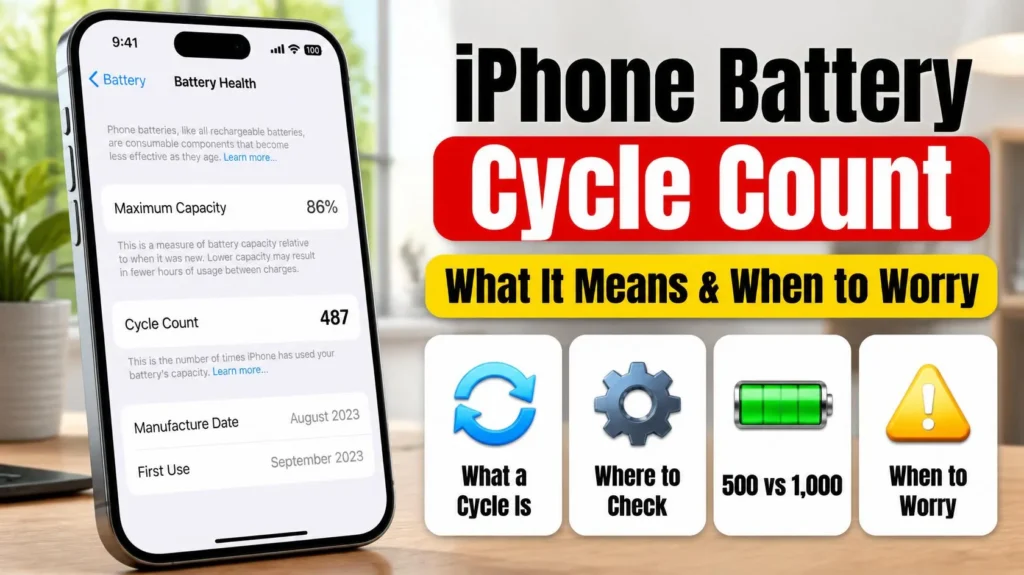

iPhone battery health percentage is the number most owners check when their battery starts to feel weaker, and the question is always the same: is my number good or bad? The short answer is that anything at 80% or above is still within Apple’s design target, but what’s normal depends on how old your iPhone is and which model you have. Here’s what each percentage means, how fast it usually drops, and when a new battery is actually worth it.
📋 Quick Summary
- Battery health is your battery’s maximum capacity compared with when it was new.
- 80% and above is within Apple’s design target. Below 80%, iPhone may say the battery is significantly degraded.
- Apple designs iPhone 15 models to keep 80% after 1,000 charge cycles, and iPhone 14 and earlier after 500 cycles.
- 85% is normal for an iPhone that’s two or three years old, but fast for one that’s under a year old.
- Replace the battery when it drops below 80%, shows Service, or can’t get you through the day. Apple charges $69 to $129 in the US.
Table of Contents
What Your iPhone Battery Health Percentage Means
Go to Settings → Battery → Battery Health (called Battery Health & Charging on older iOS versions). The Maximum Capacity percentage is your battery health. Apple describes it as the battery’s capacity relative to when it was new. As a lithium-ion battery chemically ages, it holds less charge, so you get fewer hours between charges.
Two things surprise people. First, a brand-new iPhone can already show slightly under 100%, depending on how long it sat between being made and being activated. Apple says this is expected. Second, the same screen has a separate line called Peak Performance Capability. That tells you whether your battery can still deliver power fast enough for full performance, which matters more than a few percent of capacity.

Is 85% Battery Health Good? Every Percentage Explained
Use this as a guide. Your iPhone’s age and how many charge cycles it has done matter as much as the number itself.
| Battery health | What it means | What to do |
|---|---|---|
| 95–100% | Like new. Normal for the first months. | Nothing. |
| 90–94% | Normal wear for about one to two years of daily use. | Nothing. |
| 85–89% | Normal for about two to three years. Fast if your iPhone is under a year old. | Check heat and charging habits (see below). |
| 80–84% | Getting close to Apple’s 80% design target. You’ll notice shorter battery life. | Plan a replacement in the coming months. |
| Below 80% | Below Apple’s design target. iPhone may show "significantly degraded". | Replace the battery, especially if it runs out before the day ends. |
| "Service" | iOS has flagged the battery for service. | Get it checked by Apple or an authorized provider. |
So is 85% battery health good? For a phone that’s two or three years old, yes, it’s ordinary wear. For a phone you bought this year, it’s on the fast side. You’re not alone in wondering: Apple’s Community forums are full of owners asking things like whether 87% after a year is normal. What matters is the trend and whether the battery still gets you through your day.
How Fast Does iPhone Battery Health Drop?
Apple doesn’t publish a percentage per year, because it depends on how you use and charge your phone. What it does publish is a design target (Apple):
| Model | Designed to keep | After |
|---|---|---|
| iPhone 14 and earlier | 80% of original capacity | 500 complete charge cycles |
| iPhone 15 models | 80% of original capacity | 1,000 complete charge cycles |
Apple’s pages name only the iPhone 15 models for the 1,000-cycle rating. It hasn’t published a figure for the iPhone 16, 17 or 18, though they’re widely reported to match.
Working backwards from those targets gives a rough idea. An iPhone 15 loses about 2 points of battery health per 100 cycles, and an iPhone 14 or older about 4 points per 100 cycles. One cycle is using 100% of your battery’s capacity in total, so someone who drains a full battery every day does around 300 or more cycles a year. This is our estimate, not an Apple figure, and real batteries don’t wear in a straight line. Heat and age add to it.
iPhone 15 and later also show the cycle count, along with the battery’s manufacture and first-use dates, in Settings. Depending on your iOS version it’s under Battery Health or in Settings → General → About. Our iPhone battery cycle count guide explains how to read it.
When to Replace Your iPhone Battery
Replace the battery when any of these is true:
- Battery health is below 80%. iPhone may show: "Your battery’s health is significantly degraded." Apple says this isn’t a safety issue and you can keep using it, but you may notice more battery and performance problems.
- Peak Performance Capability says performance management has been applied. That means your iPhone has shut down unexpectedly because the battery couldn’t deliver enough power. If yours dies at 20% or in the cold, see iPhone dies at 20 percent.
- Battery health shows "Service".
- It doesn’t last your normal day, whatever the percentage.
Apple charges $69 to $129 in the US for an out-of-warranty battery replacement, depending on the model ($229 for iPhone Duo). It’s covered if you have AppleCare+ and your battery health is below 80%. See our iPhone battery replacement cost guide for every model.
One warning: after a battery is replaced with a non-genuine part, iPhone can say it’s "Unable to verify this iPhone has a genuine Apple battery", and Apple says the health reading may then not be accurate.
iPhone Battery Health Percentage Dropping Fast? Check These
If your battery health percentage is dropping much faster than the guide above, check these before blaming the battery:
- Heat. Heat ages lithium-ion batteries faster. Gaming while charging, charging under a pillow or leaving the phone in a hot car all add up. See iPhone overheating.
- Cycle count. A heavy user can do far more cycles than average. Health dropping fast at a low cycle count is the real warning sign.
- Charging settings. Make sure Optimized Battery Charging or a charge limit is on (next section).
- Your model. Some iPhone 16 Pro owners have reported unusually quick early drops. See iPhone 16 Pro battery health dropping fast.

How to Slow Down Battery Health Loss
You can’t stop battery aging, but these settings slow it down (Apple):
- iPhone 15 and later: set a charge limit. Go to Settings → Battery → Charging and choose a limit between 80% and 100%. A lower limit means less time sitting at a full charge. With the limit at 100%, you can use Optimized Battery Charging instead.
- iPhone 14 and earlier: keep Optimized Battery Charging on. It’s on by default and holds the charge at 80% overnight until shortly before you usually unplug.
- Avoid heat, especially while charging. Take off a thick case if the phone gets hot on the charger.
- Don’t worry about draining it to zero. Apple says you can charge whenever you want, and there’s no need to let it run down first.
If your iPhone now stops at 80% and you’d rather it didn’t, that’s one of these settings working, not a fault. Our guide to why an iPhone stops charging at 80% shows how to change it.
Replacing a worn-out charger or cable too? Apple’s own chargers and cables are in Apple’s official store on Amazon. (As an Amazon Associate I earn from qualifying purchases.)
Frequently Asked Questions
Is 85% battery health good on an iPhone?
Yes for an iPhone that’s two or three years old. That’s normal wear. It’s fast for a phone under a year old, so check for heat and look at your cycle count.
Is 80% battery health bad?
80% is Apple’s design target, the point where the battery is considered worn but still working. Below 80%, iPhone may say the battery is significantly degraded, and a replacement is worth considering.
At what percentage should I replace my iPhone battery?
Below 80%, when it shows Service, or whenever the battery can’t get you through your normal day.
Why is my new iPhone’s battery health not 100%?
Apple says a new iPhone can show slightly under 100% depending on how long it was stored between being made and being activated.
How long does it take to go from 100% to 80%?
Apple designs iPhone 15 models to reach 80% after about 1,000 charge cycles, and iPhone 14 and earlier after about 500. It hasn’t given a figure for newer models. For most daily users that’s several years for an iPhone 15 and about two years for an iPhone 14 or older.
📚 Related Guides
Written by S M Momin Arif
Founder and lead writer at iPhoneFixDaily, writing practical iPhone troubleshooting guides checked against Apple’s official support documentation. Read more about our approach →