Seeing “Unknown Part” next to Battery, an “Important Battery Message”, or “Unable to verify this iPhone has a genuine Apple battery”? It usually shows up after a battery replacement. It sounds alarming, but Apple says these messages don’t stop you using your iPhone or its battery. Here’s what each message means, what it does and doesn’t affect, and when it’s worth fixing.
Official Apple Store on Amazon
Genuine cases, cables, and accessories — sold and shipped by Apple.
📋 Quick Summary
- “Unknown” means the battery isn’t a genuine Apple part, isn’t working as expected, wasn’t verified after the repair, or has been modified.
- The phone and battery keep working. Apple says the message doesn’t affect your ability to use them.
- What it does affect: the Battery Health reading may not be accurate, and it might lower trade-in value.
- On iOS 15.1 or earlier the same situation shows as an “Important Battery Message”.
- Check it in Settings → General → About (Parts and Service History).
Where to Check Your Battery’s Status
Go to Settings → General → About. If your iPhone has had a part replaced, you’ll see a Parts and Service History section listing each replaced part with a status next to it. Apple shows parts and service history on iPhone XR, iPhone XS models and later (iOS 15.2 or later).
Then open Settings → Battery → Battery Health. If this screen says “Unable to verify this iPhone has a genuine Apple battery,” the maximum capacity percentage shown there may not be accurate.
What Each Battery Status Means
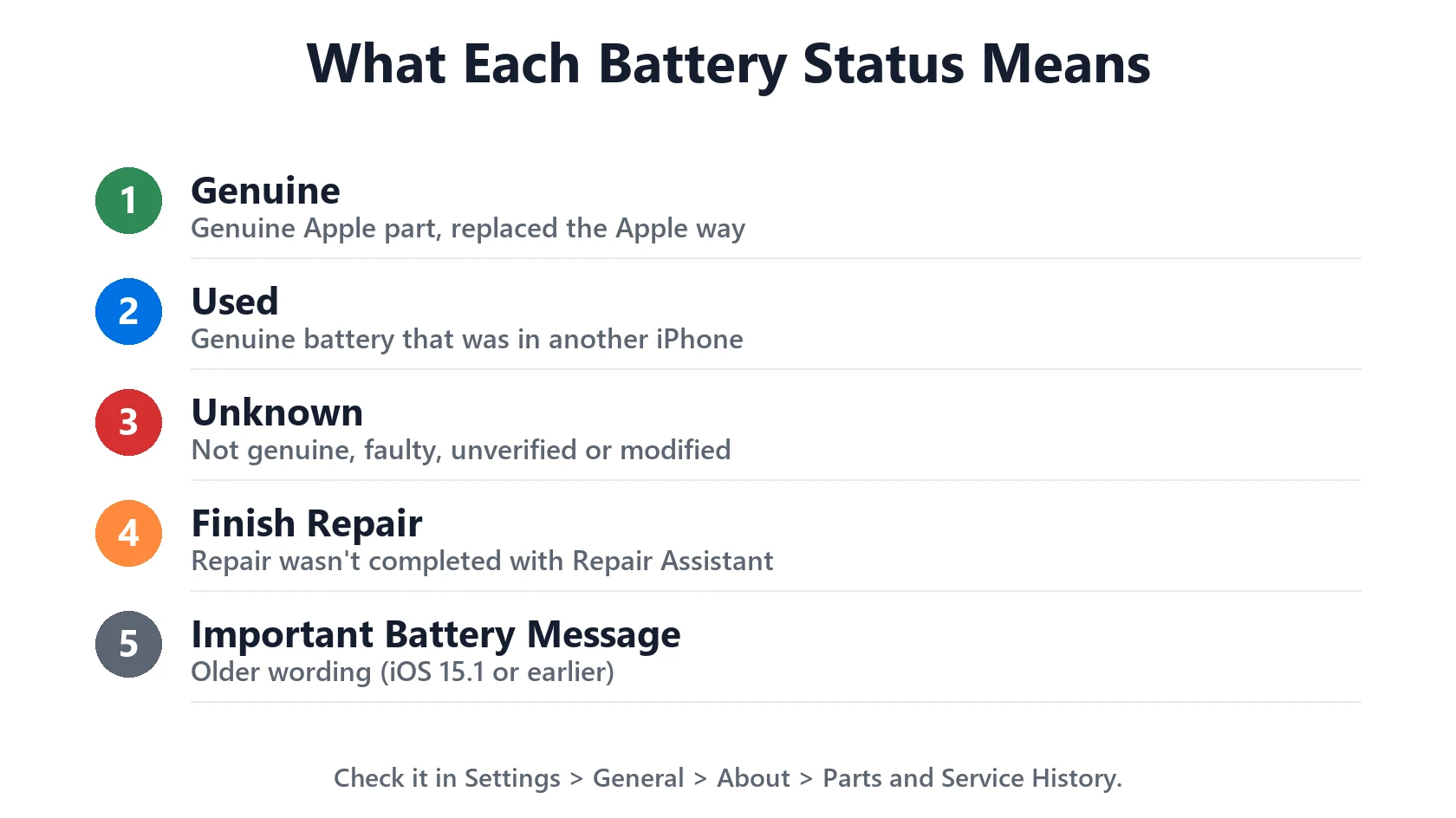
Based on Apple’s pages on genuine iPhone batteries and iPhone parts and service history:
| Status | What it means | Should you worry? |
|---|---|---|
| Genuine | Replaced with a genuine Apple part using Apple’s process | No |
| Used (iPhone 15 and later, iOS 18+) | A genuine battery that was previously installed in another iPhone | No, it’s genuine. Worth knowing when buying second-hand. |
| Unknown | Not genuine, not functioning as expected, not verified after repair, or modified | Depends on the cause (see below) |
| Finish Repair | The repair wasn’t completed with Apple’s Repair Assistant | Finish the repair to get a verified status |
| Important Battery Message (iOS 15.1 or earlier) | The older wording for the same situation as “Unknown” | Same as Unknown |
Why You’re Seeing “Unknown”: The Four Causes
1. A third-party (non-Apple) battery was fitted. This is by far the most common reason. Many independent repair shops use aftermarket batteries, and iOS flags any battery it can’t identify as genuine. If the shop told you it was an “original” or “OEM” battery and you still see Unknown, ask them about it.
2. A genuine battery that wasn’t verified after the repair. Genuine parts need to be linked to your iPhone as the last step of the repair. If that step was skipped, even a real Apple battery can show as Unknown or ask you to finish the repair.
3. The battery isn’t functioning as expected. A faulty battery can trigger the status even without a repair. If you never had the battery replaced and suddenly see this, contact Apple Support.
4. The battery was modified or otherwise can’t be verified.
What the Message Does (and Doesn’t) Affect
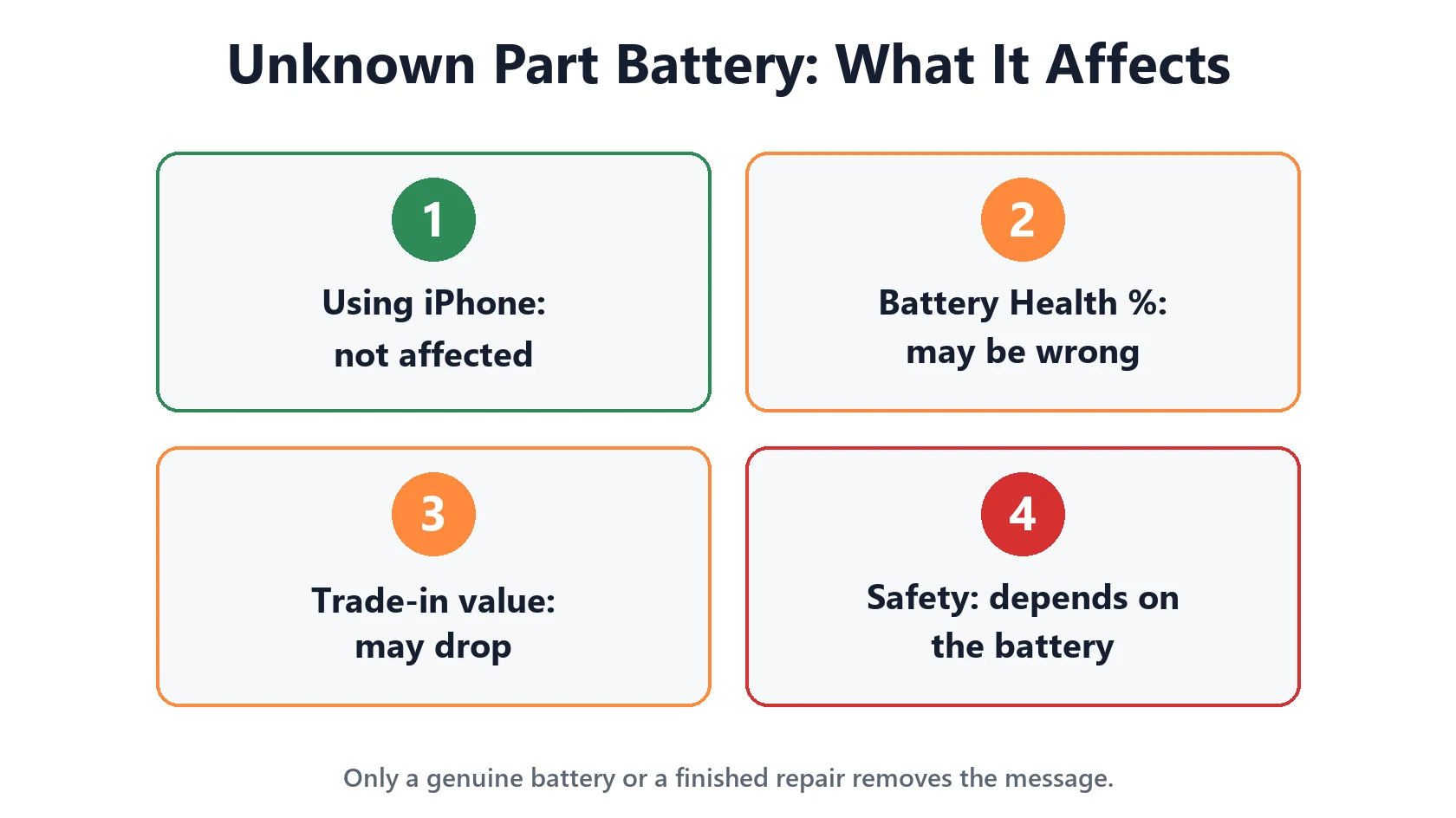
- Using your iPhone: not affected. Apple states the messages don’t affect your ability to use your iPhone or its battery.
- Battery Health %: may be inaccurate. Treat the number with caution. How long a charge actually lasts in daily use is a better guide. If your phone is dying at 20% or draining overnight, that tells you more than the percentage.
- Trade-in and resale: may be affected. Apple notes an Unknown part might affect trade-in value, and buyers increasingly check this screen. Our pre-trade-in checklist covers what to check before selling.
- Safety: depends on the battery. Apple recommends repairs by certified technicians using genuine parts. A low-quality aftermarket battery is the part of an iPhone you least want to cut corners on. Swelling, a lifting screen or unusual heat mean stop using it and get it checked.
How to Get Rid of the Message
There’s no setting to hide it. The status reflects the part itself, so the only way to change it is to change the part or finish the repair properly:
- If it says Finish Repair, complete the repair with Apple’s Repair Assistant. The prompt appears in Settings → General → About.
- If a shop fitted the battery, ask whether it was a genuine Apple part and whether they completed verification. Reputable shops will fix it.
- If it’s an aftermarket battery, the message stays for as long as that battery is in the phone. Replacing it with a genuine battery (from Apple, an Apple Authorized Service Provider, an Independent Repair Provider, or Apple’s Self Service Repair) clears it once verified.
Deciding whether a genuine replacement is worth it? Our iPhone repair cost estimator and repair decision checklist help you weigh a new battery against upgrading.
Featured Apple Deals on Amazon
Current discounts on AirPods, chargers, cables, and other Apple gear.
Frequently Asked Questions
Will an “Unknown Part” battery drain faster?
Not because of the message. Battery life depends on the quality of the cell that was fitted. A good aftermarket battery can perform fine; a poor one won’t. Judge it by real-world battery life, not the Battery Health %.
I bought my iPhone used and it says Unknown. Was I scammed?
Not necessarily. It means the battery was replaced at some point with a non-genuine or unverified part. It’s worth knowing, and it’s a fair point to raise with the seller if it wasn’t disclosed.
What’s the difference between “Unknown” and “Used”?
“Used” is a genuine Apple battery that previously lived in another iPhone (shown on iPhone 15 and later with iOS 18 or later). “Unknown” means iOS couldn’t confirm the battery is genuine and working.
More battery guides: iPhone battery and charging problems hub · Battery Health Checker