If your iPhone gets hot wireless charging and then stops partway through — often right around 80% — you’re not imagining a malfunction. This is one of the most common questions in Apple’s own support community, and in almost every case it’s a built-in safety feature doing exactly what it’s designed to do, not a sign your charger or battery is failing. Here’s what’s actually happening, what’s normal, and the specific signs that mean it isn’t.
Official Apple Store on Amazon
Genuine cases, cables, and accessories — sold and shipped by Apple.
🎧 LISTEN TO THIS GUIDE
~80 sec listen
📋 QUICK SUMMARY
- It’s normal for an iPhone to get hot wireless charging — wireless energy conversion inherently produces more heat than a cable.
- Apple’s thermally-limited charging feature (iOS 16+) automatically slows or pauses charging when your iPhone crosses a safe temperature threshold.
- Stopping around 80% is often Optimized Battery Charging, not heat — the two features can look identical but have different causes.
- A thick case, direct sunlight, or charging while using the phone are the most common heat triggers — all fixable in seconds.
- Genuinely hot-to-the-touch when idle, or this happening on every single charge regardless of environment, is the line between normal and a real issue.
Why Your iPhone Gets Hot Wireless Charging in the First Place
Wireless charging is inherently less efficient than a cable. Energy has to convert from electricity into a magnetic field and back into electricity again inside your phone, and every conversion step loses some energy as heat. That’s true of every Qi, Qi2, and MagSafe charger on the market — it’s physics, not a defect. So some warmth during a wireless charging session, especially a fast one, is expected and not something to worry about on its own.
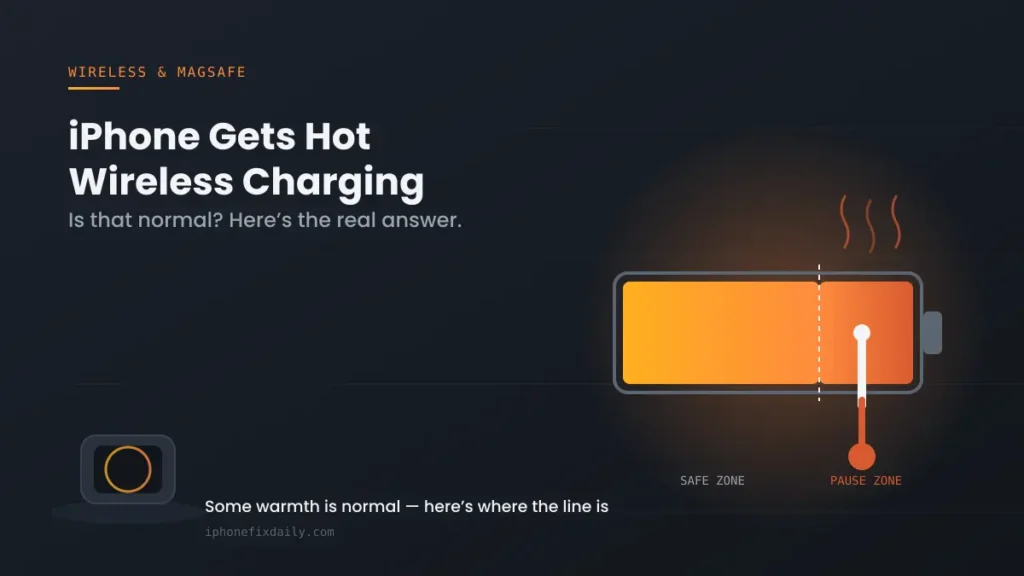
What’s actually protecting your iPhone is a feature called thermally-limited charging. According to Apple’s own support documentation, when an iPhone becomes too warm (or too cold), iOS automatically slows or pauses charging — through a cable, a MagSafe Charger, or any other wireless charger — to protect long-term battery health and keep the device operating safely. This has worked automatically on every iPhone running iOS 16 or later, and it can’t be turned off, because it’s a hardware-protection feature, not a setting.
4 Reasons Your iPhone Gets Hot Wireless Charging (and Stops)
- Thermally-limited charging has kicked in. If you see the lock screen message “Charging On Hold — Charging will resume when iPhone returns to normal temperature,” this is the exact feature at work. Charging will resume on its own once the internal temperature drops back into the safe range — no action needed beyond helping it cool.
- You’re outside Apple’s recommended charging temperature range. Apple recommends charging between 32°F and 95°F (0°C and 35°C). Direct sunlight, a hot car dashboard mount, or a warm room in summer can push your iPhone past that range surprisingly fast, especially while it’s also wirelessly charging.
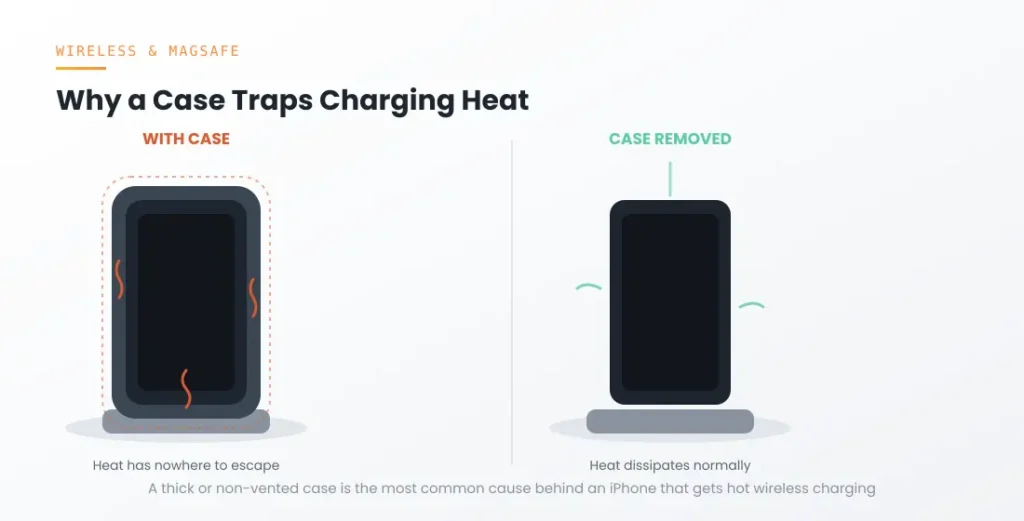
- A thick case is trapping heat. Wireless charging already generates more heat than a cable, and a case — especially a thick, non-vented, or non-MagSafe-compatible one — traps that heat against the phone instead of letting it dissipate. This is one of the single most common causes reported in Apple’s own support community.
- You’re using the phone while it charges. Active use adds processing heat on top of charging heat. Gaming, navigation, or video calls while wirelessly charging is one of the fastest ways to trigger a temperature pause, particularly in a warm environment.
Is Stopping at 80% the Same Thing as Overheating?
This confusion is exactly why so many people assume their iPhone gets hot wireless charging because of a fault, when it’s actually two unrelated features.
Not always — and this is where a lot of the confusion comes from. Two separate iOS features can both cause charging to pause around 80%, and they look identical from the lock screen:
- Optimized Battery Charging learns your daily routine and deliberately holds charging near 80% until shortly before you typically use your phone, purely to reduce long-term battery wear. This is unrelated to temperature.
- Thermally-limited charging pauses at whatever percentage your iPhone happens to be at when it crosses the temperature threshold — it could be 40%, 80%, or 95%. It’s coincidence, not design, if it lines up near 80%.
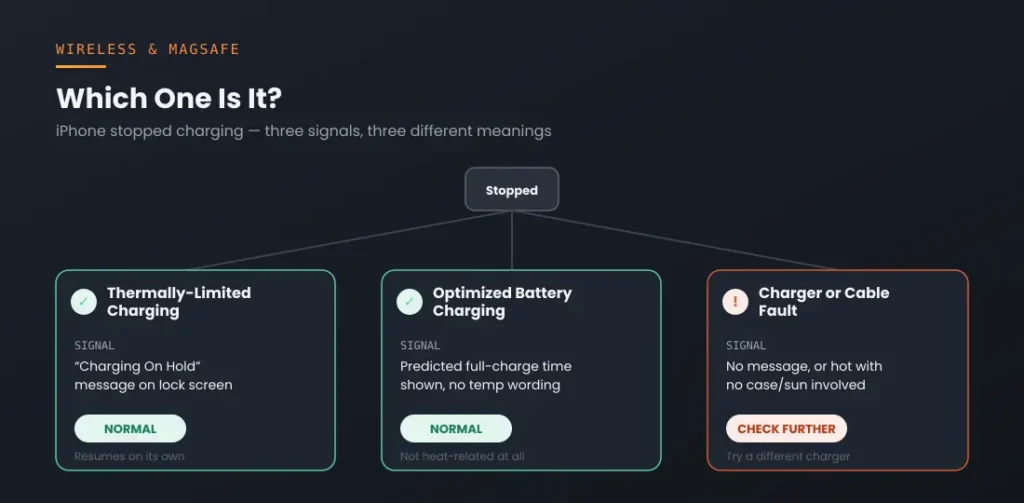
If you want to tell them apart: check Settings → Battery → Battery Health & Charging. A temperature-related pause shows the “Charging On Hold” message specifically; Optimized Battery Charging shows a predicted full-charge time instead, with no temperature wording at all.
Normal Heat vs. a Real Problem — Comparison
Use this table to quickly tell whether your iPhone gets hot wireless charging for a normal reason or a real one:
| Signal | Normal wireless charging heat | Thermally-limited pause | Possible charger/cable fault |
|---|---|---|---|
| How it feels | Warm to the touch, comfortable to hold | Noticeably hot, may be uncomfortable briefly | Hot even at low charge %, or hot with no case/sun involved |
| Lock screen message | None | “Charging On Hold — will resume when normal temperature” | Often none, or charging simply won’t start |
| Resolves itself? | Yes, cools naturally after charging | Yes, automatically once cooled | No — persists across multiple sessions/chargers |
| What to do | Nothing | Remove case, move out of sun, let it sit | Test a different certified charger and cable |
When This Isn’t Normal — Don’t Attempt This At Home
It’s rare, but occasionally an iPhone gets hot wireless charging for reasons beyond normal thermal limiting — here’s when to stop and get help: If your iPhone is hot to the touch while sitting idle and unplugged, if it’s warping, swelling, or the screen looks like it’s lifting at the edges, stop using it and stop charging it immediately — do not attempt to open the device or remove the battery yourself. Swollen lithium-ion batteries can be a fire risk. Contact Apple Support or an authorized repair provider the same day.
How to Fix It: Step-by-Step
- Remove any case, especially a thick one or one without a proper MagSafe-compatible magnetic ring, before starting a wireless charging session.
- Move the charger out of direct sunlight and away from heat sources like a car dashboard, heating vent, or laptop.
- Avoid using the phone (gaming, video, navigation) while it’s wirelessly charging if you notice it running warm.
- Check Settings → Battery → Battery Health & Charging to confirm whether it’s a temperature pause or Optimized Battery Charging behaving normally.
- If your iPhone gets hot wireless charging on every single attempt regardless of case, sunlight, or usage, test a different certified charger — a damaged or uncertified pad can genuinely overheat and should be replaced, not worked around.
If none of that resolves it and the phone runs hot even off the charger, that’s outside normal wireless-charging behavior and worth a battery diagnostic — see the pillar guide linked below.
Now that you know why an iPhone gets hot wireless charging and when to worry, here are the most common follow-up questions.
Recommended First Step
Remove your case before your next wireless charge
A thick or non-vented case is the single most common trigger for heat-related charging pauses — this one check resolves most cases before you troubleshoot anything else.
See the Full Battery & Charging GuideFrequently Asked Questions
Is it bad for my battery if my iPhone gets hot wireless charging?
Occasional warmth during a session isn’t harmful — it’s a normal byproduct of wireless energy conversion. Sustained excessive heat over time is what damages battery health, which is exactly why thermally-limited charging exists: to pause charging before that happens.
Why does my iPhone say “Charging On Hold” instead of just charging slowly?
Apple’s thermally-limited charging feature pauses charging outright rather than just slowing it, once your iPhone’s internal temperature crosses a safe threshold. It resumes automatically without any input from you once the device cools.
Does MagSafe make my iPhone hotter than a regular Qi charger?
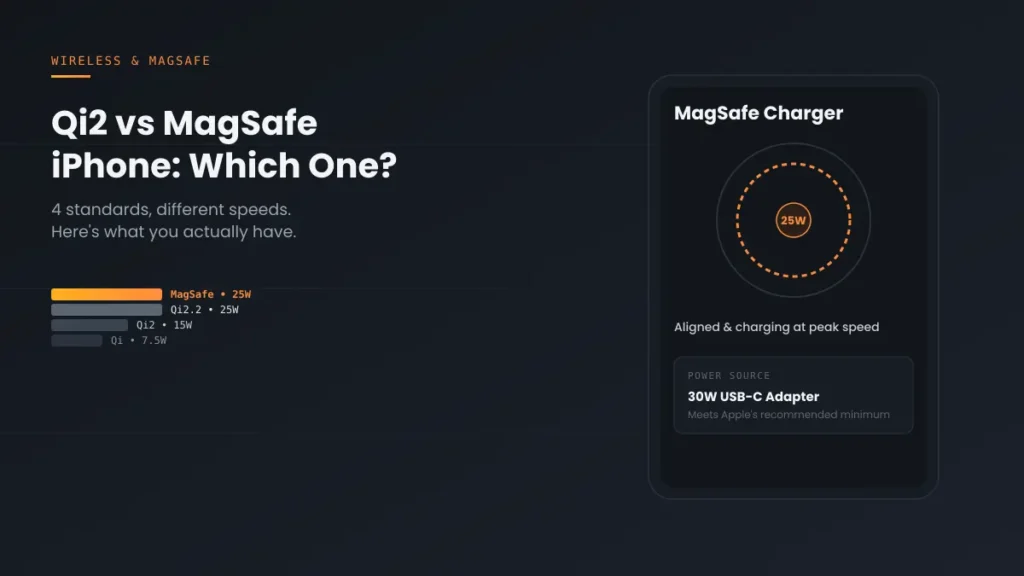
Not inherently — heat scales more with charging speed and case thickness than with the specific standard. A 25W MagSafe session can run warmer than a 7.5W plain Qi session simply because it’s moving more power, faster.
Can I stop my iPhone from pausing charging when it’s hot?
No — thermally-limited charging works automatically on iOS 16 and later and can’t be disabled, because it’s a hardware-safety feature rather than a toggleable setting.
Why does it always stop around 80%, not some random number?
That’s usually Optimized Battery Charging, a separate feature that intentionally holds near 80% until shortly before your typical usage time — not heat. Check Battery Health & Charging in Settings to see which feature is actually active.
Should I use a cable instead of wireless charging in summer?
If you’re in a consistently warm environment, cable charging generates less heat than wireless and may charge more consistently without pausing — a reasonable seasonal workaround rather than a permanent fix.
📚 RELATED GUIDES
This page may contain affiliate links. If you purchase through one, we may earn a commission at no extra cost to you. See our full Affiliate Disclosure for details.
Written by S M Momin Arif — Founder and lead writer at iPhoneFixDaily, covering iPhone battery and charging diagnostics based on direct hands-on testing.