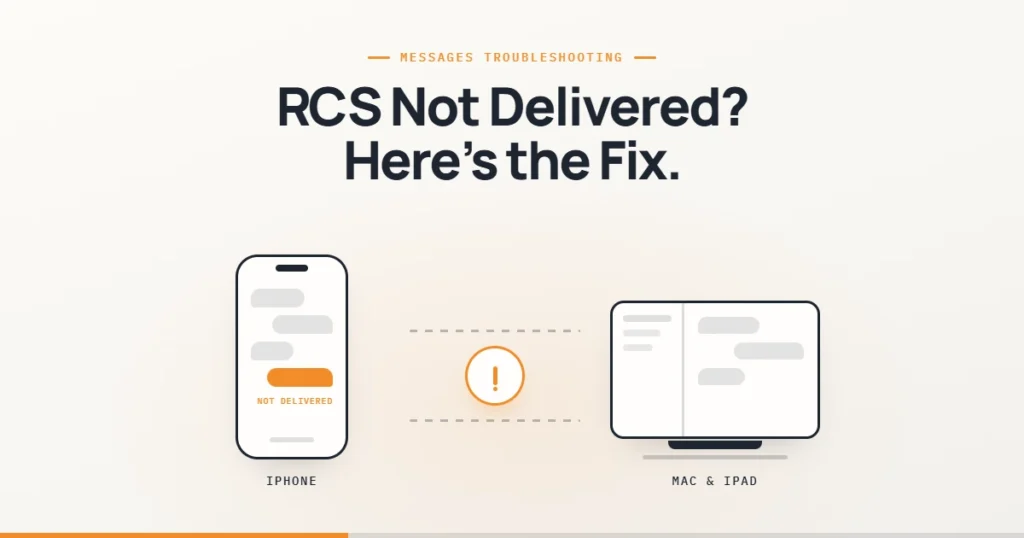
RCS messages not delivered on your iPhone? It usually comes down to one of three things: RCS isn’t registered with your carrier, an old SIM or eSIM is confusing Messages, or the message was sent from a Mac or iPad that relies on your iPhone to pass it on. Here’s how to tell which, and the fix order that works on iOS 26 and iOS 27.
📋 Quick Summary
- RCS is a carrier service. It needs iOS 18 or later and a carrier that supports RCS on iPhone.
- Check whether it fails from the iPhone itself or only from a Mac or iPad.
- Turn RCS Messaging off and on, restart, and install any carrier settings update.
- Fails from a Mac or iPad only? Check Text Message Forwarding on your iPhone.
- Still failing? Delete any inactive SIM with the same number, then ask your carrier to re-provision RCS.
Table of Contents
First, Find Where It Fails
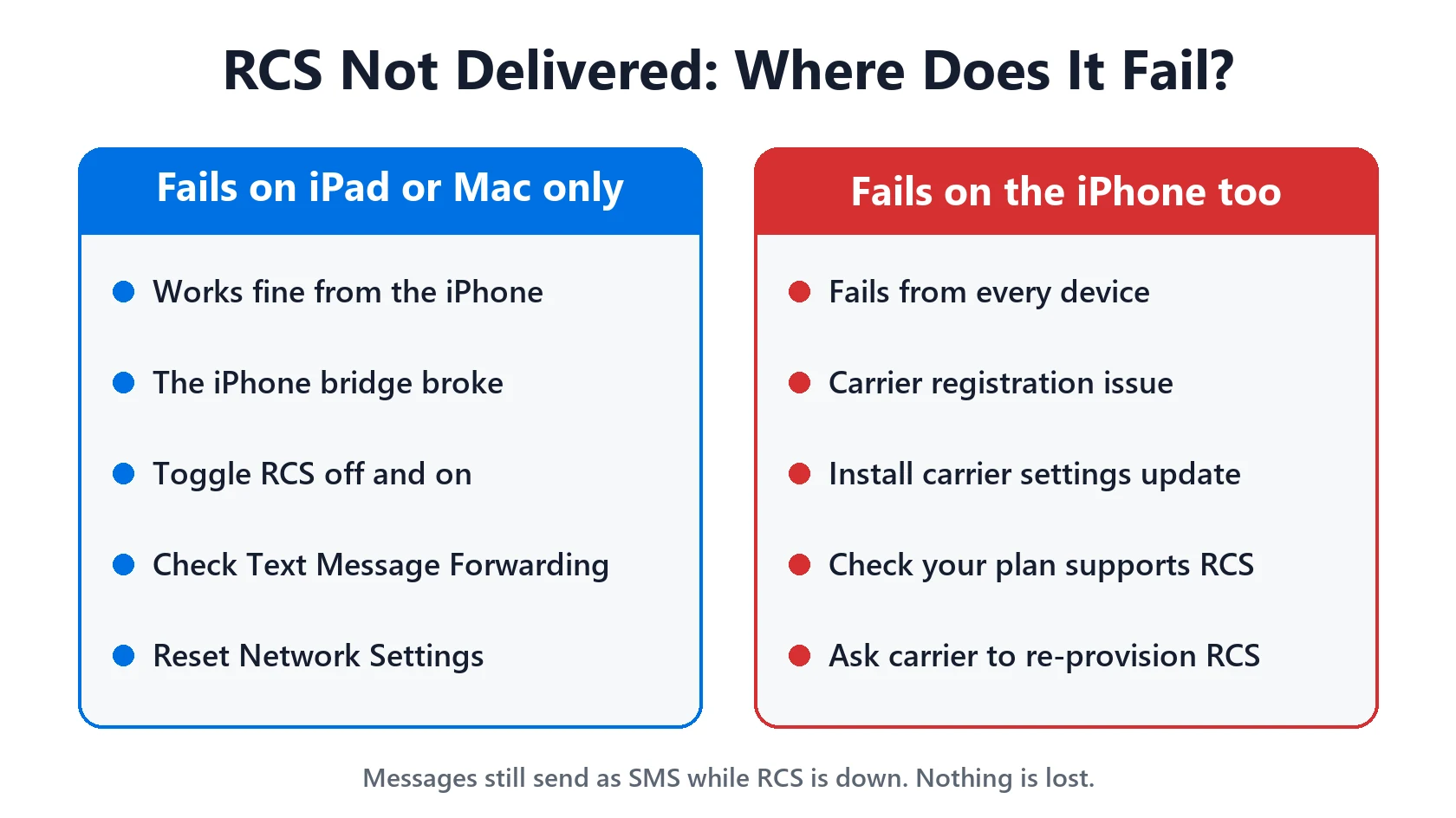
Send a test message to an Android contact straight from your iPhone. Then send one from your Mac or iPad in the same conversation. The result tells you where to look:
- Fails from the iPhone too: a registration or carrier problem. Start with the setup checks and fix order below.
- Works from the iPhone, fails from a Mac or iPad: the problem is the link between your devices. Jump to Mac or iPad only.
- Fails only to one person: their carrier, phone or RCS setting may be the issue. Ask them to check RCS is on.
Check RCS Is Set Up Correctly
According to Apple, RCS is a carrier-provided service. You need:
- iOS 18 or later.
- A carrier that supports RCS on iPhone. Availability varies by carrier and region, and fees may apply.
- RCS turned on in Settings → Apps → Messages → RCS Messaging. Apple notes there may be a short delay after you turn it on.
- A data connection. When you’re not using iMessage, RCS works over Wi-Fi or cellular data.
If there’s no RCS Messaging setting at all, RCS probably isn’t available on your line. That’s not a bug you can fix on the phone. Check with your carrier. If iPhone shows SOS or No Service, fix that first.
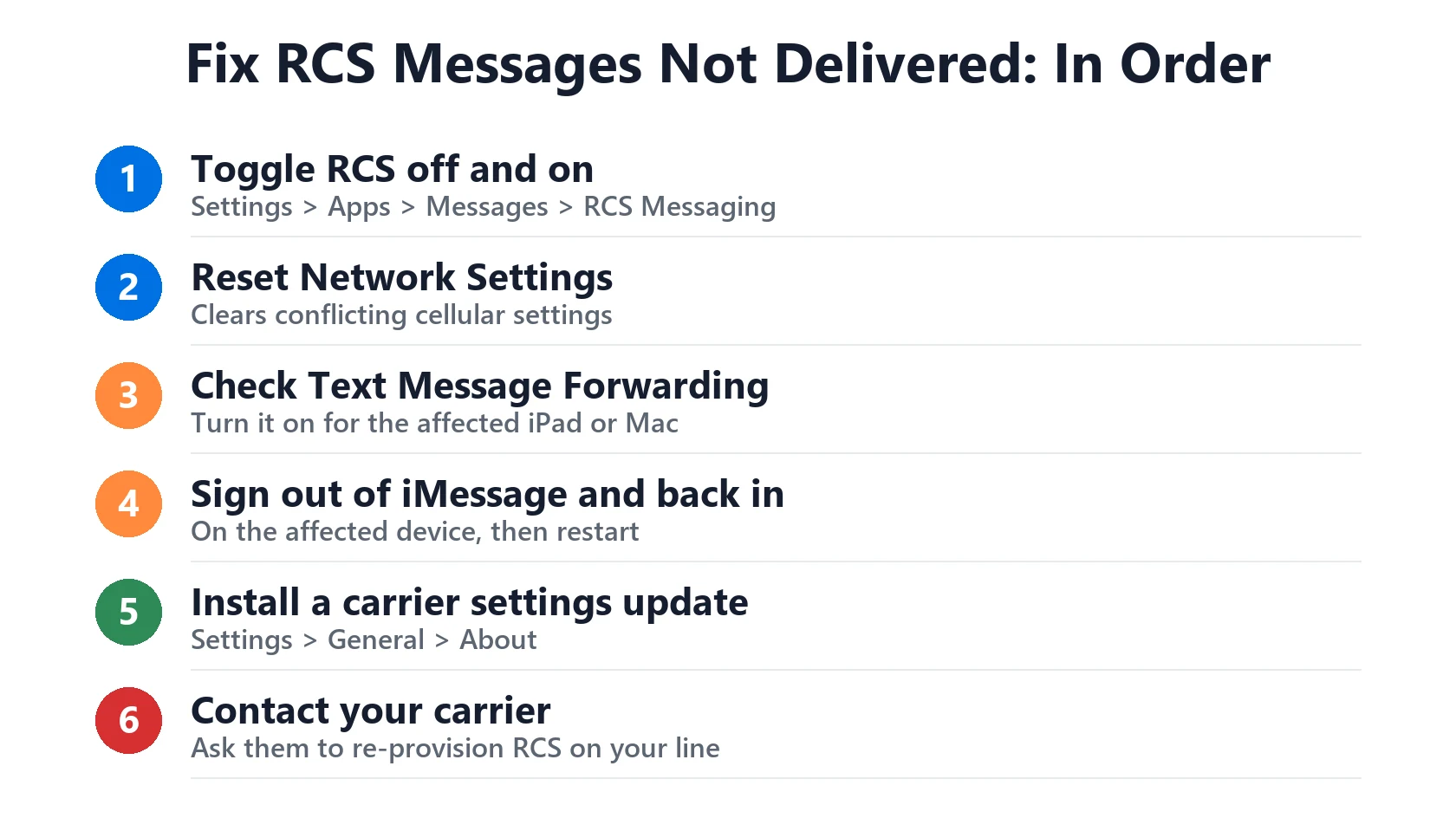
Fix RCS Messages Not Delivered: Try These in Order
- Turn RCS off and on. Go to Settings → Apps → Messages → RCS Messaging, turn it off, wait 30 seconds and turn it back on.
- Restart your iPhone.
- Update iOS and carrier settings. Check Settings → General → Software Update, then Settings → General → About. If a carrier settings update is waiting, you’ll be asked to install it there.
- Remove an inactive SIM with the same number. After moving to eSIM, an old SIM can stay in Settings → Cellular. Apple says this can stop iMessage activating with your number, so messages fall back to SMS or RCS or send from your email address. Delete the inactive one.
- Check Apple’s servers on the System Status page.
- Reset Network Settings in Settings → General → Transfer or Reset iPhone → Reset. It erases saved Wi-Fi passwords and VPN settings, not your messages.
- Ask your carrier to check RCS is provisioned on your line. Some problems can only be reset on their side.
Using end-to-end encrypted RCS? It’s in beta from iOS 26.5 and needs both your carrier and your contact’s carrier to support it. Find it in the same RCS Messaging screen.
Fails on Mac or iPad Only
Your Mac and iPad don’t have their own phone number. To send SMS, MMS or RCS texts from them, Apple’s setup needs:
- The same Apple Account on your iPhone and the Mac or iPad.
- iMessage turned on on both.
- Text Message Forwarding turned on for that device in Settings → Apps → Messages → Text Message Forwarding on your iPhone.
- Your iPhone switched on and connected, since it sends the message for the other device.
If those are all set and it still fails, turn Text Message Forwarding off and on for that device, restart both, and update macOS or iPadOS. If Text Message Forwarding is missing, sign in to the same Apple Account on both. iMessage itself not activating? See iMessage waiting for activation.
What Happens While It’s Broken
Nothing is lost. If a message shows Not Delivered, Apple says to tap the red exclamation point and choose Try Again. If it still fails, tap it again and choose Send as Text Message to send it as a regular SMS. You’ll lose typing indicators, read receipts and full-quality photos for that message, but it gets through. Apple’s guide explains the difference between iMessage (blue), and RCS and SMS (green).
Match Your Situation
| Symptom | Likely cause | What to do |
|---|---|---|
| Fails from the iPhone too | RCS registration or carrier | Toggle RCS, update carrier settings, call carrier |
| Works on iPhone, fails on Mac or iPad | Text Message Forwarding | Turn on forwarding, same Apple Account |
| No RCS Messaging setting | Carrier or plan doesn’t support it | Check with your carrier |
| Sends from email, or as SMS only | Inactive SIM with same number | Delete the inactive SIM |
| Fails to one contact only | Their carrier or settings | Ask them to check RCS; send as SMS |
| Works, then breaks again | Registration drops | Install carrier update; ask carrier to re-provision |
Frequently Asked Questions
Why are my RCS messages not delivered on iPhone?
Usually RCS isn’t registered with your carrier, an old SIM is still set up, or the message came from a Mac or iPad without Text Message Forwarding. Toggle RCS off and on and install any carrier settings update.
Why does RCS work on my iPhone but not my Mac?
Your Mac sends texts through your iPhone. Turn on Text Message Forwarding for the Mac, use the same Apple Account on both, and keep your iPhone on and connected.
What do I need to use RCS on iPhone?
iOS 18 or later and a carrier that supports RCS on iPhone. Turn it on in Settings → Apps → Messages → RCS Messaging.
Why is there no RCS option in my Messages settings?
Apple says RCS may not be available for your carrier or region. Check with your carrier.
Will resetting network settings delete my messages?
No. It erases saved Wi-Fi networks, passwords and VPN settings, not your conversations.
How do I send a message that failed over RCS?
Tap the red exclamation point and choose Try Again. If that fails, choose Send as Text Message to send it as SMS.
📚 Related Guides
- iMessage Waiting for Activation? How Long It Takes and How to Fix It
- Invalid SIM, No SIM or SIM Not Supported on iPhone: How to Fix It
- iPhone Says SOS, No Service or Searching: What It Means and How to Fix It
- iPhone Notifications Not Showing? How to Fix Missing Alerts
- iOS 27 Problems: Known Bugs and What 27.0.1 Fixed
This page may contain affiliate links. If you purchase through one, we may earn a commission at no extra cost to you. See our full Affiliate Disclosure for details.
Written by S M Momin Arif
Founder and lead writer at iPhoneFixDaily, writing practical iPhone troubleshooting guides checked against Apple’s official support documentation. Read more about our approach →