Latest status · Last checked November 10, 2026
Latest version: iOS 27.2.1 (released November 9, 2026)
New: iOS 27.2.1 is out (November 9) with bug fixes and 9 security fixes, but no named bug or battery fixes. See what’s new in iOS 27.2 and iOS 27.2 problems reported so far
Downgrade to iOS 26: No longer possible — Apple stopped signing iOS 26 in September
Our advice: Update to iOS 27.2, then use the fixes below for anything still broken
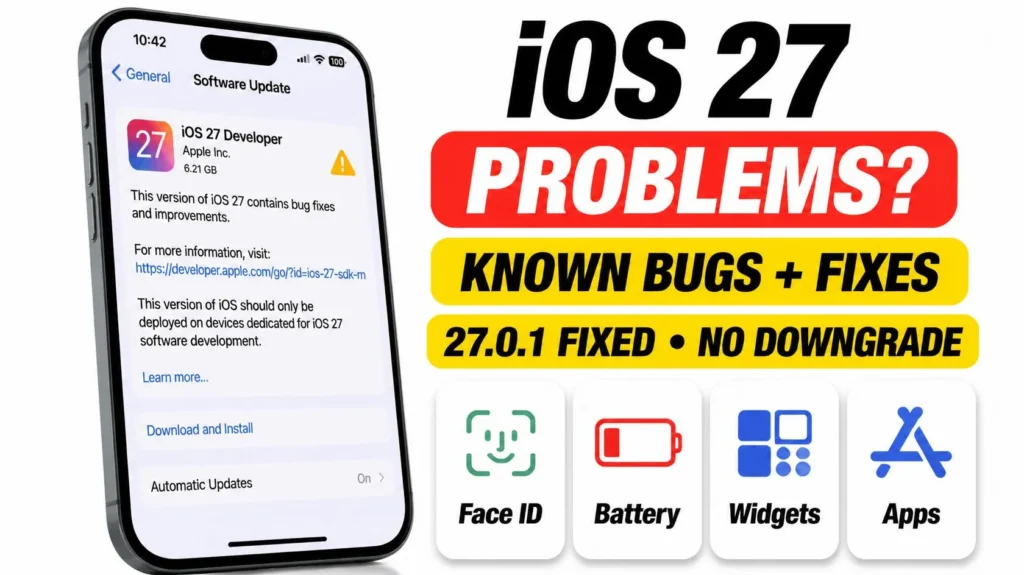
iOS 27 problems are still showing up for some owners, even after two updates. Apple released iOS 27 to the public on September 14, 2026, then iOS 27.0.1 on September 28 and iOS 27.2 on October 26. If you’re running into problems now, you’re dealing with the finished release, not a test build. Here’s which iOS 27 bugs Apple has already fixed, which ones people are still reporting, what you can do about each one, and why rolling back to iOS 26 is no longer an option.
📋 Quick Summary
- iOS 27 has been the public release since September 14, 2026. The latest version is iOS 27.2, released October 26, 2026.
- iOS 27.0.1 fixed three bugs: iPhone 18 Pro restarting after a failed Face ID scan, a color artifact in some 2x photos, and a touchscreen freeze when Notification Center and Control Center were opened at the same time.
- Still being reported: Face ID misses in low light or with sunglasses, widget flicker while editing the Home Screen, and battery drain in the first days after updating.
- You can’t downgrade to iOS 26 anymore. Apple stopped signing it about a week after iOS 27 launched.
- Still on an iOS 27 beta? Turn off Beta Updates and install the public release.
Table of Contents
What iOS 27.0.1 Fixed
Apple’s release notes for iOS 27.0.1 list three fixes. Two only affect the iPhone 18 Pro and iPhone 18 Pro Max. The third applies to every iPhone that runs iOS 27.
- Face ID restarts (iPhone 18 Pro and Pro Max): the phone could restart on its own after a failed Face ID scan. If yours still restarts on its own after updating, see iPhone keeps restarting.
- Camera color artifact (iPhone 18 Pro and Pro Max): photos taken at 2x in certain lighting could show a color artifact.
- Frozen touchscreen (all models): opening Notification Center and Control Center at the same time could make the screen stop responding. If taps still don’t register after updating, see iPhone touch screen not working.
If you have any of these problems, update first: Settings → General → Software Update. Apple’s release notes rarely list every change, so it’s worth installing 27.0.1 even if your bug isn’t on the list.
iOS 27 Problems People Are Still Reporting
Some issues remain after iOS 27.0.1. None of them are widespread hardware faults. Most have a workaround while you wait for the next update.
- Face ID misses in low light or with sunglasses. It works more reliably than before 27.0.1, but recognition can still fail now and then. Setting up an Alternate Appearance (Settings → Face ID & Passcode) while wearing your usual sunglasses often helps.
- Widget flicker while editing the Home Screen. This is a cosmetic glitch when you move or resize widgets quickly. Going slower, or exiting edit mode and opening it again, clears it.
- Battery drain after updating. iOS 27 rebuilds its Photos and search indexes in the background for several days after the update. That’s the most common cause, and it usually settles on its own. Our iOS 27 battery drain guide covers what to check if it doesn’t.
- Apps crashing or acting strangely. These are usually apps that haven’t been updated for iOS 27 yet, especially banking and security apps. Check the App Store for updates before anything else, then see iPhone apps crashing if one still won’t stay open.
- RCS messages not sending. Reported mainly on AT&T during the beta. If it’s still happening, see our RCS messages not delivered guide.
- Siri AI not showing or not working. Usually an eligibility issue: it needs a supported iPhone, English as your language, a region outside the EU and China, and a spot off the waitlist. See Siri AI not working on iOS 27.
Which Bugs Are Normal vs. Worth Reporting
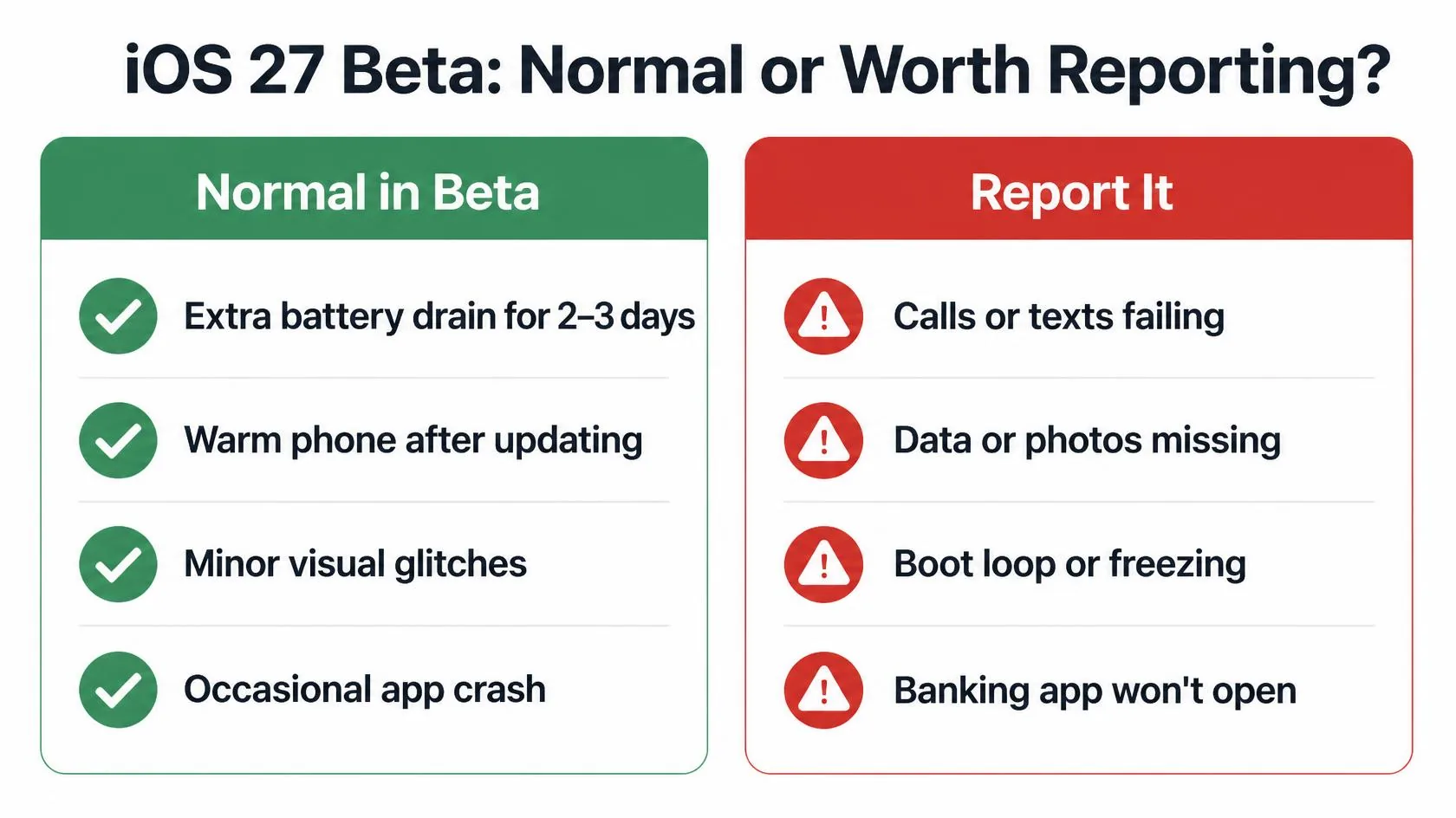
Warmth, faster battery drain, and the odd animation stutter in the first few days after a major update are normal. They should fade within a week. Problems with security or payments are different. If Face ID keeps failing, your passcode is requested when it shouldn’t be, or Apple Pay and banking apps won’t work, report it to Apple. Use the Report a Problem option in Apple’s Get Support app or website. Include your exact version from Settings → General → About, and a screen recording if the bug is visual.
Can You Downgrade iOS 27 to iOS 26?
Not anymore. Apple stopped signing iOS 26.6.2 around September 21, 2026, about a week after iOS 27 came out. iOS 26.7 was only released as an over-the-air update for iPhones that stayed on iOS 26, so there’s no restore file for it either. Without a signed iOS 26 version, Finder and iTunes can’t install it, and an old restore file downloaded from elsewhere is rejected by Apple’s servers. For now, updating to iOS 27 is a one-way move.
That means the fix for a serious bug is moving forward, not back. Install iOS 27.0.1, keep your apps updated, and if the problem still blocks something you need, contact Apple Support before erasing anything. Be wary of third-party “downgrade tools” that promise to install iOS 26. They can’t get around Apple’s signing check.
Still on the iOS 27 Beta? Switch to the Public Release
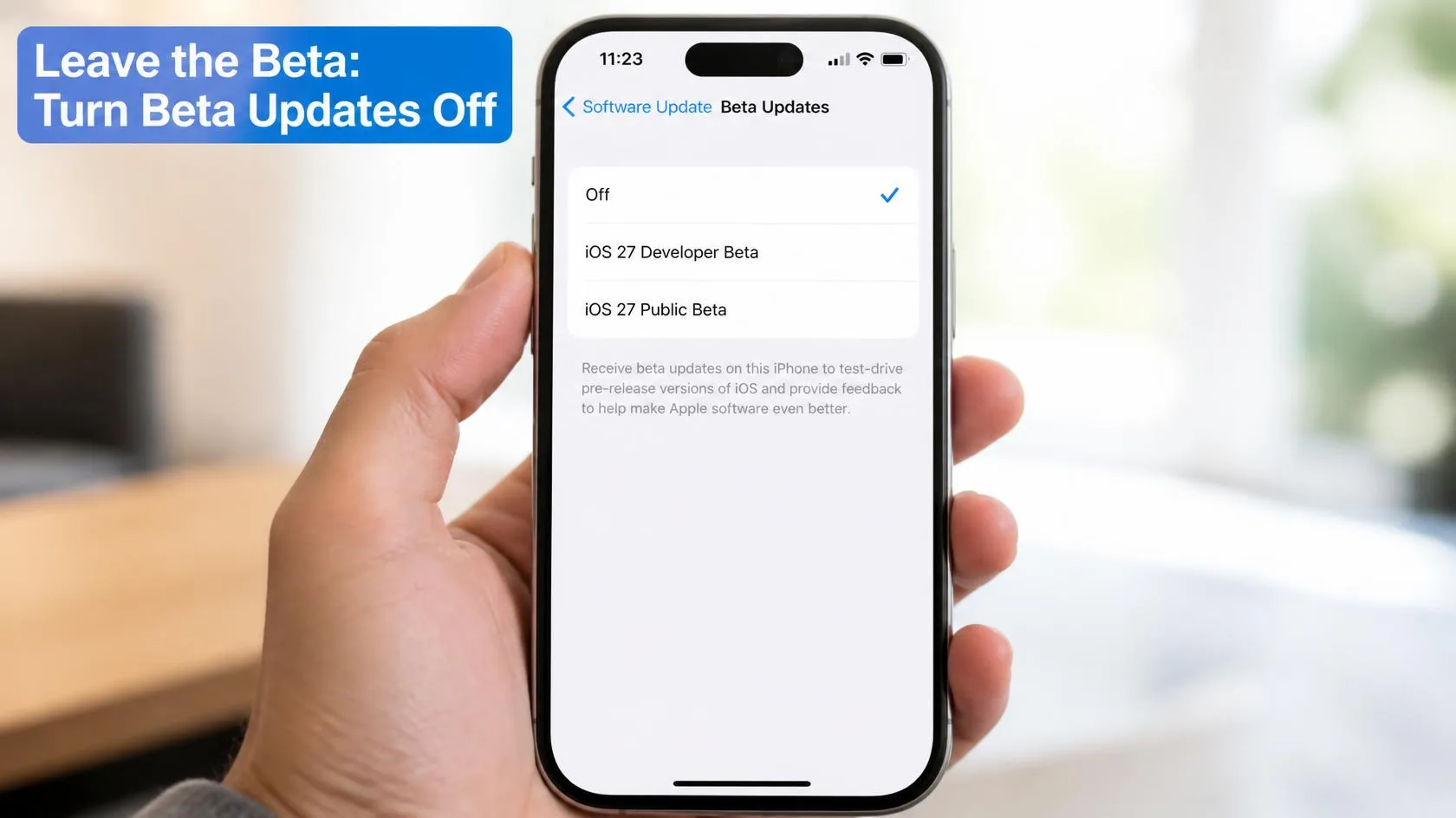
If you installed the developer or public beta over the summer, your iPhone may still be on a beta build, or about to receive the next one. To get off the beta:
- Go to Settings → General → Software Update → Beta Updates and choose Off.
- Go back to Software Update and install the latest public version, iOS 27.0.1, if it’s offered.
- If your beta build is newer than the public release, you won’t see an update yet. Leave Beta Updates off, and the next public update to pass your build will install normally. Nothing needs erasing.
Match Your Situation
| What you’re seeing | Likely cause | What to do |
|---|---|---|
| iPhone 18 Pro restarts after Face ID fails | Bug fixed in iOS 27.0.1 | Update to iOS 27.0.1 |
| Screen freezes with Control Center open | Bug fixed in iOS 27.0.1 | Update to iOS 27.0.1 |
| Face ID misses in low light or with sunglasses | Still being reported after 27.0.1 | Add an Alternate Appearance; wait for the next update |
| Battery drains fast in the first days | Background indexing after a major update | Charge overnight for 2–3 nights; see our battery guide if it lasts past a week |
| A banking or security app crashes | App not yet updated for iOS 27 | Update the app; contact the app’s developer if it continues |
| You want iOS 26 back | Apple no longer signs iOS 26 | Not possible right now; update forward instead |
| Still on a beta build | Beta Updates still switched on | Turn Beta Updates off and install the public release |
Want an early look at what’s coming? The iOS 27.3 beta is out for developers.
Frequently Asked Questions
Is iOS 27 still in beta?
No. iOS 27 was released to the public on September 14, 2026, and the current version is iOS 27.2, released October 26, 2026.
What did iOS 27.0.1 fix?
Three things: iPhone 18 Pro and Pro Max restarting after a failed Face ID scan, a color artifact in some photos taken at 2x, and the touchscreen freezing when Notification Center and Control Center were opened together.
Can I go back to iOS 26 from iOS 27?
Not at the moment. Apple stopped signing iOS 26.6.2 around September 21, 2026, and there’s no iOS 26.7 restore file, so no iOS 26 version can be installed on an iPhone that has updated to iOS 27.
Is it safe to update to iOS 27 now?
For most people, yes. iOS 27.0.1 cleared the most serious launch bugs. Just know that updating can’t be undone. If you rely on an app that hasn’t been updated for iOS 27 yet, check its App Store page or contact the developer first.
Why does my iPhone get warm and drain faster after updating to iOS 27?
After a major update, iOS re-indexes your photos, rebuilds search, and downloads new assets in the background. That extra work usually finishes within a few days. Leaving the phone charging overnight helps it finish sooner.
How do I get off the iOS 27 beta?
Go to Settings → General → Software Update → Beta Updates, choose Off, and install the next public release when it’s offered. You don’t need to erase your iPhone.
What’s the latest iOS 27 update?
iOS 27.2, released October 26, 2026 for all iOS 27 iPhones. iOS 27.1 was only for iPhone Duo. See what’s new in iOS 27.2.
📚 Related Guides
- iOS 27.2 Problems: What Users Report and How to Fix Them
- iOS 27 Battery Drain: Does iOS 27.0.1 Fix It? 6 Causes & Fixes
- Should I Update to iOS 27? Latest iOS Version, Fixes & Our Verdict
- iPhone Won’t Update? Fixes for “Unable to Check for Update” and Stuck Downloads
- Update Finishing in Background iPhone? Here’s When It’s Actually Stuck
This page may contain affiliate links. If you purchase through one, we may earn a commission at no extra cost to you. See our full Affiliate Disclosure for details.
Written by S M Momin Arif
Founder and lead writer at iPhoneFixDaily, writing practical iPhone troubleshooting guides checked against Apple’s official support documentation. Read more about our approach →