Latest status · Last checked November 15, 2026
Latest version: iOS 27.2.1 (released November 9, 2026)
iOS 27.2: See iOS 27.2 battery drain for what’s normal after updating
Battery fix in Apple’s release notes: No
iOS 27.2.1: Bug and security fixes. Battery life isn’t mentioned. See what iOS 27.2.1 fixes
Owner reports since 27.2.1: No battery-specific problem reported so far
Our advice: Update for the security fixes, then work through the 9 fixes below
iOS 27 battery drain is usually normal for the first 2–3 days after updating, while your iPhone re-indexes Photos and Spotlight in the background. If it lasts longer than a week, turn off Connectivity Assist (Settings → Wi-Fi), switch to 5G Auto, limit Background App Refresh and update your apps. No iOS 27 update so far, including iOS 27.2.1, lists a battery fix in Apple’s release notes.
🎧 LISTEN TO THIS GUIDE
~90 sec listen
What’s Actually Different About iOS 27
Apple released iOS 27 to the public on September 14, 2026, for the iPhone 11 and later, plus the iPhone SE (2nd generation) and later. As a major annual release, it does more background work after installing than a point update like iOS 26.6 — rebuilding search and photo indexes, downloading new assets, and re-optimizing apps. That’s why iOS 27 battery drain in the first few days tends to feel more noticeable than after a minor update, even though the underlying mechanism is the same one covered in our iOS 26.6 battery drain guide.
If your drain is worst while you’re actively using your iPhone rather than in the days right after updating, it’s worth ruling out iOS 27’s transparency and motion effects — fix 8 below shows a simple way to test that directly.
Is iOS 27 Battery Drain Normal?
In the first few days, yes. Apple’s battery support page says some update-related tasks keep running for a while after you install a new version, and your iPhone can use more power and run warmer until they finish. If your drain started the day you updated and is gradually improving, that’s this pattern — and the fix is mostly patience plus a few overnight charges.
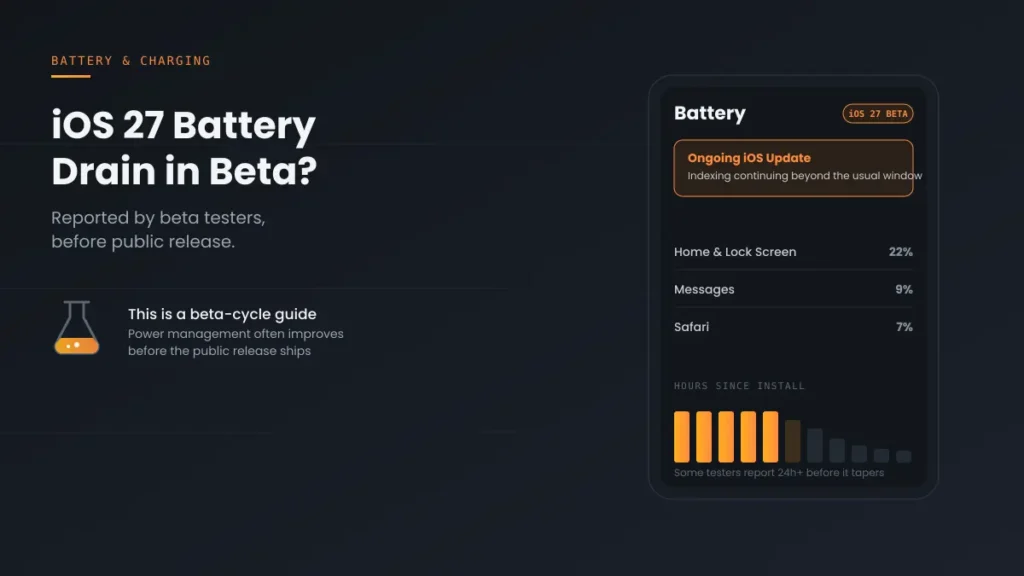
If you see the “Ongoing iOS Update” insight in Settings → Battery, that confirms background work is still running. Still seeing it after seven days? Our guide to an update finishing in the background explains how to tell a stuck task from a slow one.
7 Likely Causes of iOS 27 Battery Drain, Ranked
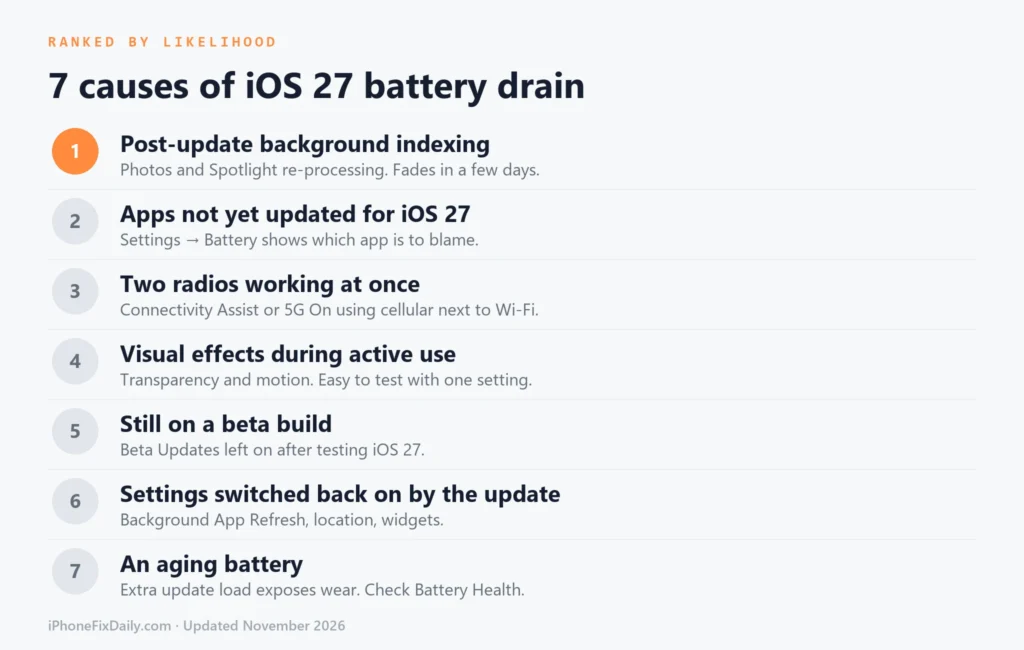
- Post-update background indexing. The same mechanism as every major iOS release — Spotlight, Photos, and on-device features re-processing your data. Expected to taper off on its own, fastest when your iPhone is charging and idle.
- Apps not yet updated for iOS 27. Some third-party apps take a while to ship iOS 27–optimized versions, and an app misbehaving on a new OS can drain far more than iOS itself. Settings → Battery shows you exactly which ones.
- Two radios working at once. Connectivity Assist, the iOS 27 replacement for Wi-Fi Assist, can pull in cellular data when Wi-Fi looks weak, and 5G On keeps the 5G radio busy even when it isn’t faster. Both keep two radios working instead of one.
- Visual effects during active use. iOS 27’s transparency and motion effects are part of what your iPhone renders on screen during use. If your drain is concentrated in active use, they’re worth ruling out — and easy to test for.
- Still receiving beta builds. If you tested the iOS 27 beta and never turned beta updates off, you may still be on a beta build, which isn’t representative of final power management.
- Settings reset or re-enabled by the update. Background App Refresh, location access, and widget activity can behave differently after a major update, adding drain you didn’t have before. If Home & Lock Screen tops your battery list, see Home & Lock Screen battery drain.
- An aging battery the update is exposing. A worn battery handles the extra post-update load less gracefully. If drain comes with sudden shutdowns, that’s a battery health issue rather than an iOS 27 one.
9 Fixes for iOS 27 Battery Drain

Work through these in order. The first two cover the normal post-update period; the rest are for drain that’s still there after a week.
1. Check what’s using your battery
Before changing settings, find out where the battery is going.
- Open Settings → Battery.
- Look at the top of the app list. Ongoing iOS Update means the update is still finishing in the background, which is normal for a few days.
- If one app uses far more than you’d expect for how long you used it, update it or delete and reinstall it.
2. Give it 2–3 nights on charge
Background indexing finishes fastest when your iPhone is plugged in, locked and on Wi-Fi.
- Leave it charging overnight on Wi-Fi for two or three nights.
- During the day, turn on Settings → Battery → Low Power Mode to cut background activity while you wait.
3. Turn off Connectivity Assist
Several iOS 27 owners say this setting was behind their drain (Tom’s Guide, TechRepublic). It’s anecdotal and Apple hasn’t linked it to battery life (The Mac Observer calls it one possible factor), but it’s a quick test.
- Open Settings → Wi-Fi.
- Scroll to the bottom and turn off Connectivity Assist.
- Some owners also turned it off for their home network: tap ⓘ next to the network and switch off Use Connectivity Assist.
- Compare battery use over the next few days under similar use.
4. Switch 5G to 5G Auto
According to Apple’s 5G guide, 5G On always uses 5G when it’s available and “might reduce battery life”, while 5G Auto drops to LTE when 5G wouldn’t be noticeably better.
- Open Settings → Cellular → Cellular Data Options → Voice & Data.
- Choose 5G Auto. In a weak 5G area, try LTE for a day.
5. Limit Background App Refresh
A major update can switch background activity back on for apps you’d forgotten about.
- Open Settings → General → Background App Refresh.
- Turn it off for apps that don’t need fresh content when you open them, or set it to Wi-Fi only.
6. Review location access
Apps allowed to use your location at all times can wake GPS in the background.
- Open Settings → Privacy & Security → Location Services.
- Change apps set to Always to While Using the App unless they really need it.
7. Update to iOS 27.2.1 and update your apps
iOS 27.2.1 has no battery fix, but it carries security fixes, and app developers keep shipping iOS 27 updates. See what iOS 27.2.1 fixes.
- Go to Settings → General → Software Update and install the latest version.
- Open the App Store, tap your profile picture and install every pending update.
8. Test with Reduce Transparency on
If the drain is worst while you’re using the phone, iOS 27’s visual effects may be part of it.
- Turn on Settings → Accessibility → Display & Text Size → Reduce Transparency.
- Use your iPhone normally for a day. If battery life clearly improves, keep it on.
9. Check your battery health
An update can expose a battery that was already worn.
- Open Settings → Battery → Battery Health.
- If Maximum Capacity is below 80% or you see a service message, no setting will fix it. See iPhone battery replacement cost.
Signs Your iOS 27 Drain Isn’t the Update
Two warning signs mean waiting longer won’t help: the battery empties much faster than it did on iOS 26, or there’s no improvement at all after the 9 fixes and a full week. Match what you’re seeing to one of these:
- Losing a big chunk overnight while the phone sits unused? Most of those causes have nothing to do with iOS 27. See why your iPhone battery drains overnight.
- If No Cell Coverage appears near the top of Settings → Battery, the drain is coming from weak signal, not iOS 27. See poor cell coverage draining iPhone battery.
- Phone switching itself off at 15–30% instead of 0%? That points to battery wear. See why an iPhone dies at 20 percent.
- If one app dominates your battery screen and you’re not sure why, see which apps actually drain iPhone battery.
- If it’s charging that feels different rather than battery life, see why your iPhone is charging slowly.
If You’re Still on the iOS 27 Beta
Beta builds run with different power management than the public release — Apple’s own developer forum guidance notes that betas aren’t representative of final shipping behavior. If you don’t need upcoming beta features, turning off Beta Updates and moving to the public release is the simplest fix. If you stay on the beta, file severe drain through Feedback Assistant — that’s how beta issues get fixed.
A note on scope: this guide covers software-related drain on iOS 27. If you’re on iOS 26.6 or 26.6.1 instead, see iOS 26.6 Battery Drain. A swollen battery (the screen or back lifting away from the frame) is a safety problem, not a software one. Stop charging it and read the warning section of our iPhone Battery and Charging Problems guide.
Still Draining?
See every battery and charging problem in one place
If none of the 9 fixes helped, our main guide covers overnight drain, charging faults, heat and when to replace the battery.
See the Full Battery & Charging GuideFrequently Asked Questions
Does iOS 27.2.1 fix battery drain?
Not according to Apple. iOS 27.2.1 (November 9, 2026) lists bug and security fixes only, and the same was true of iOS 27.0.1 (September 28) and iOS 27.2 (October 26). For the first days after 27.2, see iOS 27.2 battery drain. Install updates for their security fixes, then use the fixes above.
What is Connectivity Assist, and does it drain the battery?
It’s the iOS 27 setting that replaced Wi-Fi Assist. It can use cellular data alongside Wi-Fi when your Wi-Fi connection is weak. Some owners say turning it off improved their battery life, but Apple hasn’t said it causes drain. Fix 3 above shows where to switch it off and how to tell whether it made a difference.
Does 5G drain the battery on iOS 27?
It can. Apple says 5G On “might reduce battery life” and recommends 5G Auto, which switches to LTE when 5G wouldn’t be noticeably faster. You’ll find it in Settings → Cellular → Cellular Data Options → Voice & Data.
Why is iOS 27 draining battery fast?
If it’s within the first few days after updating, it’s very likely the standard post-update background work — indexing, asset downloads, and app optimization. If it’s still happening after a week, work through the 9 fixes above rather than continuing to wait. If it’s also charging slowly or not at all since the update, see iPhone not charging after the iOS 27 update.
Does iOS 27 drain battery more than iOS 26?
Not for good, going by what owners report. Apple hasn’t acknowledged an iOS 27 battery drain issue, and most of the extra use shows up in the first days after updating. The iOS 27 battery issues that last tend to come from settings, which is why Connectivity Assist and 5G Auto are fixes 3 and 4 above.
How long does iOS 27 battery drain last?
Usually a few days, though it varies by device, how much data you have, and how often your iPhone sits charging and idle. Apple doesn’t publish an exact figure.
Is iOS 27 battery drain permanent?
Rarely. In most cases it fades once the post-update work is done. Persistent drain after a week usually has a specific cause, like an app or an aging battery, that’s worth tracking down. To see how worn yours is, check iPhone battery health percentage.
Do iOS 27’s visual effects drain the battery?
It depends on your device and how you use it. Turning on Reduce Transparency for a day is the easiest way to see whether they’re affecting your battery life — if nothing changes, look elsewhere.
Should I downgrade to iOS 26 if my battery drains after iOS 27?
Usually you can’t. Apple stops allowing older versions to be installed soon after a release, so for almost everyone iOS 26 is no longer an option. Waiting out the stabilization period and working through the fixes above is usually more effective.
Is iOS 27 battery drain different from what beta testers reported?
The post-update indexing pattern is the same. Beta builds also carried extra, beta-specific power management issues, so public release users shouldn’t assume beta reports apply to them one-for-one.
📚 Related Guides
- iPhone Battery and Charging Problems: The Complete Guide
- iOS 27.2 Battery Drain: Normal or a Problem?
- iOS 27.2.1 Is Out: What It Fixes
- iOS 26.6 Battery Drain: What’s Happening & How to Fix It
- Update Finishing in Background on iPhone: How Long It Takes and 7 Fixes
- iPhone Battery Drains Overnight: Real Causes & Fixes
- Free Tool: iOS 27 Compatibility Checker
- iPhone Overheating? 7 Causes and How to Cool It Down
- iPhone 18 Pro Overheating? 7 Easy Fixes for Heat and Drain
This page may contain affiliate links. If you purchase through one, we may earn a commission at no extra cost to you. See our full Affiliate Disclosure for details.
Written by S M Momin Arif
Founder and lead writer at iPhoneFixDaily, writing practical iPhone troubleshooting guides checked against Apple’s official support documentation. Read more about our approach →