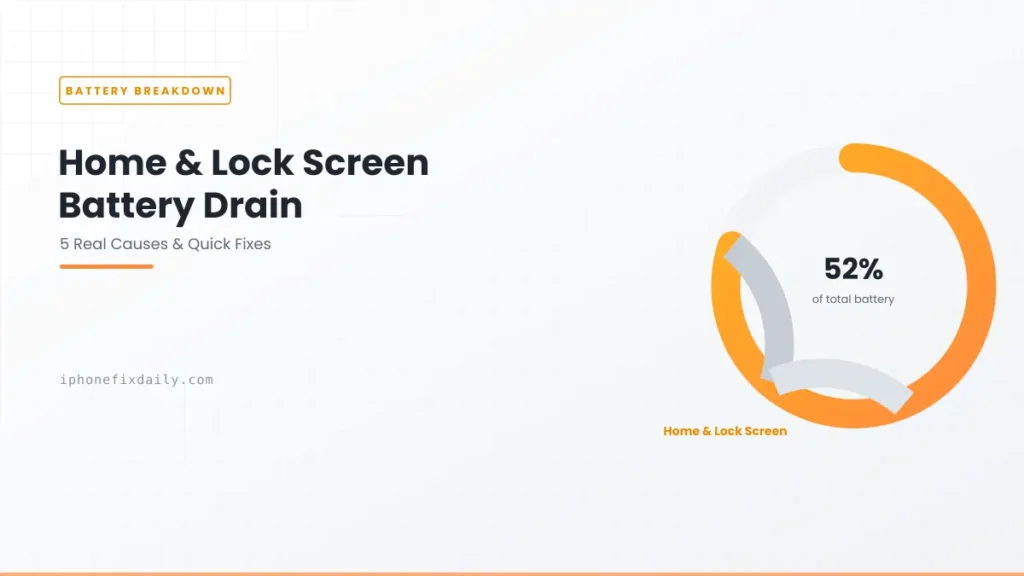
What is Home & Lock Screen battery usage? It isn’t an app. It’s the system category in Settings → Battery that covers widgets, wake and unlock animations, notifications and Lock Screen media controls. Some usage is normal because you unlock your phone dozens of times a day. But if it’s your top battery user while your iPhone sits idle, a misbehaving widget or a stuck background process is usually to blame. The problem has been reported from iOS 16 through iOS 27. Here are the 7 causes, ranked, and how to fix each one.
Official Apple Store on Amazon
Genuine cases, cables, and accessories — sold and shipped by Apple.
🎧 LISTEN TO THIS GUIDE
~90 sec listen
📋 Quick Summary
- Home and Lock Screen battery drain is a real, recurring pattern reported since iOS 16, still reported on iOS 27.
- It’s a system category, not an app — some usage is normal; it becoming your top consumer while idle is not.
- Most common cause: a misbehaving widget, especially weather or calendar.
- iPhone Mirroring left enabled under AirPlay & Continuity is a confirmed, specific cause worth checking directly.
- Live Activities and the Always-On display also count here, and they’re easy to miss.
- Check Settings → Battery for high Background time under this category — that’s your fastest diagnostic.
Battery Health Checker
Enter your numbers below for an instant read on whether your battery is degrading normally.
How to find these numbers on your iPhone
General estimate based on typical lithium-ion degradation — not a diagnostic.
Table of Contents
What Does Home and Lock Screen Battery Usage Mean?
This isn’t an app — it’s a system-level category in Settings → Battery that covers everything involved in your Lock Screen and Home Screen experience: widget updates, unlock animations, notification handling, and Lock Screen media controls. Because you unlock your phone dozens of times a day, this category gets triggered constantly, which is normal. What’s not normal is when it shows up as your single largest battery consumer, sometimes 50% or more, even while your phone sits idle on a desk.
Home and Lock Screen Battery Drain: 7 Real Causes, Ranked
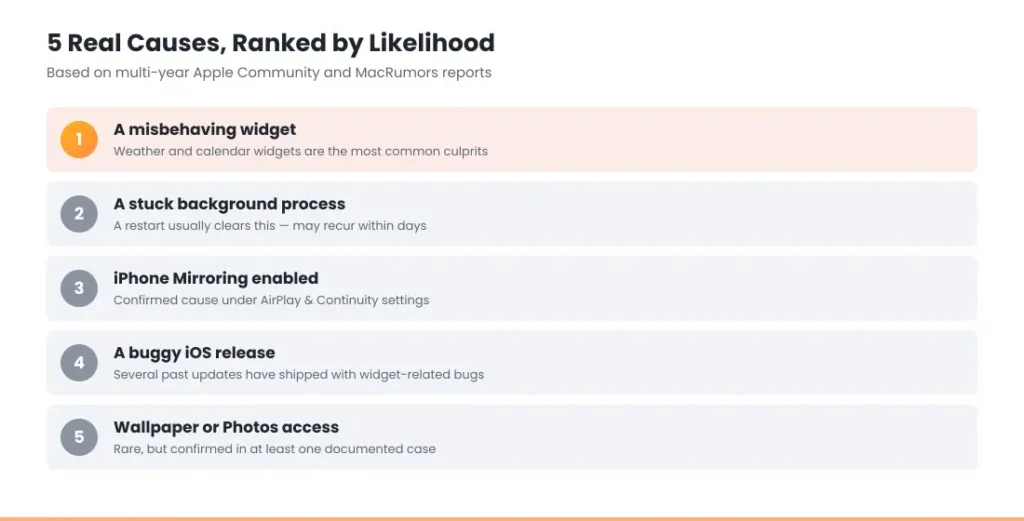
1. A misbehaving widget. Weather, calendar, and sunrise/sunset widgets are the most commonly reported culprits, since they auto-refresh on a schedule and communicate directly through the Home and Lock Screen service. This is the single most frequently confirmed cause across multiple years of reports.
2. A stuck background process. The classic, longest-running version of this issue: something gets stuck actively running in the background, and Home and Lock Screen absorbs the blame in your battery report even while your phone is untouched. A restart has historically been the fastest fix, though some users report it recurring within days. This is a different mechanism than typical overnight drain, though the diagnostic approach is similar — see our guide on iPhone battery drains overnight if you’re seeing this pattern specifically while your phone is idle for extended periods.
3. iPhone Mirroring or AirPlay & Continuity. A specific, confirmed cause reported by Apple Community users: leaving iPhone Mirroring enabled (Settings → General → AirPlay & Continuity) has been directly linked to significant, otherwise-unexplained Home and Lock Screen drain. Disabling it resolved the issue for the people who identified it.
4. A buggy iOS release affecting widgets. Several point releases have shipped with known widget bugs that specifically worsen this category — this has happened often enough across different iOS versions that it’s worth checking for a pending software update if the drain started right after updating. If you updated recently and this started right afterward, check our guide on iOS 27 battery drain for what’s specifically known about the current release.
5. Wallpaper or Photos access. Less common, but at least one confirmed case traced the issue to a specific wallpaper interacting oddly with Photos access — switching to a different wallpaper resolved it entirely.
6. Live Activities. Live Activities keep a sports score, delivery, ride or timer updating on your Lock Screen, sometimes for hours. Each update is counted under Home and Lock Screen. Old Live Activities that never ended are a common hidden cause. Turn them off per app in Settings → [app name] → Live Activities.
7. The Always-On display. On iPhone 14 Pro and later, Always-On keeps a dimmed Lock Screen with widgets visible. iOS turns it off when the phone is face down, in a pocket or bag, or when a Sleep Focus is on. Left face up on a desk, it adds steady drain to this category. Check Settings → Display & Brightness → Always On Display.
How to Diagnose It
- Open Settings → Battery and look at your usage breakdown for the last 24 hours or last 10 days.
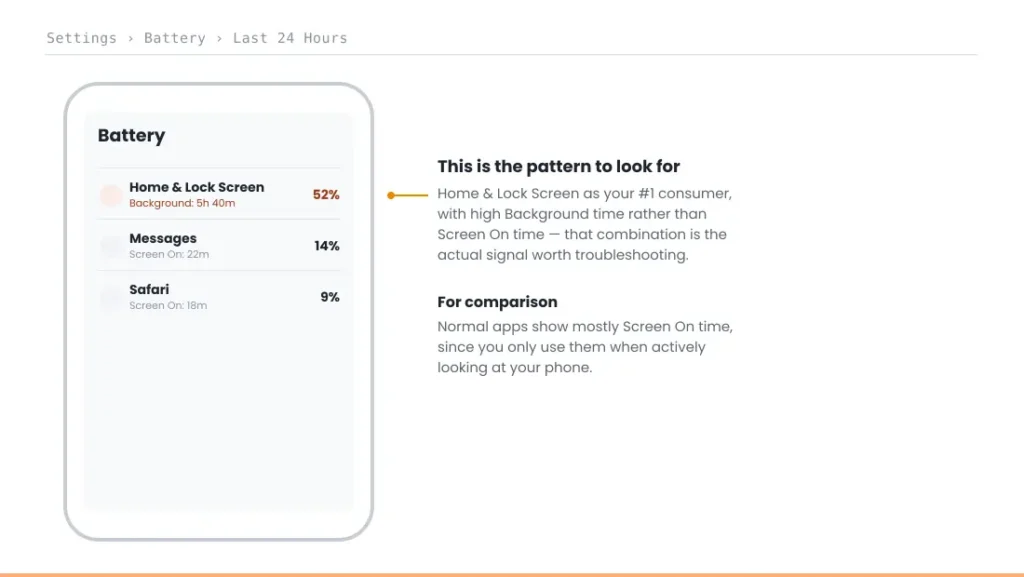
- Check whether Home and Lock Screen shows high Background time specifically, not Screen On time — background time is the signal that something’s actively running while you’re not touching your phone.
- Remove Lock Screen and Home Screen widgets one at a time, checking whether usage drops after each removal, rather than removing all of them at once and guessing which one mattered.
- Check Settings → General → AirPlay & Continuity and confirm iPhone Mirroring is off if you don’t actively use it.
- Read the battery screen the way Apple’s battery drain guide explains: background activity while you weren’t using the phone is the signal to act on. Then restart your iPhone, which clears most stuck-process cases.
How to Fix Home and Lock Screen Battery Drain
Work through these in order and check Settings → Battery after a day or two:
- Restart your iPhone. It clears a stuck background process, the most common one-off cause.
- Remove widgets one at a time from the Lock Screen and Home Screen, starting with weather, calendar and anything that shows live data. If a widget is blank or stopped updating instead, see iOS 27 widgets not working.
- End or turn off Live Activities you don’t need, in Settings → [app name] → Live Activities.
- Turn off iPhone Mirroring in Settings → General → AirPlay & Continuity if you don’t use it with a Mac.
- Adjust the Always-On display, or use a Sleep Focus at night so it switches off.
- Update iOS in Settings → General → Software Update, since some releases have fixed widget bugs.
- Change your wallpaper if nothing else helps, especially a photo shuffle wallpaper.
Home and Lock Screen Draining Battery Overnight?
If Home and Lock Screen tops your battery list after a night when you didn’t touch your phone, something kept the Lock Screen busy while you slept. The usual causes are a Live Activity that never ended, a widget refreshing all night, or the Always-On display on a phone left face up without a Sleep Focus.
Turn on a Sleep Focus, end old Live Activities, and remove live-data widgets before bed. If the drain continues, our guide to iPhone battery drains overnight covers the other 7 overnight causes, like weak signal and background app refresh.
Match Your Situation
If none of these seven causes match and you’re also seeing your iPhone shut down unexpectedly, that’s a separate issue — see iPhone dies at 20 percent for that specific mechanism.
| Symptom | Likely cause | What to do |
|---|---|---|
| Started right after adding a new widget | Misbehaving widget | Remove widgets one at a time to isolate it |
| High usage even with zero widgets, idle phone | Stuck background process | Restart your iPhone |
| You use iPhone Mirroring with a Mac | AirPlay & Continuity | Disable iPhone Mirroring if not actively needed |
| Started right after an iOS update | Known widget bug | Check for a follow-up software update |
| Nothing else explains it | Wallpaper/Photos interaction | Try switching to a different wallpaper |
| Drain while a delivery, game or ride is tracked | Live Activities | End it, or turn off Live Activities for that app |
| iPhone 14 Pro or later, left face up overnight | Always-On display | Use a Sleep Focus or turn Always-On off |
A note on scope: this guide covers software-related drain only. If you notice any physical swelling or a bulging back panel, that’s a separate, more urgent issue — see the full safety guidance in our main iPhone Battery and Charging Problems guide and do not attempt to open the device yourself.
RECOMMENDED FIRST STEP
Isolate it one widget at a time
Fixing Home and Lock Screen battery drain starts with removing widgets individually, not all at once — that’s how you actually find the culprit.
See the Full Battery & Charging GuideFeatured Apple Deals on Amazon
Current discounts on AirPods, chargers, cables, and other Apple gear.
Frequently Asked Questions
Is Home and Lock Screen battery drain a bug or normal behavior?
A small amount is normal, since this category handles every unlock and widget refresh. Home and Lock Screen battery drain becoming a persistent, dominant pattern — especially while your phone sits idle — is what’s actually worth troubleshooting.
Why is Home and Lock Screen using so much of my iPhone’s battery?
It usually comes down to one of seven things: a widget that refreshes too often, a stuck background process, iPhone Mirroring left on, a buggy iOS release, Live Activities, the Always-On display, or occasionally a specific wallpaper. It’s rarely one single universal cause; the fastest way to find yours is the diagnostic steps above, starting with checking Background time under Settings → Battery.
Will removing all my widgets fix Home and Lock Screen battery drain?
Often, but not always — it’s worth removing them one at a time to actually identify which widget is responsible, rather than assuming all widgets are equally at fault.
Does restarting my iPhone really fix this?
It’s historically been the most reliable fix for the stuck-background-process cause specifically, though some users report the issue returning after a few days, which points to a different underlying cause rather than the restart failing.
Why does disabling iPhone Mirroring help with battery drain?
Confirmed by users experiencing this specific pattern — Continuity features like iPhone Mirroring maintain an active connection to your Mac that can interact with the Home and Lock Screen service in a way that drives up battery usage.
What does Home & Lock Screen mean in iPhone battery usage?
It’s the battery used by your Lock Screen and Home Screen: unlocking, notifications, widgets, Live Activities and the Always-On display. It isn’t an app, so you can’t delete it, but you can reduce what feeds it.
Why is Home and Lock Screen draining my battery overnight?
Usually a Live Activity that never ended, a widget refreshing in the background, or the Always-On display on a phone left face up. Turn on a Sleep Focus and remove live-data widgets to test it.
Should I be worried if Home and Lock Screen shows high usage just once?
Not necessarily — a single high reading, especially after actively using widgets or unlocking frequently, isn’t concerning on its own. Persistent high usage across multiple days, especially while idle, is the pattern worth troubleshooting.
More Battery Guides
📚 Related Guides
- iPhone Battery and Charging Problems: The Complete Guide
- iPhone Battery Drains Overnight: Real Causes & Fixes
- iPhone Dies at 20 Percent (Even Though It Says It’s Charged)
- iOS 26.6 Battery Drain: Quick Fix & What’s Happening
- Photos Draining iPhone Battery? 5 Proven Fixes
- Find My Draining iPhone Battery? 5 Proven Fixes
- Which Apps Actually Drain iPhone Battery? 5 Proven Signs
Written by S M Momin Arif
Founder and lead writer at iPhoneFixDaily, covering iPhone battery and charging diagnostics based on direct hands-on testing. Read more about our approach →