Latest status · Last checked November 10, 2026
Released: October 26, 2026
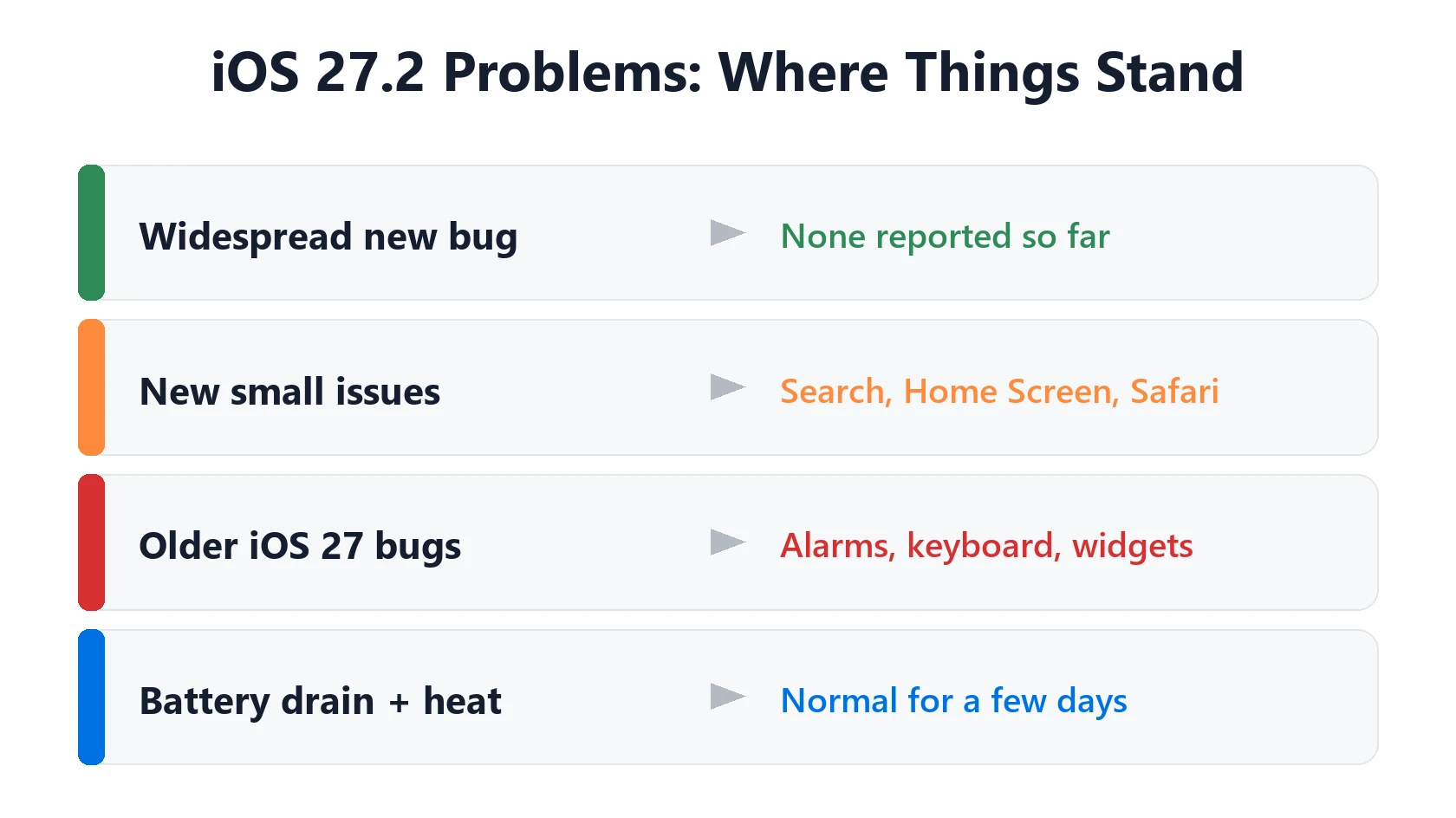
Widespread 27.2 bug?: None confirmed by Apple
Most reported: apps offline on Wi-Fi or 5G, photos not sending, silent alarms
Apple comment on bugs: None yet
Latest fix: iOS 27.2.1 is out (November 9): bug fixes and 9 security fixes
iOS 27.3: Public beta out (November 5), final expected in December
iOS 27.2 problems after updating your iPhone? Almost two weeks after the release, Apple still hasn’t confirmed a widespread bug, but the reports keep coming. The most common ones are apps that act offline even though Wi-Fi is connected, photos that won’t send in Messages and alarms that flash but stay silent. Several older iOS 27 bugs are still there too. Here’s what people are actually reporting, what’s normal after an update, and what you can do about each problem.
📋 Quick Summary
- No major, widespread iOS 27.2 bug has been confirmed so far, and Apple hasn’t commented on any.
- The most reported problems are apps acting offline on Wi-Fi or 5G (22 reports), photos not sending in Messages (21) and silent alarms (121 “me too” replies on Apple’s forum).
- Smaller reports include no ringtone, apps crashing, Wi-Fi Calling not working, an unexpected passcode screen and an unresponsive touchscreen.
- New reports include Search settings that don’t stick, a Home Screen layout that changed and Safari interface glitches.
- Not everyone has problems. Several owners say iOS 27.2 runs smoother than 27.0.1, with the same or better battery life.
- Battery drain and heat in the first few days are normal while your iPhone finishes background tasks.
- iOS 27.2 includes security fixes, so updating is still the safer choice for most people. A bug-fix update, iOS 27.2.1, came out on November 9.
Table of Contents
Quick Fix Finder for iOS 27.2 Problems
Find your problem in the table, try the quick fix, then tap the link for the full steps if it doesn’t help.
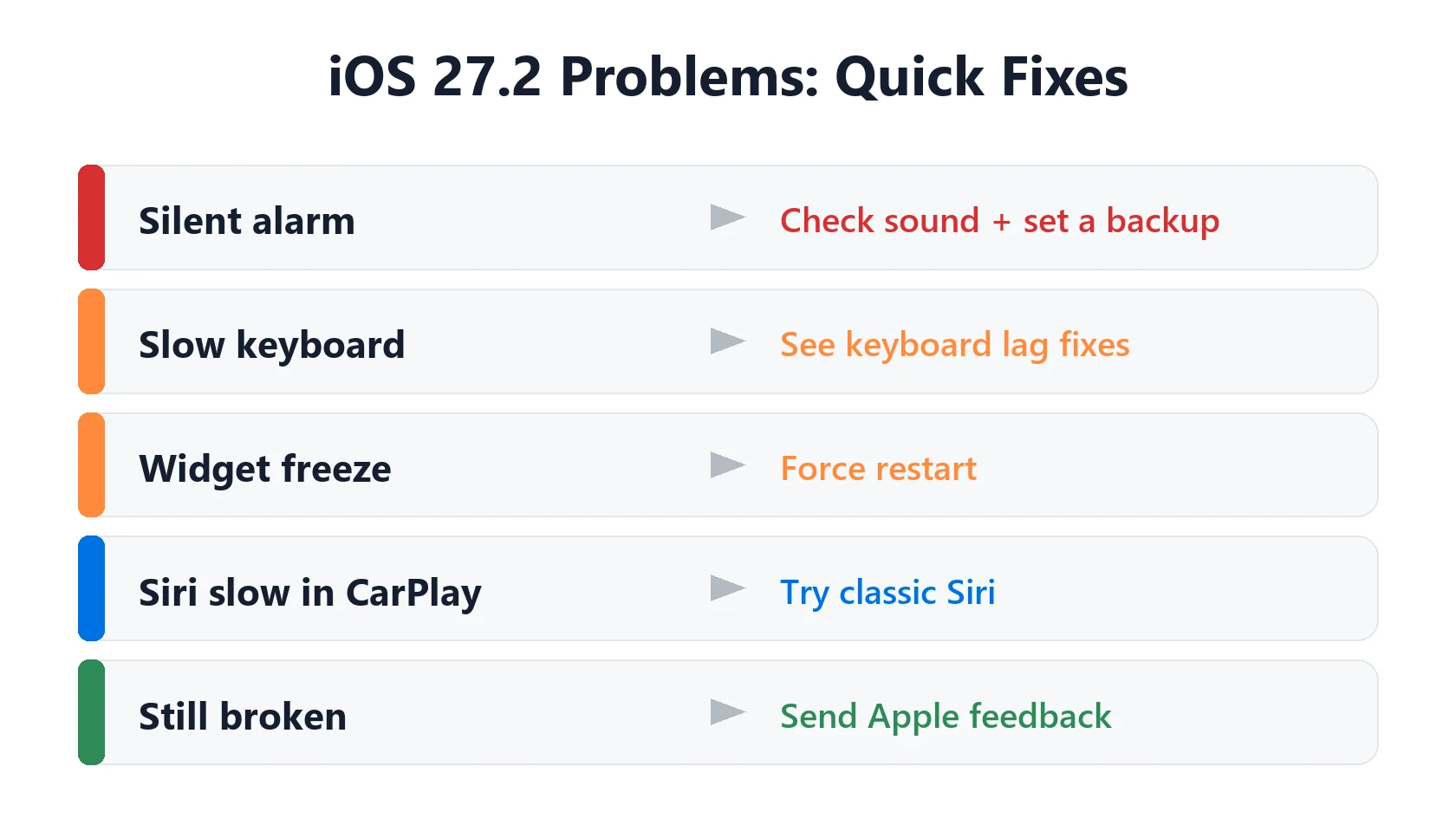
| Your problem | Try this first | Full fix |
|---|---|---|
| Apps say no connection, but Wi-Fi is on | Toggle Airplane Mode, then turn off VPN or Private Relay | See steps |
| Photos won’t send in Messages | Restart, then check MMS and Low Data Mode | See steps |
| Alarm flashes but makes no sound | Update or unpair your Apple Watch | See steps |
| No ringtone for calls | Check the Ringtone and Alerts slider and Focus | See steps |
| App keeps crashing | Offload and reinstall the app (keeps your data) | See steps |
| Wi-Fi Calling stopped working | Turn Wi-Fi Calling off, wait 2 minutes, turn it on | See steps |
| Apps updating on their own | Turn App Updates off again in Settings | See steps |
| Screen won’t respond to touch | Force restart | See steps |
| Battery draining fast | Wait 2–3 days, then check Settings → Battery | See steps |
Is iOS 27.2 Causing Problems?
Not in a big way, at least so far. In the MacRumors forum thread for the release, most early posts are about new features and storage, not breakage. The iOS 27 problem tracker at TechBetweenTheLines, updated November 5, now has several iOS 27.2 problems with 10 or more reader reports each. Apple hasn’t commented on any of them, so treat them as unconfirmed.
The iOS 27.2 problems reported so far fall into two groups: a few new, smaller issues from people who just updated, and older iOS 27 bugs that iOS 27.2 didn’t fix. We cover both below. These are user reports, not problems Apple has confirmed, and we’ll update this page as more come in.
New iOS 27.2 Problems Reported by Users
These are listed with the most-reported problems first. The counts come from the TechBetweenTheLines tracker, which only lists a problem as unconfirmed once 10 or more readers report it, and from owners in the MacRumors iOS 27.2 thread. Apple hasn’t confirmed any of them.
Apps act offline on Wi-Fi or 5G
This is the most reported one. Since October 22, 22 readers of the TechBetweenTheLines tracker on iPhone 15, iPhone 16, iPhone 17 Pro Max and older models say apps stop loading even though Wi-Fi shows as connected, and some see very slow 5G. An owner in the MacRumors thread says their iPhone drops Wi-Fi after a few hours and falls back to cellular. Try these in order:
- Turn Airplane Mode on, wait 10 seconds, then turn it off.
- If you use a VPN or iCloud Private Relay, turn it off for a minute and see if apps load.
- Go to Settings → Wi-Fi, tap the ⓘ next to your network and turn off Limit IP Address Tracking.
- If your iPhone keeps switching to cellular, turn off Connectivity Assist at the bottom of Settings → Wi-Fi. It’s the iOS 27 version of Wi-Fi Assist and mixes cellular with Wi-Fi.
- Check that the app is allowed to use data in Settings → Cellular (scroll to the app list).
- Last resort: Settings → General → Transfer or Reset iPhone → Reset → Reset Network Settings. You’ll have to re-enter Wi-Fi passwords, but nothing else is erased.
Still dropping? Our iPhone Wi-Fi keeps disconnecting guide goes further.
Photos won’t send in Messages
21 tracker readers on iOS 27.0.1 and 27.2 say photos get stuck or fail to send in Messages, while text messages go through. There’s no confirmed cause yet. Restart your iPhone first. Then open Settings → Apps → Messages and make sure MMS Messaging is on (needed for photos to Android phones), and check that Low Data Mode is off for your Wi-Fi network and in Settings → Cellular. If photos only fail on cellular, the steps for apps acting offline above usually help too.
No ringtone or other sounds
Since October 22, 14 readers say their iPhone stopped ringing for calls after updating, mostly on older models like the iPhone 15, iPhone 12 mini and iPhone SE (3rd generation). For some, calls still vibrate, and one lost keyboard clicks too. Restart your iPhone, then go to Settings → Sounds & Haptics and check the Ringtone and Alerts slider. Make sure silent mode is off with the Ring/Silent switch, or with the Action button or Control Center on newer models, and that no Focus is silencing calls.
Apps crash or won’t open
10 readers say several apps freeze, quit or won’t open on iOS 27.0.1 and 27.2, including Apple’s own Books and Journal apps. Update the app in the App Store first. If it still crashes, go to Settings → General → iPhone Storage, tap the app and choose Offload App, then Reinstall App. Offloading keeps your data. Make sure you have a few GB of free storage. More steps are in our iPhone apps crashing guide.
Wi-Fi Calling stopped working
Since November 2, owners of an iPhone 15, iPhone 16 and iPhone 17 have told the tracker that Wi-Fi Calling stays off after the update and calls over Wi-Fi fail. Apple’s Wi-Fi Calling steps are the right order: check that Wi-Fi Calling is on in Settings → Cellular, restart your iPhone, then turn Wi-Fi Calling off and on again. Apple says to wait two minutes between each step. Check for a carrier settings update in Settings → General → About. Reset Network Settings is the last thing to try, and if nothing works, your carrier can check your account.
App Store turned on automatic updates
Two owners in the MacRumors thread, with an iPhone 18 Pro and an iPhone 18 Pro Max, found that apps updated by themselves after iOS 27.2, and the automatic updates switch was back on. An iPhone 17 owner said theirs stayed off, so it isn’t happening to everyone. If you prefer updating apps yourself, check Settings → Apps → App Store and turn App Updates off again.
Passcode screen appears with no passcode set
A few owners of an iPhone SE (3rd generation) and an iPhone 15 say their iPhone asked for a passcode after restarting on iOS 27.2, even though they had no passcode set. The TechBetweenTheLines tracker lists this as reader-reported and not yet confirmed. First, restart again and check whether Settings → Face ID & Passcode (or Touch ID & Passcode) shows a passcode. If you’re asked for one, try any passcode you used in the past. Don’t keep guessing: too many wrong attempts lock the iPhone. If it says iPhone Unavailable, see iPhone Unavailable or Security Lockout, and contact Apple Support if you can’t get in.
Texts won’t send or arrive without Wi-Fi
Some owners of an iPhone 12 Pro and an iPhone 16 Pro Max on iOS 27.0.1 or 27.2 say SMS messages fail when they’re off Wi-Fi. Android contacts’ messages show as delivered but never arrive. This is reader-reported only. Try turning Airplane Mode on and off, then restart. If you also see SOS or No Service in the status bar, the problem is your cellular connection, not Messages, so see iPhone SOS or No Service. For texts to Android phones, see RCS messages not delivered.
Touchscreen stops responding
12 tracker readers, on models from older iPhones to the iPhone 16 Pro Max, say the screen stops responding to taps and scrolling after updating, while the buttons still work. One MacRumors owner says it actually got better on iOS 27.2. A force restart is the first thing to try: press and release volume up, press and release volume down, then hold the side button until the Apple logo appears. Then take off the case and screen protector. Our iPhone touch screen not working guide has the full steps.
Calendar view looks broken
A few owners of an iPhone 15, an iPhone 16 and older models on iOS 27.0.1 or 27.2 say the Calendar app’s view doesn’t display properly. Close Calendar from the App Switcher, restart your iPhone, and if you use iCloud calendars, turn Calendars off and on again in Settings → [your name] → iCloud.
Search settings don’t stick
Some owners say that excluding apps from search still doesn’t work, and one says they still can’t turn off Show Related Content in Settings → Search. Since October 30, owners on Reddit have also said App Store results, web suggestions and other content they turned off keep coming back in Spotlight. If an app keeps showing up in search, open Settings → Apps, tap the app, look for its Siri and Search options and turn off showing it in search, then restart your iPhone. If the setting still doesn’t stick, it’s likely a bug that needs an Apple update.
Home Screen layout changed
One owner says a Home Screen page they had arranged with gaps was collapsed into two rows of apps at the top after updating. If this happens to you, you’ll need to drag the icons back. Taking a screenshot of each Home Screen page before a big update makes this easier to fix.
Safari interface glitches
One forum post with screenshots describes the “same ol’ Safari UI bugs” on iOS 27.2. If Safari’s toolbar or tabs look wrong, close Safari from the App Switcher and reopen it. If that doesn’t help, restart your iPhone.
Siri indexing message didn’t appear
Two owners said they didn’t see the Siri indexing message they expected after updating. That isn’t a problem on its own. Your iPhone can still finish indexing in the background. If Siri AI isn’t answering properly, see Siri AI not working.
iOS 27 Bugs That iOS 27.2 Didn’t Fix
These iOS 27 problems are still being reported after the 27.2 update, according to the TechBetweenTheLines tracker. Apple’s iOS 27.2 release notes don’t mention fixing them.
- Alarm flashes but makes no sound. Reported since September 16, with 121 “me too” replies in one Apple Community thread as of November 5. The clearest fix owners found involves the Apple Watch: update a paired watch to watchOS 27, or unpair an older watch that can’t run it. Then check the new Alarms and Timers volume slider in Settings → Sounds & Haptics (or turn Match Ringtone Volume back on), make sure the alarm’s sound isn’t set to None, and test with an alarm set one minute ahead before you rely on it.
- Keyboard slow to appear in Messages on iPhone 15 Pro to iPhone 17 Pro Max. See iPhone keyboard lag for workarounds.
- Home Screen freezes when moving widgets. A force restart clears it. See iOS 27 widgets not working.
- Apple Watch won’t install watchOS 26.6 after the iPhone updates to iOS 27, with more than 500 “me too” marks. Keep both devices charged, close together and on Wi-Fi, and restart both before trying again.
- Siri slow or stuck in CarPlay. Some owners say switching from the Siri AI beta back to classic Siri helps. See CarPlay not working on iOS 27.
- iPhone 18 Pro earpiece crackling. Still open. See iPhone 18 Pro speaker crackling.
- Attention Aware features not working on some iPhone 18 Pro models. This one is unconfirmed, as other owners can’t reproduce it.
If you have an iPhone 18 Pro Max on AT&T stuck in SOS, the iOS 27.2 release notes don’t mention it. See iPhone 18 Pro Max stuck in SOS on AT&T for what to do.
Battery Drain and Heat After iOS 27.2
Some battery drain and warmth in the first few days after iOS 27.2 is expected. Apple says that after an update, your iPhone keeps working on tasks in the background, which can temporarily affect battery life and temperature. Leave it on charge overnight, connected to Wi-Fi, for a couple of nights and it should settle.
Owner reports are mixed. The Mac Observer found an iPhone SE owner who now loses 8% overnight instead of 60–90% on iOS 27.0.1, while an iPhone 17 Pro owner still lost about 30% in four hours of light use. Many iOS 27 owners say turning off Connectivity Assist (Settings → Wi-Fi, at the bottom) helped their battery. Apple hasn’t linked it to battery drain, but it can keep cellular data running while you’re on Wi-Fi, so it’s worth trying.
If the drain is still bad after about three days, check Settings → Battery for the app using the most power. Our iOS 27.2 battery drain guide walks through the fixes, and iPhone overheating covers heat.
iPhone Slow After iOS 27.2?
If your iPhone feels slower or laggy after updating, it’s usually temporary. No widespread iOS 27.2 slowdown has been reported so far, and the TechBetweenTheLines tracker doesn’t list one. After an update, your iPhone keeps working in the background, re-indexing Photos and search and optimizing apps. That uses processing power, so apps can open more slowly or scrolling can stutter for a day or two.
Try these steps in order:
- Give it 2–3 nights. Leave your iPhone charging and on Wi-Fi overnight so the background work can finish.
- Restart your iPhone. It clears apps and processes that got stuck during the update. Two owners in the MacRumors thread say the App Store was very slow right after updating until one extra restart fixed it.
- Check Low Power Mode is off. If the battery icon is yellow, Low Power Mode is on, and it deliberately slows some things down. Turn it off in Settings → Battery.
- Update your apps in the App Store. Apps that haven’t been updated for iOS 27 can be slow or freeze.
- Check your storage. Go to Settings → General → iPhone Storage. If it’s nearly full, free up some space. See iPhone storage full.
- Check Battery Health. A worn battery can limit performance. If Battery Health shows a message about peak performance or service, see iPhone battery replacement cost.
If only the keyboard is slow, see iPhone keyboard lag. If it’s also hot, see iPhone overheating. Still slow after a week? Our iPhone running slow guide covers the deeper fixes.
Is iOS 27.2.1 Coming?
Update, November 10: iOS 27.2.1 came out on November 9. Apple’s note says only "bug fixes and security updates", and its security page lists 9 fixes. See iOS 27.2.1: what it fixes and early reports. The background below is from before the release.
Probably soon. MacRumors and 9to5Mac reported on November 2 that iPhones running iOS 27.2.1 have been showing up in their visitor logs, which usually means Apple is testing an update before release. It’s expected to be a small update with bug and security fixes, not new features. Apple hasn’t announced a date or said which bugs it fixes, so we’ll update this page when it’s out.
iOS 27.3, the next bigger update, is now in beta. Apple released the first developer beta on November 3, with the redesigned Health app back in testing. See what’s new in the iOS 27.3 beta. Apple hasn’t given a release date for the final version.
Should You Still Update to iOS 27.2?
For most people, yes. None of the iOS 27.2 problems reported so far are serious enough to stay on an older version, and iOS 27.2 includes security fixes. Some owners also say it fixed long-running bugs. One owner in the MacRumors thread says Screen Time’s App & Website Activity, Shortcuts automations that run when an app opens, and pasting images copied from Safari all work again. An IT admin rolling it out to more than 1,000 iPhones reported no major issues from the first 40 testers. See what’s new in iOS 27.2 for the full list, and should I update my iPhone if you rely on your iPhone for work and want to wait a few days.
Once you’ve updated, you can’t easily go back. Apple usually stops signing older versions within a few weeks, and our iOS 27 problems guide explains why downgrading is rarely worth it.
Not sure your iPhone can run iOS 27 at all? The iOS 27 compatibility checker shows the latest version for your model.
How to Report an iOS 27.2 Bug to Apple
- Restart your iPhone and check if the problem comes back.
- Note the details: your iPhone model, what you were doing and when it happens.
- Send feedback through Apple’s iPhone feedback page.
- Contact Apple Support if the problem stops you using your iPhone. They can run diagnostics.
Frequently Asked Questions
Does iOS 27.2 have bugs?
Yes, though Apple hasn’t confirmed a widespread one. The most reported are apps acting offline on Wi-Fi or 5G, photos not sending in Messages and silent alarms, plus older iOS 27 bugs that 27.2 didn’t fix.
Why won’t my iPhone send photos after iOS 27.2?
Restart it, then make sure MMS Messaging is on in Settings → Apps → Messages and Low Data Mode is off. 21 owners have reported it, and there’s no confirmed cause yet.
Why does my iPhone use cellular data on Wi-Fi?
That’s usually Connectivity Assist, the iOS 27 version of Wi-Fi Assist. You can turn it off at the bottom of Settings → Wi-Fi.
Does iOS 27.2 fix the silent alarm bug?
Not according to reports so far. Apple’s release notes don’t mention it. Updating or unpairing an Apple Watch has fixed it for some owners.
Why is my iPhone hot and draining battery after iOS 27.2?
Your iPhone is finishing background tasks after the update. Apple says this can temporarily affect battery life and temperature. It usually settles within a few days.
Why is my iPhone slow after iOS 27.2?
Usually because it’s still finishing background work from the update, like re-indexing Photos and search. Give it 2–3 nights on charge and Wi-Fi, restart it, and check that Low Power Mode is off.
Should I wait to update to iOS 27.2?
Most people should update, because it includes security fixes. If you depend on one specific app or accessory, waiting a few days to see more reports is reasonable.
When is iOS 27.2.1 coming out?
Apple hasn’t announced a date. Reports on November 2 said Apple is testing it, so it could arrive within a week or two, with bug and security fixes.
Can I go back to iOS 27.0.1?
Only while Apple still signs iOS 27.0.1, which usually ends within a few weeks. It also requires erasing your iPhone, so it’s rarely worth it.
📚 Related Guides
Written by S M Momin Arif
Founder and lead writer at iPhoneFixDaily, writing practical iPhone troubleshooting guides checked against Apple’s official support documentation. Read more about our approach →