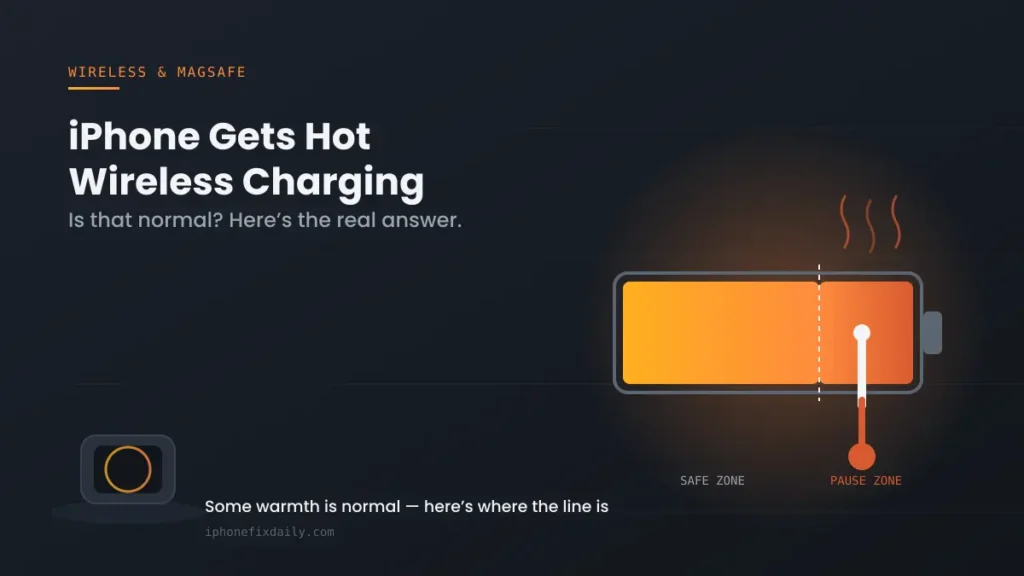
If you’re trying to sort out Qi2 vs MagSafe iPhone confusion before buying a wireless charger, you’re not alone — this is currently one of the most searched wireless charging questions in the US, and most guides explaining it are written by the people selling the chargers. Here’s what each standard actually is, what your specific iPhone supports, and the wattage you should actually expect.
Official Apple Store on Amazon
Genuine cases, cables, and accessories — sold and shipped by Apple.
🎧 LISTEN TO THIS GUIDE
~90 sec listen
📋 Quick Summary
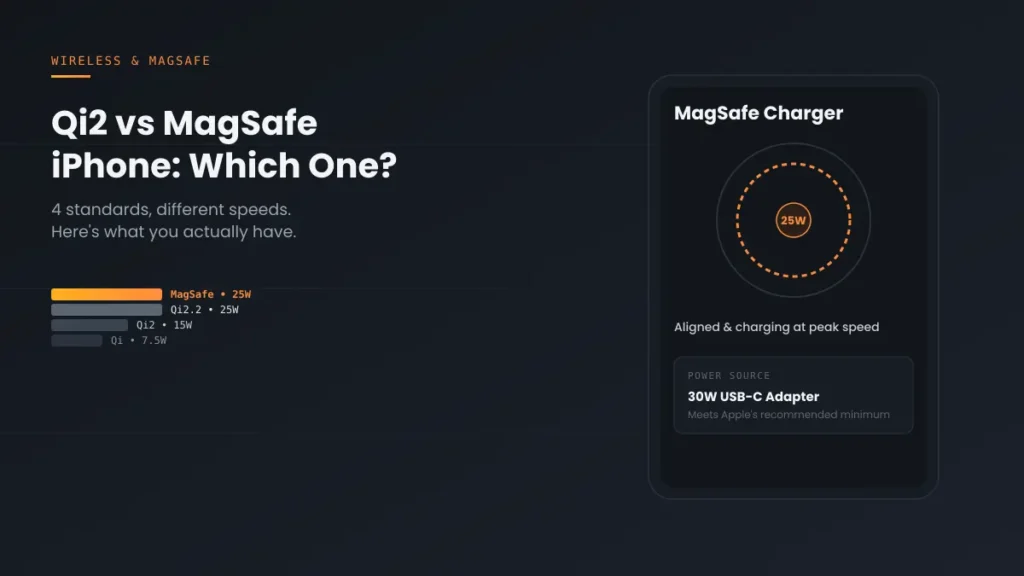
- The Qi2 vs MagSafe iPhone question comes down to four standards, each with a different wattage ceiling.
- MagSafe: Apple’s own system, up to 25W peak on supported models.
- Qi2: the open standard built on MagSafe’s magnetic idea, originally capped at 15W.
- Qi2.2: a 2025 revision raising the ceiling to 25W — nearly matching MagSafe without needing Apple branding.
- Plain Qi: the original, non-magnetic standard, typically capped around 7.5W on iPhone.
- Your actual speed depends on your iPhone model, adapter wattage, and alignment — not just the number on the box.
Qi2 vs MagSafe iPhone confusion exists because four different standards have overlapped in the last few years, each solving a different problem, without much clear explanation of which one applies to your specific phone. Here’s the short version before the detail: MagSafe is Apple’s own magnetic charging system, Qi2 is an open industry standard built using MagSafe’s magnetic alignment approach, Qi2.2 is a newer revision of that same open standard with a higher power ceiling, and plain old Qi is the original, non-magnetic, slower baseline that still works on every iPhone but caps out well below the others.
Qi2 vs MagSafe iPhone: What Each Standard Actually Means
According to Apple’s own official guidance, a genuine MagSafe Charger delivers up to 25W of peak power on supported models when paired with a recommended 30W or greater power adapter — though it will still work with adapters as low as 12W, just charging noticeably slower. Qi2 took MagSafe’s magnetic alignment idea and turned it into an open standard any manufacturer can build to, originally capped at 15W. Qi2.2, a 2025 revision to that same open standard, raises the ceiling further to 25W — nearly matching MagSafe’s peak speed without requiring an Apple-branded accessory. Plain Qi, the original 2008-era standard with no magnets, is what you get from a generic pad with no alignment ring — typically capped around 7.5W on iPhone regardless of what wattage the box advertises.
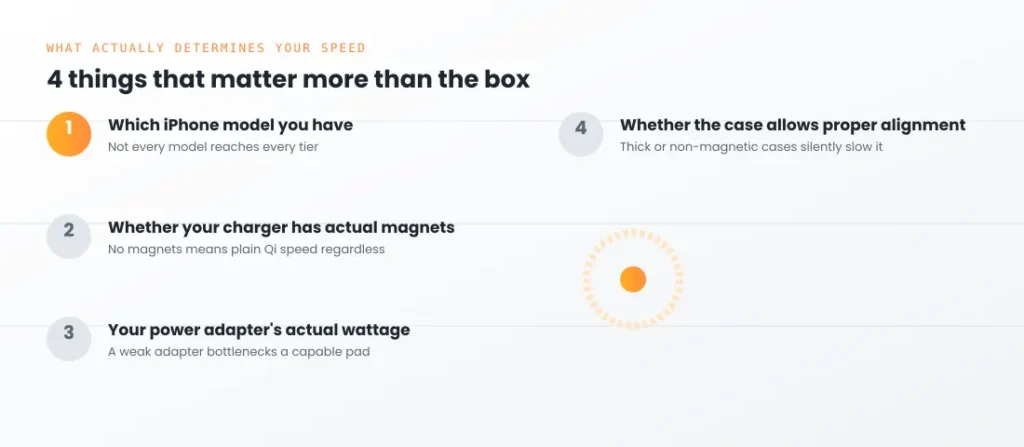
4 Things That Actually Determine Your Charging Speed
- Which iPhone model you have. This is the first thing that decides the Qi2 vs MagSafe iPhone question for your specific device. Not every iPhone supports every standard’s top speed — Apple’s own MagSafe compatibility list confirms only specific recent models reach the higher wattage tiers, while older non-MagSafe iPhones charge through plain Qi behavior instead.
- Whether your charger has actual magnets or not. A charger can advertise “15W” or “25W” on the box without having true magnetic alignment — without it, you’re getting plain Qi speeds regardless of the printed number, since misalignment is the single biggest cause of slower-than-expected wireless charging.
- Your power adapter’s actual wattage, not just the charging pad. A genuine MagSafe or Qi2.2 charger still needs a sufficiently powerful adapter behind it — Apple specifically recommends 30W or greater for full MagSafe speed, and a weaker adapter will bottleneck an otherwise-capable charger.
- Whether the charger and case combination allows proper alignment. A thick case, a case without a MagSafe-compatible magnetic ring, or simply placing the phone slightly off-center on the pad can silently drop you from magnetic-speed charging to plain Qi speeds without any error message.
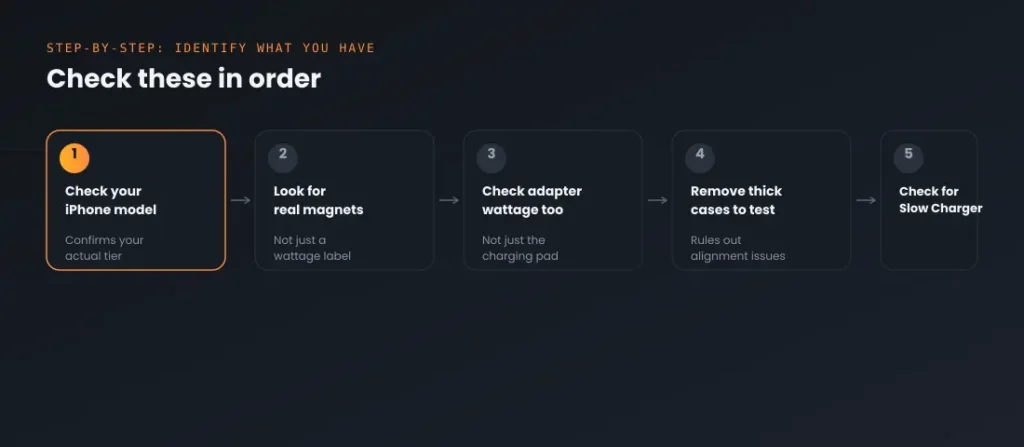
Step-by-Step: How to Identify What You Actually Have
- Check your iPhone model against Apple’s current MagSafe-compatible list to confirm which wattage tier your specific device can reach at all, before assuming a charger is underperforming.
- Look for an actual magnetic ring on your charging pad, not just wireless charging in general — if your pad has no magnets, you’re on plain Qi regardless of any wattage claim.
- Check your power adapter’s rating specifically, not just the charging pad’s — a 25W-capable charger paired with a 12W adapter will charge at the adapter’s ceiling, not the pad’s.
- Remove thick cases temporarily to test whether alignment, not the charger itself, is the actual bottleneck.
- If you’re seeing a Slow Charger alert specifically rather than just generally slower charging, that’s a distinct, named issue — see Slow Charger Message on iPhone for the exact thresholds that trigger it.
A note on scope: This guide covers the Qi2 vs MagSafe iPhone question specifically — identifying which wireless standard you actually have and what speed to expect from it. If you’re seeing an active on-screen alert about charging speed, see the dedicated guide for that specific message rather than general standard comparisons.
Recommended First Step
Check your adapter’s wattage, not just the pad
A capable Qi2.2 or MagSafe charger paired with a weak adapter will still charge slowly. This single check resolves more “my expensive charger is slow” complaints than anything else on this list.
See the Full Battery & Charging GuideFeatured Apple Deals on Amazon
Current discounts on AirPods, chargers, cables, and other Apple gear.
Frequently Asked Questions
For the Qi2 vs MagSafe iPhone question specifically, is Qi2.2 the same as MagSafe?
No, though they’re closely related — Qi2.2 is an open industry standard based on MagSafe’s magnetic alignment approach, meaning a certified Qi2.2 charger from any brand can reach similar speeds to Apple’s own MagSafe accessories, without needing Apple’s specific branding or certification.
Will a Qi2 charger work on my older, pre-MagSafe iPhone?
It will charge, but not at Qi2’s magnetic speed tier, since older iPhones without MagSafe hardware don’t have the internal magnets needed for alignment — you’ll get plain Qi speeds instead, generally capped around 7.5W.
Why does my “25W” wireless charger seem to charge slower than expected?
The printed wattage is a ceiling, not a guarantee — your actual speed depends on your specific iPhone model’s supported tier, your power adapter’s real wattage, and whether magnetic alignment is actually engaged, not just the number printed on the charger itself.
Do I need to buy Apple’s own MagSafe Charger, or is a third-party Qi2.2 charger just as good?
When it comes to Qi2 vs MagSafe iPhone charging, a certified third-party Qi2.2 charger can reach comparable speeds to Apple’s own MagSafe Charger, since Qi2.2 was built on the same underlying approach — certification is what matters, not the brand name specifically.
Does using a case slow down wireless charging?
It can, particularly a thick case or one without a proper MagSafe-compatible magnetic ring built in, since misalignment silently drops speed without any warning or error message.
Is regular Qi charging bad for my iPhone compared to MagSafe or Qi2?
No — it’s simply slower, not worse for the battery. Charging speed itself doesn’t meaningfully affect long-term battery health; heat generated during charging is the more relevant factor, and slower charging generally produces less heat, not more.
📚 Related Guides
This page may contain affiliate links. If you purchase through one, we may earn a commission at no extra cost to you. See our full Affiliate Disclosure for details.
Written by S M Momin Arif
Founder and lead writer at iPhoneFixDaily, covering iPhone battery and charging diagnostics based on direct hands-on testing. Read more about our approach →