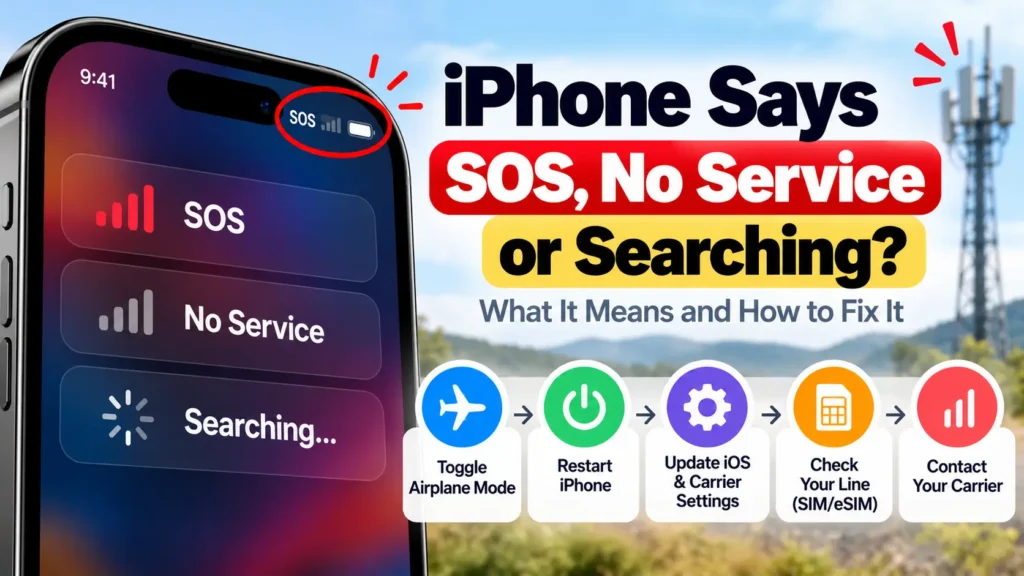
Seeing iPhone SOS, “SOS only”, “No Service” or “Searching…” where your carrier name should be? Your iPhone has lost its connection to your cellular network. With SOS, the good news is that you can still make emergency calls. Most of the time the cause is coverage, your account, or a setting, not a broken phone. Here’s what each status means and Apple’s steps to get your signal back.
Official Apple Store on Amazon
Genuine cases, cables, and accessories — sold and shipped by Apple.
📋 Quick Summary
- SOS / SOS only: not connected to your network, but emergency calls still work via other carriers (US, Canada, Australia).
- No Service / Searching: not connected to any cellular network.
- Fastest fixes: Airplane Mode on for 15 seconds, then off, then restart.
- Then check carrier settings, your cellular line (Dual SIM), and Data Roaming if you’re abroad.
- Still stuck? Your carrier is the only one who can check account blocks and outages.
What iPhone SOS, No Service and Searching Mean
According to Apple’s support article:
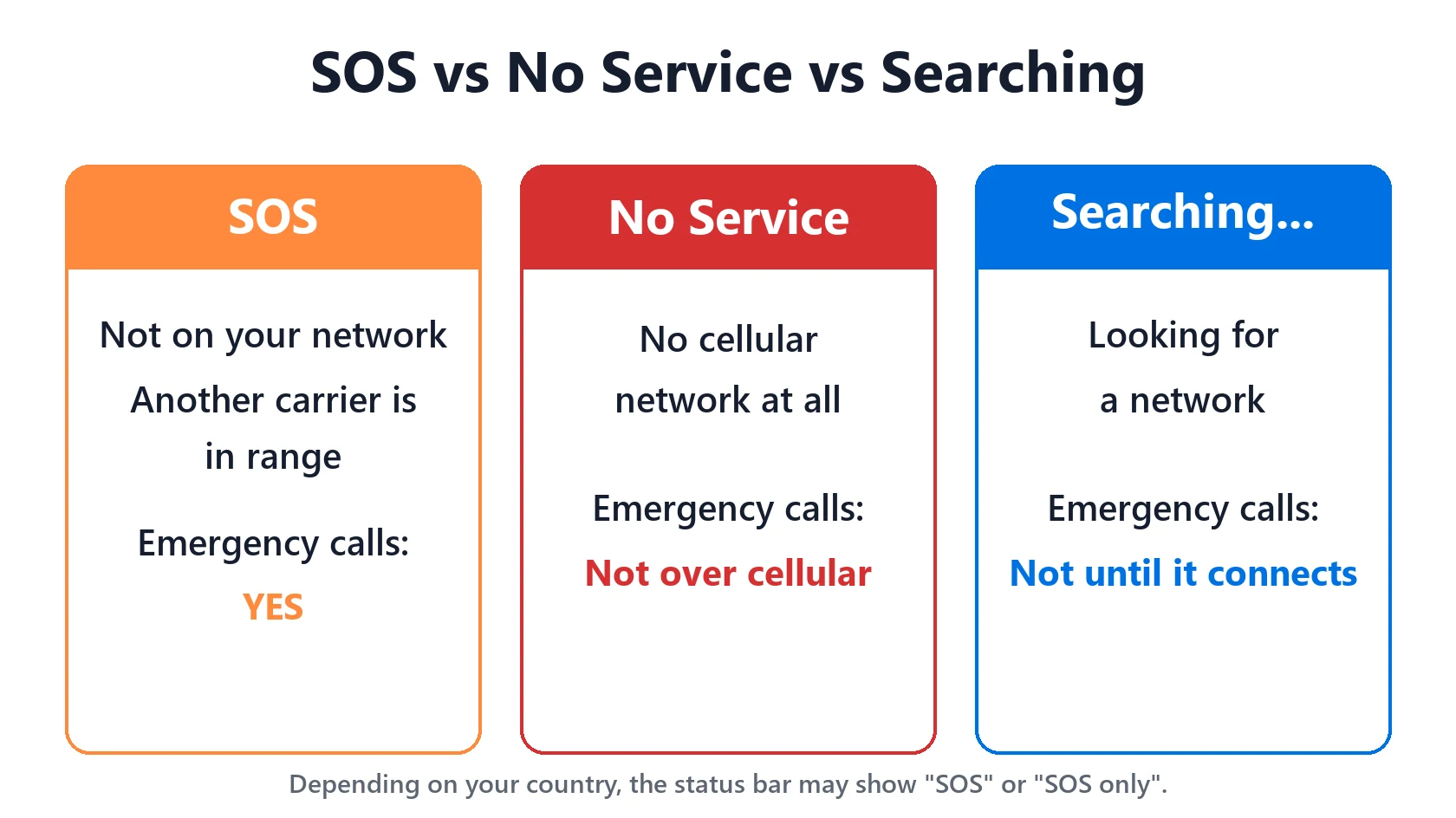
| Status bar shows | What it means | Can you call 911 / 000 / emergency? |
|---|---|---|
| SOS or SOS only | Not connected to your network, but another carrier’s network is in range. Shown in Australia, Canada and the United States. | Yes, emergency calls go through other carriers’ networks |
| No Service | Not connected to a cellular network | Not over cellular. Move to a better-covered spot. On iPhone 14 and later, Emergency SOS via satellite may be available in supported countries. |
| Searching… | Trying to find a network and not connected yet | Not until it connects |
If your iPhone instead shows “No SIM” or “Invalid SIM”, that’s a different problem. See Invalid SIM or No SIM on iPhone.
Fix 1: Toggle Airplane Mode (at Least 15 Seconds)
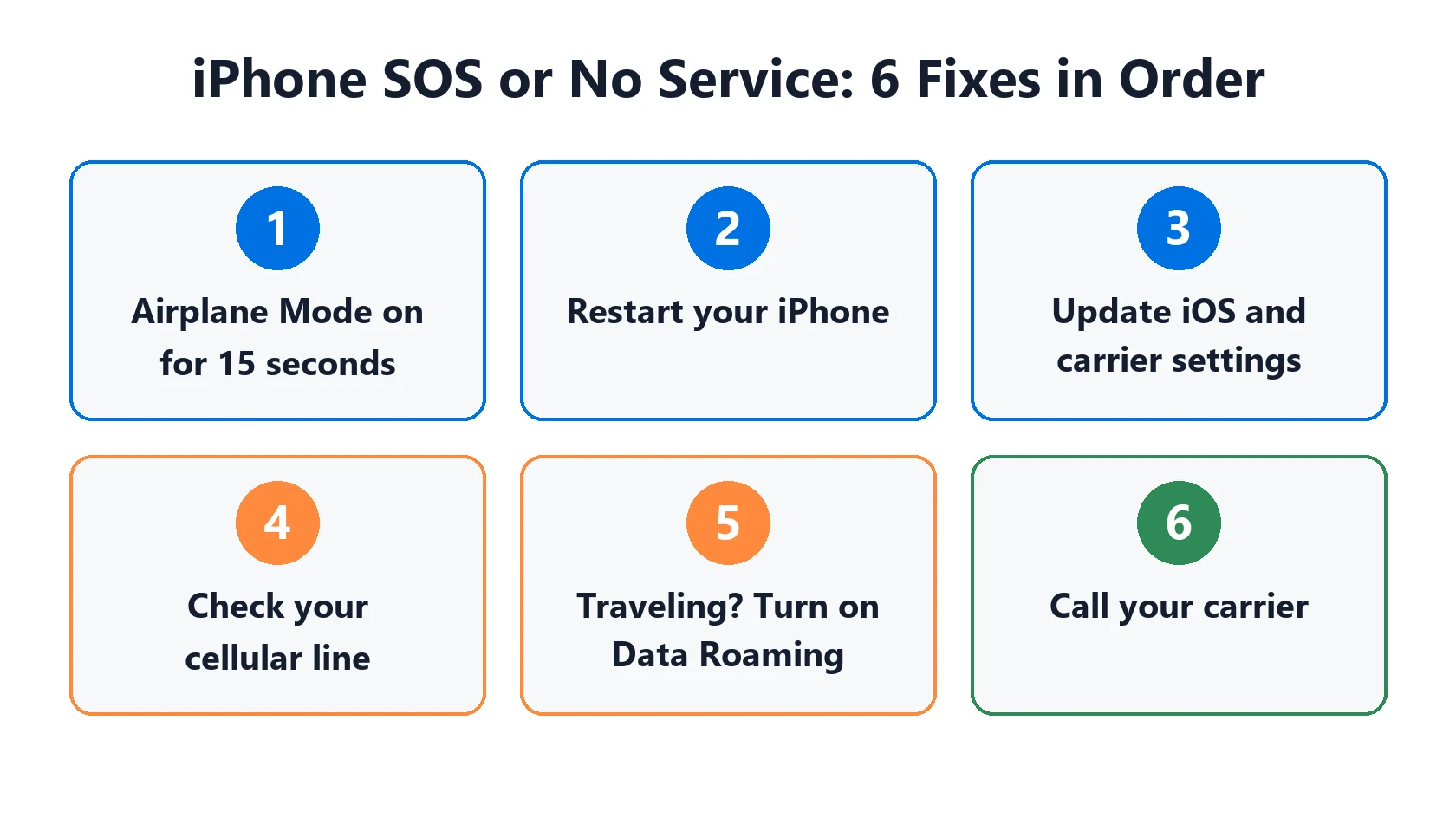
If your network is available, this is often all it takes. Open Settings, turn on Airplane Mode, wait at least 15 seconds (Apple’s figure), then turn it off. That makes the iPhone drop and re-register with the network, which clears a phone stuck on a weak tower after you’ve moved.
Fix 2: Restart Your iPhone
A full power-off and back on resets the cellular modem more thoroughly than Airplane Mode.
Fix 3: Update iOS and Carrier Settings
- Connect to Wi-Fi.
- Go to Settings → General → About. If a carrier settings update is available, you’ll see an option to install it.
- Then check Settings → General → Software Update for an iOS update. Our iOS update status page shows the latest version and what it fixes.
Apple notes that after inserting a new carrier’s SIM, you need that carrier’s settings. This step is easy to miss after switching carriers.
Fix 4: Check Your Cellular Line (Dual SIM and eSIM)
If your iPhone has Dual SIM, a line can simply be switched off. Go to Settings → Cellular, tap the line, and make sure it’s on. If it isn’t, tap Turn On This Line. If your line isn’t listed at all, contact your carrier to set up an eSIM, or reseat a physical SIM. If the SIM is damaged, doesn’t fit the tray, or came from another device, Apple suggests asking your carrier for a new one.
Fix 5: Traveling? Turn On Data Roaming
Abroad, your iPhone needs roaming enabled to use partner networks. Go to Settings → Cellular, make sure Cellular Data is on, tap Cellular Data Options (with Dual SIM, tap the number first), and turn on Data Roaming. Check your plan’s roaming charges first. Some plans bill heavily for it.
Fix 6: Call Your Carrier
Apple is clear that only your carrier can see and manage your account. Ask them to:
- Confirm your account is active and in good standing.
- Check for outages or coverage gaps where you are.
- Make sure your device isn’t blocked or barred and is on the right data plan.
- Tell you if your country requires IMEI registration for an iPhone bought abroad. Apple specifically mentions this, and it’s a common cause of “No Service” on imported phones.
Older iPhones and 3G Shutdowns
With 3G networks being switched off, Apple says an iPhone 5s, 5c or earlier showing No Service should contact the carrier about options. On iPhone 6 or later, go to Settings → Cellular → Cellular Data Options and turn on Enable LTE. iPhones that support 5G aren’t affected by 3G shutdowns. Not sure which model you have? Use our model number lookup.
Run Apple’s Diagnostics (iOS 18 and Later)
On iPhones running iOS 18 or later, Apple says the latest version of the Apple Support app can run additional diagnostics to help find the source of the problem. It’s worth running before you book a repair.
Why “SOS” Drains Your Battery
While your iPhone is searching for a signal, it keeps working to find one, and that costs battery. If you often sit in weak-coverage spots (basements, rural areas, some offices), see our guide to “No Cell Coverage” draining your iPhone battery for how to limit it.
When It’s a Hardware Problem
If your carrier confirms your account and network are fine, and a different SIM doesn’t help, Apple says the iPhone might need service. That’s especially likely after a drop or liquid exposure. Our repair cost estimator gives you a ballpark first.
Featured Apple Deals on Amazon
Current discounts on AirPods, chargers, cables, and other Apple gear.
Frequently Asked Questions
Why does my iPhone say SOS when my friend’s phone has signal?
An iPhone SOS warning usually means your phone can’t connect to your normal carrier network. Your friend may be on a different carrier with better coverage there. It can also point to an account problem on your line, which your carrier can confirm.
Can I text in SOS mode?
Not over cellular. SOS only allows emergency calls. iMessage and apps still work over Wi-Fi, and Wi-Fi Calling may work if your carrier supports it.
It started right after an iOS update. Is the update to blame?
Sometimes. Install any carrier settings update and check whether a newer iOS point release is out. Our update status page lists what each release fixes.