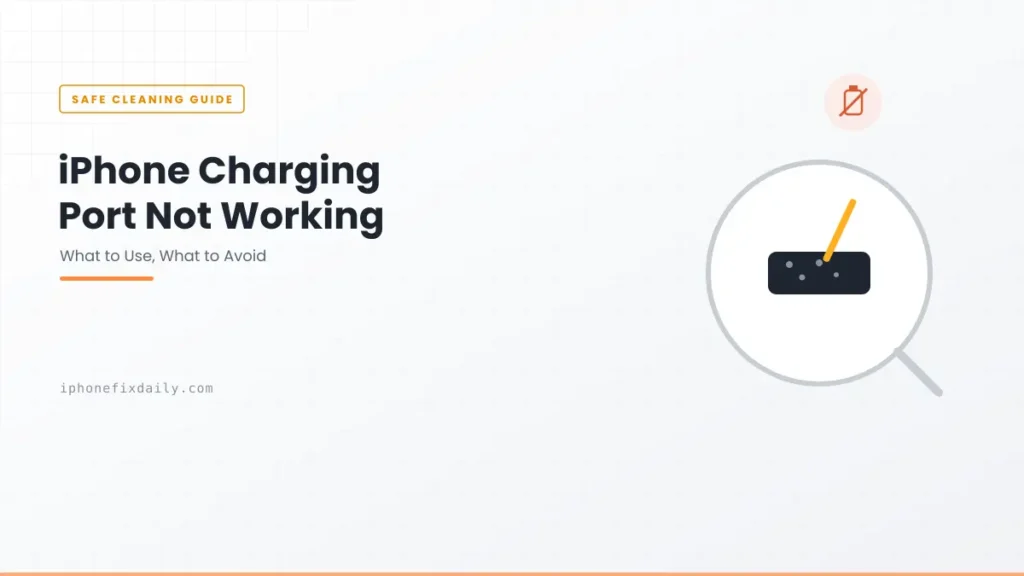
iPhone charging port not working? In most cases it’s packed-in pocket lint, not a broken port. The cable can’t seat fully, so it feels loose, only charges at an angle, or doesn’t charge at all. This guide shows how to confirm it’s really the port, how to clean a Lightning or USB-C port without damaging it, and what to do if cleaning doesn’t help.
Updated October 8, 2026 for USB-C iPhones and iOS 27.
Official Apple Store on Amazon
Genuine cases, cables, and accessories — sold and shipped by Apple.
🎧 LISTEN TO THIS GUIDE
~2 min listen
📋 Quick Summary
- Lint is the most common cause of a charging port that stops working, not a hardware fault.
- Confirm it’s the port first: if a different cable fails too but wireless charging works, it’s the port.
- Clean it with a wooden toothpick or soft, dry brush. No metal, no liquids, and skip the compressed air.
- USB-C ports (iPhone 15 and later) have a thin contact blade in the middle. Work around it, never against it.
- Cable still loose after cleaning? That’s physical wear and needs a repair, not more cleaning.
Table of Contents
iPhone Charging Port Not Working? A 1-Minute Test
Before you clean anything, make sure the port is actually the problem. A bad cable or adapter looks exactly the same.
- Try a different cable and adapter that you know work on another device. If your iPhone charges, the port is fine and the old cable was the problem.
- Wiggle test: if it only charges when the cable is held at an angle, or the cable falls out easily, it’s the port.
- Try wireless charging (iPhone 8 and later). If wireless works but no cable does, the port is the problem.
If nothing charges your iPhone, wired or wireless, the port probably isn’t the issue. Follow our full iPhone not charging when plugged in fix order instead.
Why an iPhone Charging Port Stops Working
1. Lint and pocket debris
This is the cause most of the time. Every time you put the cable in, it pushes a little lint deeper. Over months it packs into a hard grey layer at the bottom of the port, and the cable can no longer reach the contacts properly.
2. Worn or bent contacts
Plugging in at an angle, yanking the cable out sideways, or using the phone while it charges in bed all put stress on the port. Poorly made cables with off-spec connectors can add to the wear. Bent or worn contacts can’t be cleaned back into shape.
3. Liquid and corrosion
Moisture in the port, especially mixed with dust, can corrode the contacts. If your iPhone shows “Liquid Detected”, don’t charge it until it’s dry. See Liquid Detected on iPhone for Apple’s drying steps.
4. Damage from a drop
A hard drop onto the bottom edge can crack the port housing or loosen it from the board inside. If charging problems started right after a fall, skip straight to the repair section.
How to Clean an iPhone Charging Port Safely
- Turn off your iPhone and unplug everything.
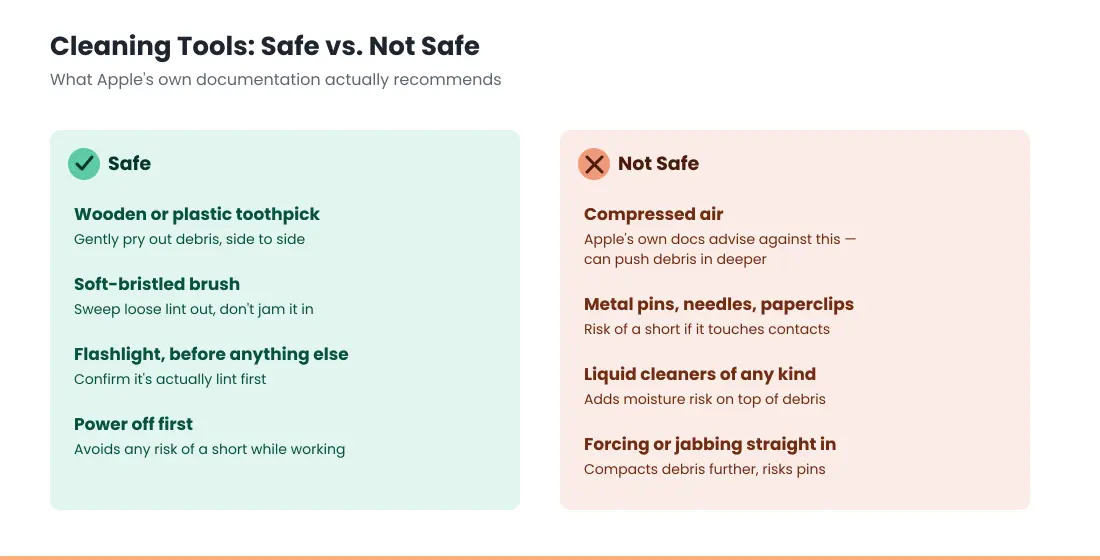
- Shine a flashlight into the port. A grey or brown layer at the bottom is packed lint.
- Use a wooden toothpick or a soft, dry brush (a clean, soft toothbrush works). Gently loosen the lint and lift it out. Work slowly, with light pressure.
- Tap the phone, port down, against your palm to shake out loose bits.
- Plug the cable back in. It should click in firmly. If it still feels shallow, repeat gently.
What not to use:
- Metal (pins, needles, paper clips, SIM tools). They can scratch or short the contacts.
- Liquids, including alcohol or contact cleaner. They can carry dirt deeper and cause corrosion.
- Compressed air. It can drive lint further in, and Apple warns against using it on a wet iPhone. Repair specialists like iFixit recommend a toothpick or brush instead.
If a wooden toothpick can’t shift the debris, stop there. A repair shop can clean the port properly in a few minutes, often for little or nothing.
Lightning vs USB-C: How to Clean Each Port
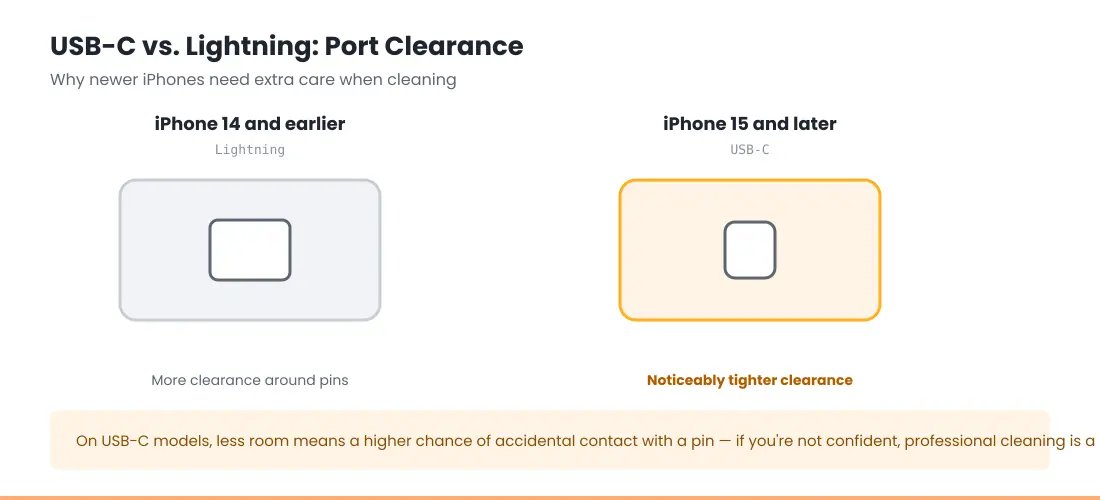
Lightning (iPhone 14 and earlier): the contacts sit on the inside walls of the port, and lint packs into the flat bottom. Gently scrape along the bottom of the port and lift the lint out.
USB-C (iPhone 15 and later): there’s a thin blade in the middle of the port with contacts on both sides. Lint collects around it and at the back. Slide the toothpick along the top and bottom gaps around the blade, and never lever against it. A bent blade means a port repair. If you can’t see what you’re doing, a shop is the safer choice.
Cable Still Loose or Not Charging After Cleaning?
Still have an iPhone charging port not working after a careful cleaning, or a cable that is clean but still loose, the port is worn or damaged. More cleaning won’t fix it. iFixit notes that if cleaning doesn’t restore a solid connection, the port likely needs replacing.
Your options:
- Apple or an Apple Authorized Service Provider. Covered if your iPhone is under warranty or AppleCare+ and there’s no accidental damage. Out of warranty, ask for a quote first. Depending on the model, Apple may replace the whole unit rather than just the port. Start at Apple’s iPhone repair page.
- An independent repair shop. Many can replace just the port, usually for less. Ask about the part and the warranty.
- Wireless charging in the meantime. A MagSafe or Qi2 charger bypasses the port completely. See Qi2 vs MagSafe.
Use the estimator below for a rough price for your model.
Rough price range for a common iPhone repair, by model and issue.
Open the full iPhone Repair Cost Estimator →
Not sure it’s the port at all? If your iPhone charges but the battery runs down fast or shuts off early, the battery may be the real issue. Check it here or read iPhone dies at 20 percent.
Found your battery health % in Settings → Battery → Battery Health? Check what it means.
Open the full iPhone Battery Health Checker →
How to Keep Your Charging Port Working
- Insert and remove the cable straight, not at an angle, and pull on the plug, not the cord.
- Use good-quality cables: Apple or MFi-certified for Lightning, reputable brands for USB-C.
- Check the port with a flashlight every month or two, and clean it before it packs down.
- Keep your iPhone in a clean pocket or bag compartment, away from lint and sand.
- Charge wirelessly some of the time. iPhone 8 and later support Qi, and iPhone 12 and later support MagSafe, which takes the strain off the port.
Certified Cables That Reduce Port Wear
As an Amazon Associate we earn from qualifying purchases.
Apple 20W USB-C Power Adapter
Apple’s own adapter — rules out a faulty charger before you blame the port. $14.99.
Apple USB-C to Lightning Cable (1m)
For iPhone 14 and earlier — rules out a worn or uncertified cable. $19.00.
Apple USB-C to USB-C Cable (2m)
For iPhone 15 and later — the correct connector for USB-C iPhones. $24.00.
Match Your Situation
Find the symptom that matches what you’re seeing.
| Symptom | Likely cause | What to do |
|---|---|---|
| Won’t charge, grey buildup visible in the port | Lint | Clean with a wooden toothpick or soft brush |
| Only charges at an angle | Lint or a worn port | Clean first. If no change, get it repaired |
| Cable loose or falls out, port looks clean | Worn or bent contacts | Repair. Cleaning won’t fix this |
| Fails with one cable, works with another | The cable | Replace the cable |
| Wireless works, no cable does | The port | Clean it, then repair if needed. Use wireless meanwhile |
| Started after the phone got wet | Moisture or corrosion | Let it dry fully, then test. Repair if it persists |
| Started after a drop | Physical damage | Get it inspected |
| Nothing charges it, wired or wireless | Not the port | See iPhone not charging when plugged in |
This guide covers safe, non-invasive cleaning only. Don’t open the phone or try to replace the port yourself. It needs special tools and can cause permanent damage.
Featured Apple Deals on Amazon
Current discounts on AirPods, chargers, cables, and other Apple gear.
Frequently Asked Questions
Why is my iPhone charging port not working?
Usually lint packed into the port stops the cable from seating. Less often, the contacts are worn or bent, or there’s moisture or damage from a drop. Clean it gently first, then get it repaired if the cable is still loose.
How do I clean my iPhone charging port?
Turn the phone off, look in with a flashlight, and gently lift the lint out with a wooden toothpick or a soft, dry brush. Don’t use metal, liquids or compressed air.
Can I use compressed air to clean my iPhone charging port?
It’s best not to. It can push lint deeper into the port, and Apple warns against it for drying a wet iPhone. A wooden toothpick or soft brush is safer.
Why does my charger feel loose in the port even after cleaning?
That usually means the port is worn or the contacts are bent. It needs a repair rather than more cleaning.
Can I still charge my iPhone if the charging port is broken?
Yes, if it supports wireless charging (iPhone 8 and later). A MagSafe or Qi2 charger doesn’t use the port at all, so you can keep using your iPhone while you arrange a repair.
Do non-Apple cables damage the charging port?
Good-quality cables don’t. Very cheap, poorly made connectors can wear the port faster. Stick with Apple or MFi-certified cables for Lightning and reputable brands for USB-C.
📚 Related Guides
- iPhone Battery Drains Overnight: Causes and Fixes
- iPhone Battery and Charging Problems: Complete Troubleshooting Guide
- iPhone Dies at 20 Percent: Causes and Fixes
- Liquid Detected in Lightning or USB-C Connector: What to Do
- iPhone Not Charging When Plugged In: Full Troubleshooting Guide
- iPhone Charging Slowly? 7 Quick Fixes & Real Causes
- Home and Lock Screen Battery Drain: 5 Real Causes
- Accessory Not Supported iPhone Error: What It Means and 7 Fixes
Written by S M Momin Arif
Founder and lead writer at iPhoneFixDaily, covering iPhone battery and charging diagnostics based on direct hands-on testing. Read more about our approach →