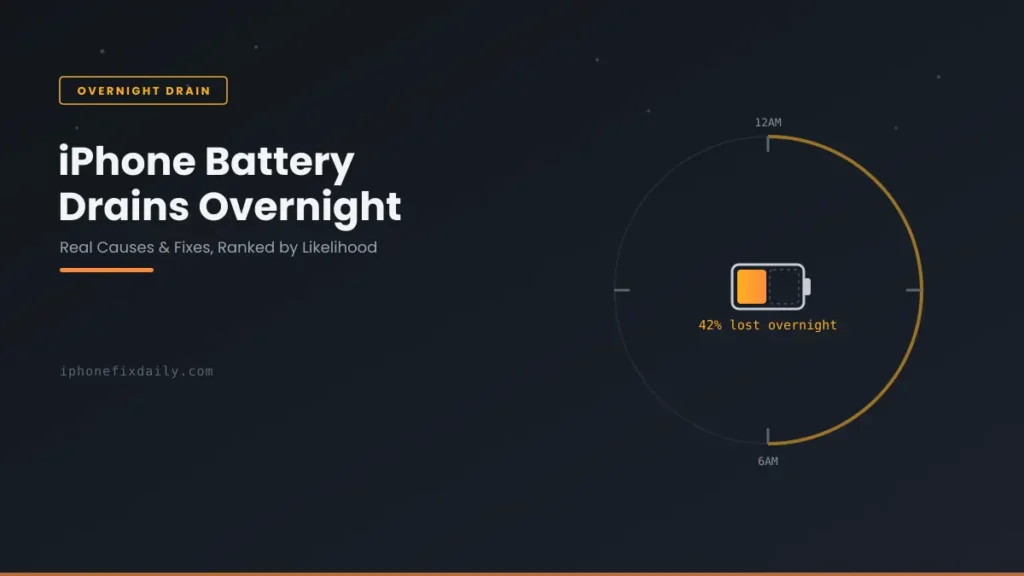
If your iPhone battery drains overnight while you’re asleep, something is using power in the background. A few percent of standby drain is normal. Losing 15%, 20% or more by morning almost always has a specific cause: weak signal, an app refreshing in the background, Lock Screen widgets, the Always-On display, or an iOS update still finishing up. This guide shows how much drain is normal, the 8 most common causes, and how to find the exact one on your iPhone in a couple of minutes.
Updated October 8, 2026 for iOS 27.
Official Apple Store on Amazon
Genuine cases, cables, and accessories — sold and shipped by Apple.
🎧 LISTEN TO THIS GUIDE
~2 min listen
📋 Quick Summary
- Losing about 10% or less overnight with the screen off is typical. Losing 20% or more means something is actively running.
- Weak cellular signal is the most overlooked cause, and one of the most power-hungry.
- On iPhone 14 Pro and later, the Always-On display and busy Lock Screen widgets can add noticeable overnight drain.
- Check Settings → Battery for any app with high background activity and almost no screen time. That’s usually your culprit.
- After an iOS update (including iOS 27), background indexing can run day and night for a few days. That drain is temporary.
Battery Health Checker
Enter your numbers below for an instant read on whether your battery is degrading normally.
How to find these numbers on your iPhone
General estimate based on typical lithium-ion degradation — not a diagnostic.
Table of Contents
Why Your iPhone Battery Drains Overnight: 8 Causes
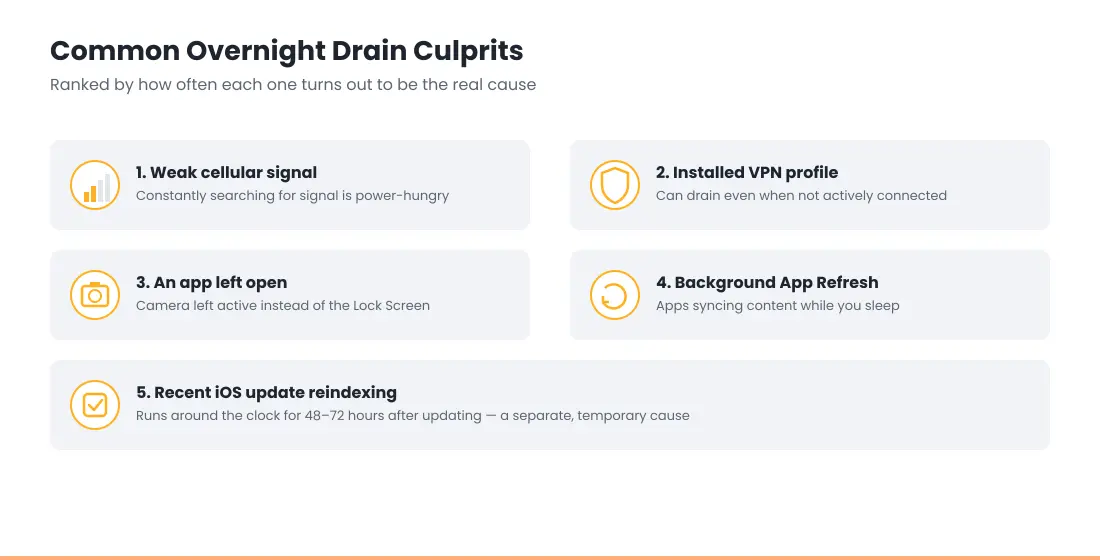
These are ranked roughly by how often they turn out to be the problem. Most people have one or two of them going on at once.
1. Weak or no cellular signal
When signal is poor, your iPhone keeps boosting its radio to search for and hold a connection. That draws far more power than sitting on a strong signal, and it doesn’t stop while you sleep. A bedroom with one bar, or a phone in a bag, is enough. If Settings → Battery shows a No Cell Coverage battery warning, this is your cause.
2. Apps refreshing in the background
Background App Refresh lets apps fetch new content while you’re not using them. Social, news, email and shopping apps are the usual offenders. One badly behaved app can keep waking your iPhone all night. Our guide on which apps actually drain iPhone battery shows how to spot it in your own data.
3. iCloud Photos syncing and photo analysis
After you take a lot of photos, add a new device, or turn on iCloud Photos, your iPhone uploads and analyzes your library in the background. It prefers to do this while charging, but it can also run unplugged. See why Photos drains your iPhone battery.
4. Lock Screen widgets and Live Activities
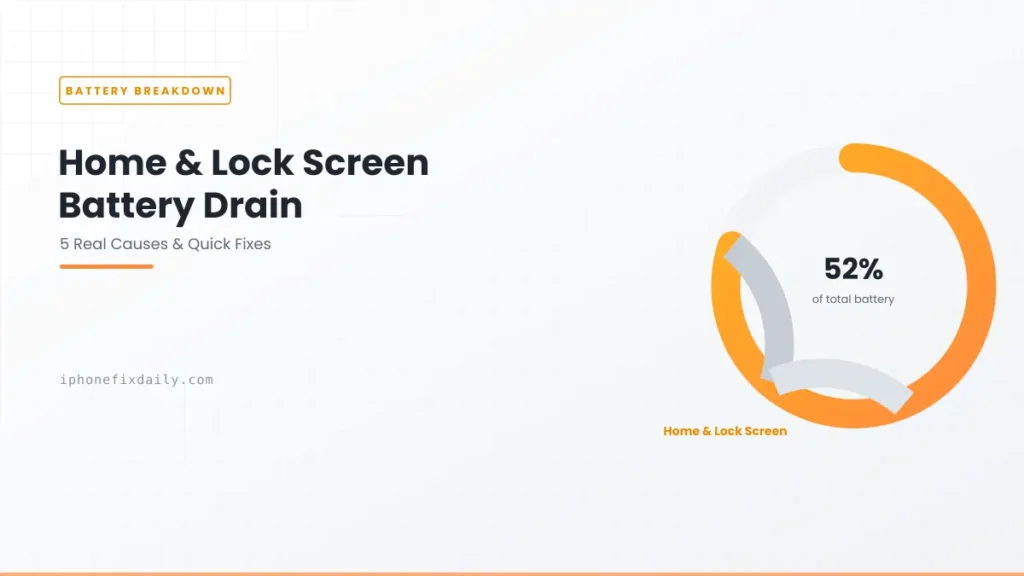
Widgets for weather, sports scores, stocks or delivery tracking refresh on their own schedule. Live Activities can stay active for hours. In your battery stats this shows up as Home & Lock Screen battery drain.
5. The Always-On display (iPhone 14 Pro and later)
Always-On keeps a dimmed Lock Screen visible. iOS turns it off when your iPhone is face down, in a pocket or bag, or when a Sleep Focus is on. If your phone sits face up on a nightstand with no Sleep Focus, the screen stays on all night. Turn on a Sleep Focus, or switch off Always-On in Settings → Display & Brightness.
6. Find My, AirTags and location services
Apps that use your location “Always”, and Find My tracking an AirTag or other accessory, can keep GPS and Bluetooth busy overnight. If Find My is near the top of your battery list, read Find My draining iPhone battery.
7. A recent iOS update finishing in the background
After a major update like iOS 27, your iPhone re-indexes photos, messages and Spotlight around the clock for a few days. Your battery screen may say an update is finishing in the background. If you updated recently, see iOS 27 battery drain before changing anything else.
8. An app left open, or an always-on VPN
An app left on screen when you lock your iPhone, often the Camera or a navigation app, can stay more active than one you closed properly. A VPN set to Connect On Demand also keeps a connection alive all night. Swipe back to the Home Screen before bed and check your VPN settings.
How Much Overnight Battery Drain Is Normal?
Apple doesn’t publish an official number for overnight battery drain. As a practical rule, losing about 10% or less over a full night with the screen off is normal standby behavior. Many healthy iPhones lose only a few percent.
If your iPhone battery drains overnight by 20% or 30% on most nights, something specific is running in the background. That’s the point where it’s worth working through the steps below. Apple’s own battery and performance guidance explains how battery age affects this too.
How to Find What’s Draining Your Battery Overnight
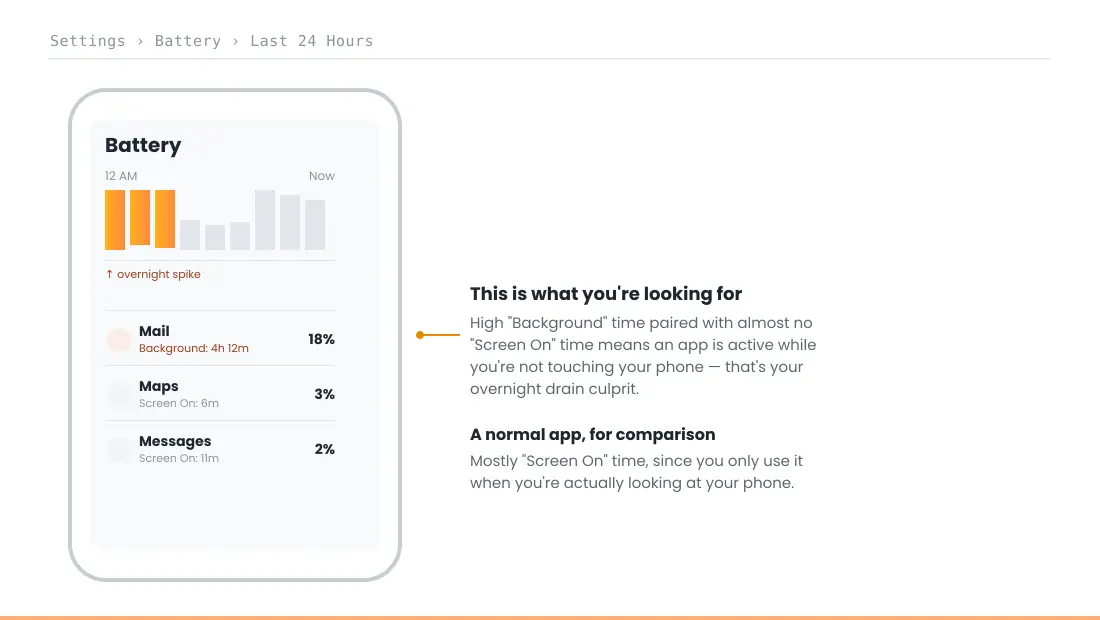
- Open Settings → Battery and select the Last 24 Hours view. Tap the bars for the hours you were asleep to see only that period.
- Look at the per-app list. An app with high Background activity and almost no Screen On time is your main suspect.
- If you see No Cell Coverage or Low Signal on the list, test for one night in Airplane Mode (leave Wi-Fi on if you need alarms and calls over Wi-Fi). A big drop in drain confirms a signal problem.
- Check Settings → General → VPN & Device Management for VPNs set to connect on demand.
- Before bed, swipe up to the Home Screen and lock your iPhone. Don’t leave the Camera or a map open.
Fixes Matched to Each Cause
Fix the cause you found rather than turning everything off. Low Power Mode overnight is a reasonable stopgap, but it hides the problem rather than solving it.
| Suspected cause | Where to check | Fix |
|---|---|---|
| Weak signal | Settings → Battery (No Cell Coverage), or test with Airplane Mode | Charge in a better-signal spot, turn on Wi-Fi Calling, or use Airplane Mode overnight |
| Background App Refresh | Settings → Battery, per-app Background activity | Turn off Background App Refresh for that one app, not every app |
| iCloud Photos sync | Photos app, bottom of the Library view | Let it finish while plugged in. It stops once the library is synced |
| Lock Screen widgets | Settings → Battery, Home & Lock Screen | Remove widgets one at a time and end old Live Activities |
| Always-On display | Settings → Display & Brightness | Turn on a Sleep Focus, place the phone face down, or turn Always-On off |
| Find My or location | Settings → Privacy & Security → Location Services | Change apps from Always to While Using |
| Recent iOS update | Settings → Battery, update or indexing message | Leave it on charge overnight for 2–3 nights. It settles on its own |
| App left open or VPN | Settings → General → VPN & Device Management | Return to the Home Screen before bed and turn off Connect On Demand |
When Overnight Drain Is Really a Battery Health Problem
If none of the above explains why your iPhone battery drains overnight, check Settings → Battery → Battery Health. A worn battery holds less charge, so normal background activity takes a bigger bite out of the percentage overnight. Our guide to iPhone battery cycle count explains what’s normal for your phone’s age, and iPhone battery replacement cost covers what a new battery costs.
This guide covers software and usage causes only. If you notice swelling or a lifted screen or back panel, stop using the phone and see the safety advice in our battery and charging guide. Don’t try to open it yourself.
RECOMMENDED FIRST STEP
Don’t guess — check the data first
Settings → Battery → Last 24 Hours will show you exactly which app is active overnight, in under a minute.
See the Full Battery & Charging GuideFeatured Apple Deals on Amazon
Current discounts on AirPods, chargers, cables, and other Apple gear.
Frequently Asked Questions
How much iPhone battery drain overnight is normal?
About 10% or less over a full night with the screen off. If your iPhone battery drains overnight by 20% or more on most nights, something specific is running in the background.
Why does my iPhone battery drain overnight when I’m not using it?
The most common causes are weak cellular signal, apps refreshing in the background, iCloud Photos syncing, Lock Screen widgets, and the Always-On display. Settings → Battery shows which one it is.
Does the Always-On display drain the battery overnight?
It can if your iPhone is face up with no Sleep Focus on. iOS turns Always-On off when the phone is face down, in a pocket, or a Sleep Focus is active.
Does leaving Wi-Fi on overnight drain the battery?
Not noticeably. Wi-Fi usually uses less power than searching for a weak cellular signal, so it’s rarely the main cause of overnight battery drain.
Should I use Airplane Mode at night?
Only if your signal is poor where you sleep. It stops the radio from searching all night. Alarms still work, but calls and messages won’t come through unless you turn Wi-Fi back on.
Why does my battery drain more overnight after an iOS update?
Your iPhone re-indexes your data in the background for a few days after an update, including overnight. It’s temporary. See our iOS 27 battery drain guide for the timeline.
📚 Related Guides
- iPhone Charging Port Not Working: Causes and Fixes
- iPhone Battery and Charging Problems: Complete Troubleshooting Guide
- iPhone Dies at 20 Percent: Causes and Fixes
- iOS 26.6 Battery Drain: Quick Fix & What’s Happening
- Find My Draining iPhone Battery? 5 Proven Fixes
- Free Tool: iPhone Battery Health Checker
Written by S M Momin Arif
Founder and lead writer at iPhoneFixDaily, covering iPhone battery and charging diagnostics based on direct hands-on testing. Read more about our approach →